ChatGPT
 Perplexity
 Gemini
 Claude
 Grok
Grok
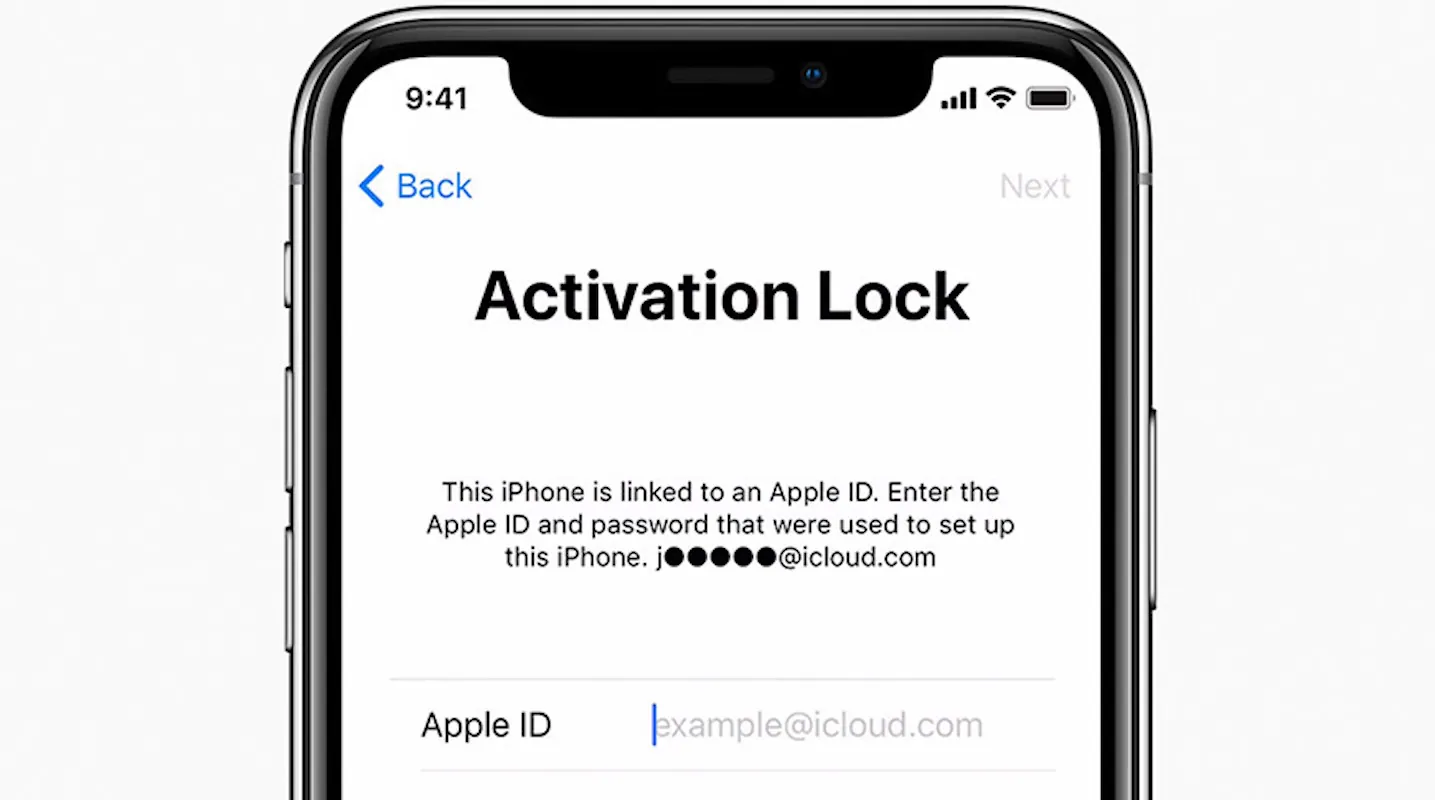
Buying a second-hand iPhone will typically cost you less. Still, there are some risks involved, one of which is getting an iPhone locked with Apple's iCloud Activation and you not being able to use it since it is still linked to the previous owner's Apple ID.
The fastest method to check iCloud lock with IMEI is to enter the device's IMEI number in a trustworthy iCloud lock checker tool. The article below discusses the operating principle of these activation lock status checker tools and lists the top IMEI checkers that will verify the iCloud lock status in 2026 before you buy or sell a used iPhone. Let's get started!
In this article

Part 1. What You Should Know Before Using an iCloud Lock Checker
Before you run your iPhone IMEI through any iCloud lock checker, there are a few important things to understand. Knowing these will help you avoid misreading the results and expecting a "clean" report to mean the lock is off.
A clean IMEI does not mean that the activation lock is off
"Clean" IMEI is a term that only suggests that the phone is not on the blacklist or has not been reported as stolen. It doesn't imply that the activation lock by Apple is off. The iPhone may still be under iCloud lock even though the IMEI is clean.
What an iCloud lock checker can detect
Usually, an iCloud lock checker will check the basics of your phone, like IMEI validity, if it is blacklisted, if there are any restrictions by the carrier, and sometimes if the Activation Lock is there or not. But the outcome depends on how often their databases are updated and what kind of access they have.
Why do different checker tools show different results
Different checker tools get their data from different sources, have their own update frequency, and make use of Apple-related APIs differently. So, it is possible that one checker tool may show a device as "clean" while another might classify it as "locked" or "unknown".
How to find your iPhone IMEI
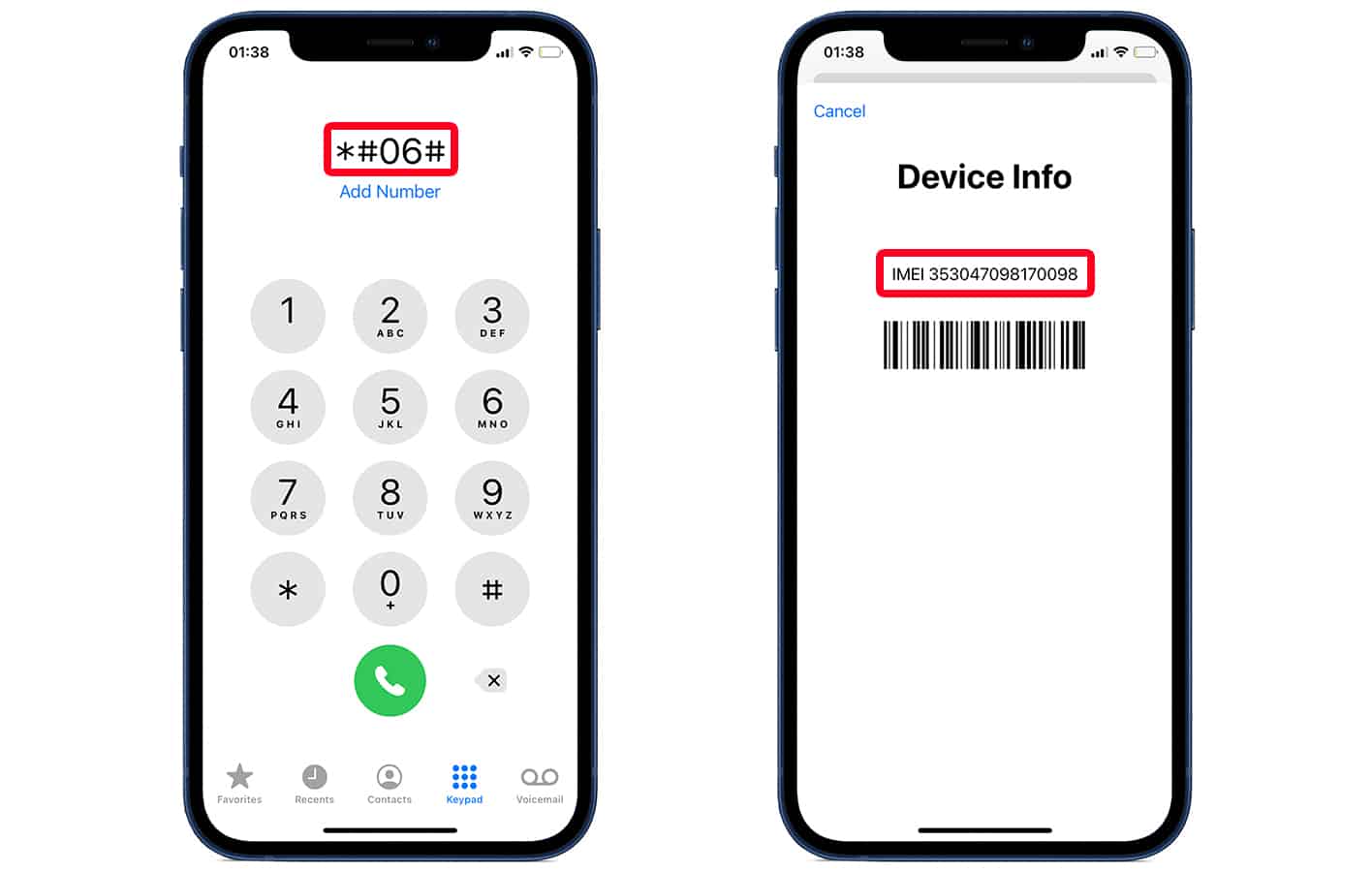
You can locate your IMEI in many ways: dial *#06# on your phone, go to Settings > General > About or you may find it printed on the SIM tray or the box. This number is very important when you are checking for an iCloud lock.
Part 2. 7 Best iCloud Lock Checker Tools
Selecting a suitable iCloud lock checker is crucial, as the accuracy of a tool relies on its source of data and how often it is updated. The tools below are generally utilized for checking Activation Lock, which is IMEI-based, and the condition of the devices before the first owner sells an iPhone.
| Tool Name | Free/Paid | IMEI Check | Accuracy | Best For |
|---|---|---|---|---|
| Dr.Fone Online Unlock | Free | Yes | Very High | 20+ detailed device checks (iCloud, blacklist, carrier, warranty, multi-brand reports) |
| Apple's Official Page | Free | No | High (Official source) | Official Activation Lock verification for legitimate device owners |
| IMEI.info | Free + Paid | Yes | Medium–High | iCloud status + full device info (warranty, carrier, specs, database lookup) |
| Swappa Check | Free | Yes | High | Safe-buy verification using GSMA + marketplace data (clean vs blocked devices) |
| IMEICheck.com (iPhone IMEI) | Free | Yes | Medium | Quick iCloud ON/OFF (FMI status) for basic used iPhone checks |
| iUnlocker | Free + Paid | Yes | High | Multi-tool platform (iCloud, blacklist, SIM lock, carrier + brand-specific checks) |
| IMEI24.com | Free + Paid | Yes | High | iCloud status + full report (warranty, blacklist, carrier, authenticity, real-time checks) |
1. Wondershare Dr.Fone Online Unlock (Recommended)
Dr.Fone Online Unlock's IMEI Check is a mobile-status-checking tool that is hosted on the web. It is designed to assist users in determining whether an iPhone is iCloud locked, blacklisted, or still under warranty by simply entering the IMEI number of the phone. Using the phone's IMEI number, the software cross-checks it against multiple verification systems, including those related to Apple, to retrieve status information.
Reasons Why It Is #1
- Highly accurate IMEI scans that operate in real-time and the turnaround time is very fast (most typical instances are under 1 minute)
- There is no need to download any kind of software as it operates right from your web browser.
- Receives several signals from the device, including Apple Activation Lock and blacklist status.
- Facilitates iOS and Android device checking on a single platform.
What do the results mean:
- Clean / Unlocked: The device is permissible to be activated and not linked to any iCloud account.
- Activation Lock ON: iPhone is still associated with an Apple ID, and one cannot use it in its entirety without the credentials.
- Blacklisted: The device has been reported as lost, stolen, or the user has been blocked by the carrier databases.
Supported Device Checks
Dr.Fone IMEI Check is one of the most comprehensive device verification tools on the market as it not only supports Apple Activation Lock, MDM lock, carrier lock, warranty, and blacklist status checks but it also provides multi-brand Android device information from Samsung KNOX, Xiaomi activation lock and Huawei device info.
- Free IMEI check available for essential device details
- Extremely detailed 20+ parameter IMEI report
- Covers Apple + Android + multiple OEM brands
- Fast online checking (no installation needed)
- Useful for both buyers and sellers of used phones
- Accuracy depends on third-party and carrier databases
- Not an official Apple service
Step-by-Step Guide to Use Dr.Fone Online Unlock's IMEI Check
You can always check iCloud status with IMEI. Here is a step by step guide to check IMEI online:
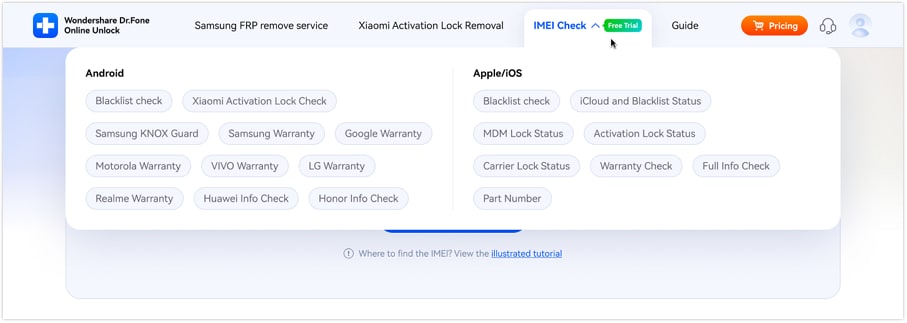
Step 1 Choose the Type of IMEI Check
Launch the Dr.Fone IMEI Check tool from your browser. Choose iCloud and Blacklist Status (Apple/iOS) option.
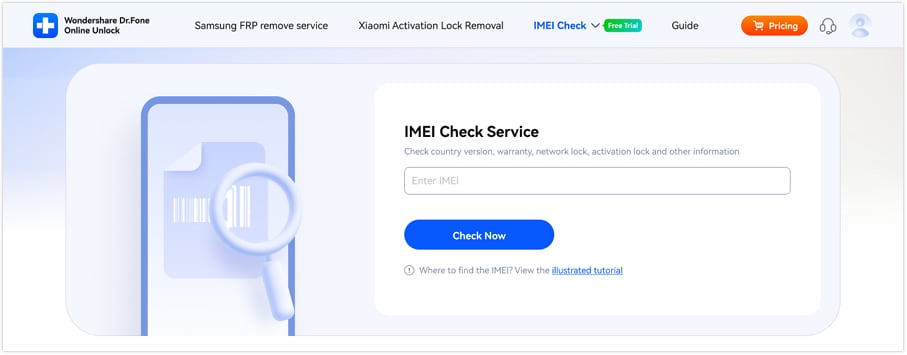
Step 2 Provide Your IMEI Number
Put the IMEI of your phone in the box and hit Check Now to do the verification. A first and free check is possible even without logging in, and users can also get an illustrated tutorial if they need help locating the IMEI.
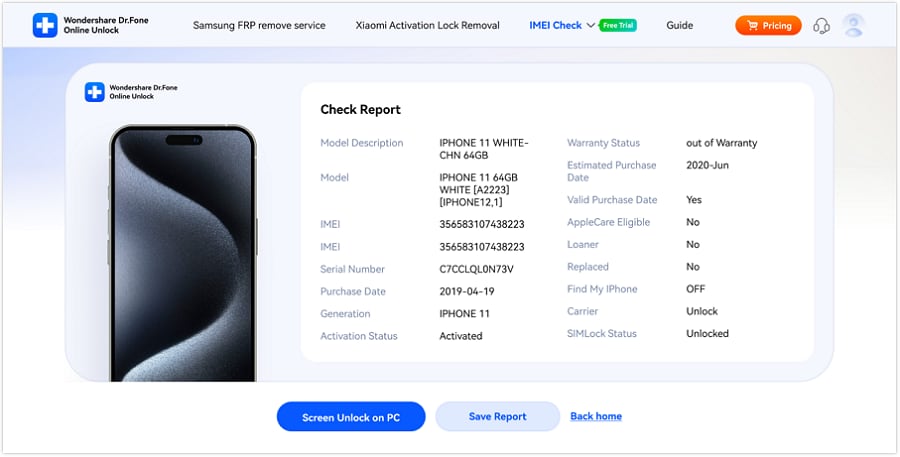
Step 3 Receive the report and Save It
Once the analysis is done, the system will produce a full report according to the check you have chosen. Press Save Report to get a copy for reference.
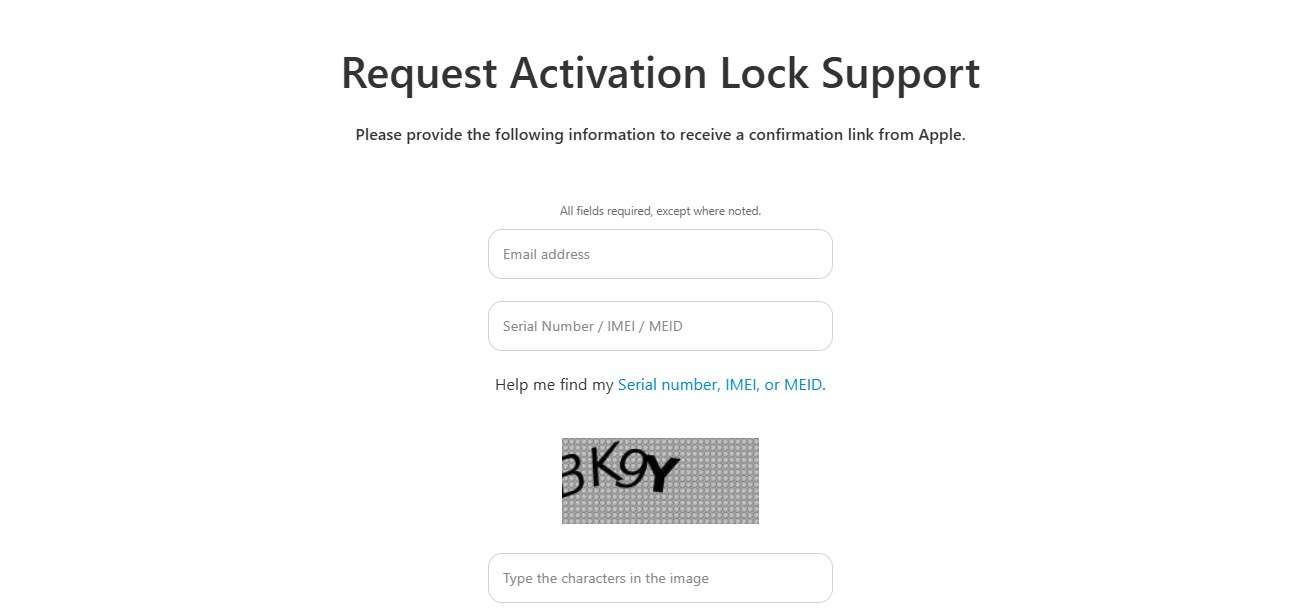
2. Apple's Official Activation Lock Status Page
Apple has an official Activation Lock support webpage where users can ask for assistance in checking or removing Activation Lock on a device. It is basically a way for legitimate owners of the device to prove their ownership so that they can receive support after verification. Apple may require the owner to provide the original purchase receipt and details such as IMEI, MEID, or the serial number of the device.
- Most reliable and official source
- Direct Apple system verification
- High trust level for Activation Lock support
- No third-party data involved
- Limited functionality (only Activation Lock support)
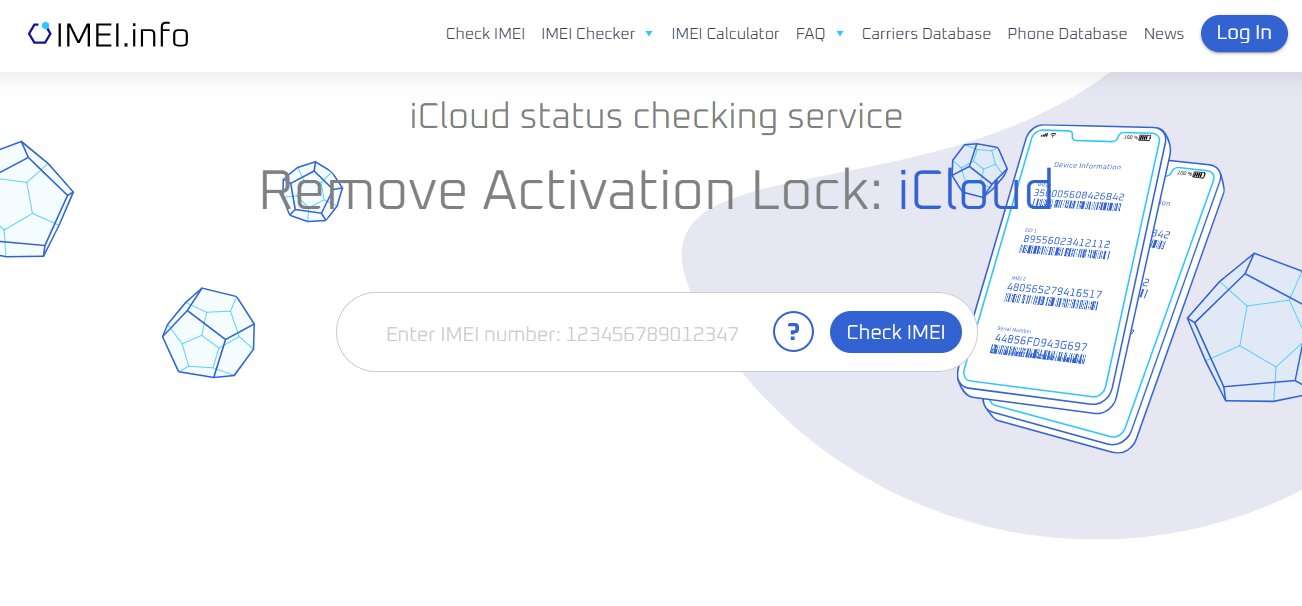
3. IMEI.info
IMEI.info provides a web-based service to check iCloud lock status, where users can find out if an iPhone is Clean or Activation Locked just by entering the IMEI number. The site integrates an IMEI checker with a comprehensive mobile database, enabling people to get iCloud status reports together with other phone information such as carrier, blacklist, warranty details, and device specs.
Besides this, it is also capable of IMEI calculation, carrier database lookup, and phone database search, becoming a handy multi-purpose checkpoint. On submitting the IMEI number, a customer can get the iCloud status result.
- Provides iCloud status + full device details
- Includes carrier, warranty, specs, and database lookup
- Easy-to-use IMEI checker interface
- Supports multiple device types
- Mixed accuracy depending on database updates
4. Swappa Check
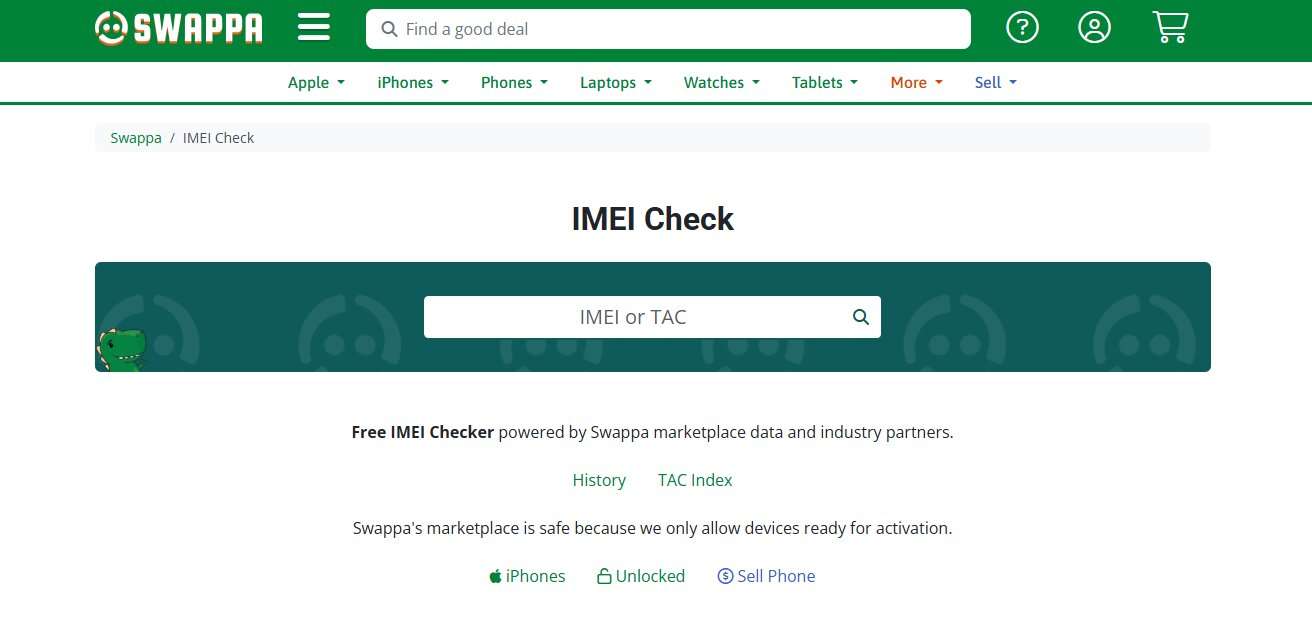
Swappa has a great free IMEI/ESN checking tool, available on demand, that uses our marketplace data together with GSMA registry information to help you figure out if a phone is clean, blocked, or can be activated. The activation lock check tool is apparently very popular among iPhone users who buy and sell pre-owned items to check if the device is allowed (clean and eligible for activation) or blocked (reported loss, stolen, or blacklisted). It also serves as a safeguard for Swappa users by confirming which phones are suitable for listing or making a purchase on our marketplace. The mechanism is basically a protective measure for buyers, ensuring that only activation-ready devices get traded.
- Uses GSMA + marketplace data for strong safety checks
- Clearly shows "clean" vs "blocked" status
- Trusted for used device buying decisions
- Completely free tool
- Limited iCloud-specific detail
5. IMEICheck
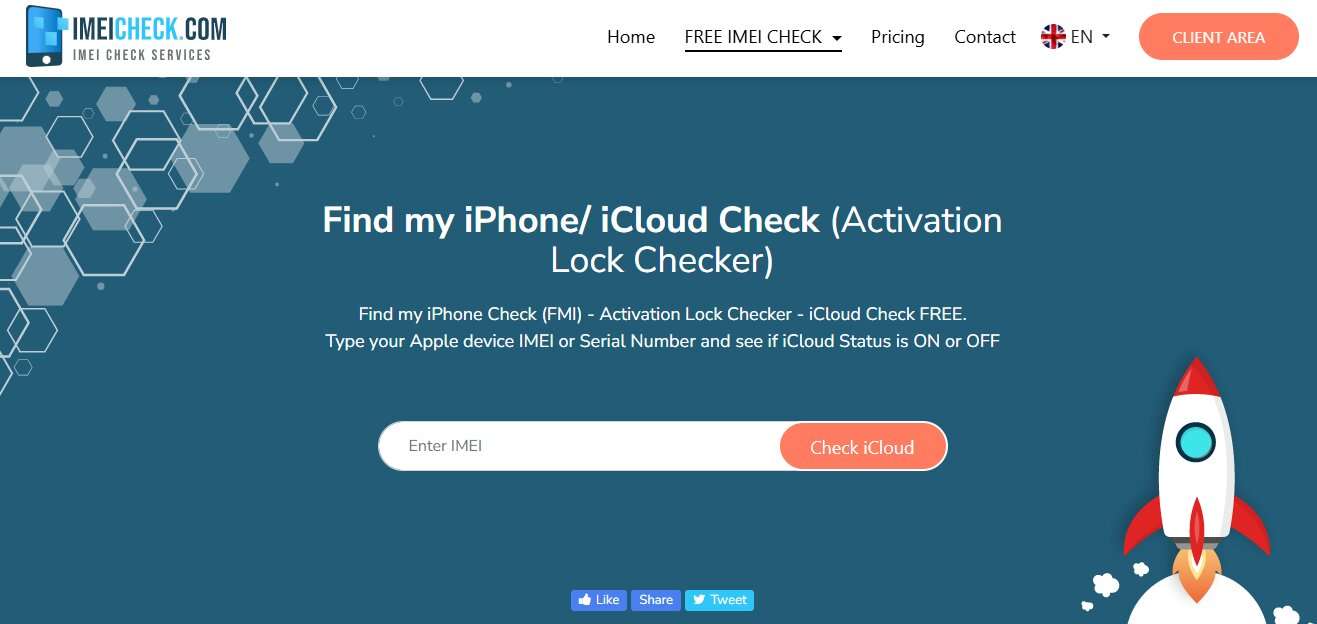
IMEICheck.com provides a no-cost iCloud Activation Lock (FMI) checker in which one only needs to input an IMEI or serial number to know if Find My iPhone is enabled or disabled on an Apple device. The tool immediately displays the result iCloud ON (Activation Lock is on) or iCloud OFF (the device is ready to be set up), thus assisting potential buyers in avoiding second-hand iPhones that are locked or unusable.
Besides clarifying device status, it informs the users about whether the phone is safe to be purchased (iCloud lock check by IMEI), and it is compatible with all Apple devices such as iPhone, iPad, iPod touch, and Apple Watch. Furthermore, it cautions users that the status is derived from live data and it should be verified near the time of purchase for the highest accuracy.
- Simple and fast iCloud ON/OFF check
- Works with IMEI and serial number
- Supports all Apple devices (iPhone, iPad, Watch)
- Easy for beginners
- Basic-level information only
- No deep device report or advanced checks
6. iUnlocker
Offering a multi-service platform, iUnlocker.com is an IMEI checking service that allows users to confirm iCloud status, Activation Lock, SIM lock, blacklist status, and full compatibility of Apple and Android devices. It can do both IMEI and serial number checks and provides iCloud results quickly to tell if a device is in Lost Mode, Activation Locked, or free for activation.
Besides Apple checks, it also offers carrier verification(AT&T and T-Mobile, for example), GSMA blacklist lookup, and brand-specific checks for Samsung, Xiaomi, Huawei, OnePlus, Nokia, and others.
- Wide range of checks (iCloud, blacklist, SIM lock, carrier)
- Supports many brands (Apple, Samsung, Xiaomi, etc.)
- Fast IMEI/serial processing
- Useful multi-tool platform
- Interface can feel complex for beginners
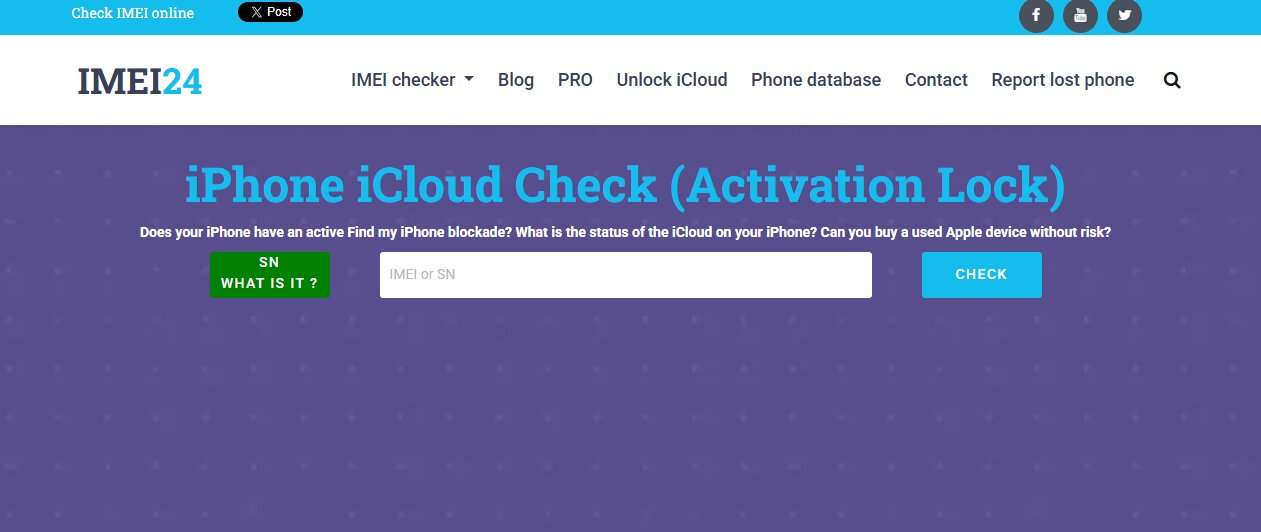
7. IMEI24.com
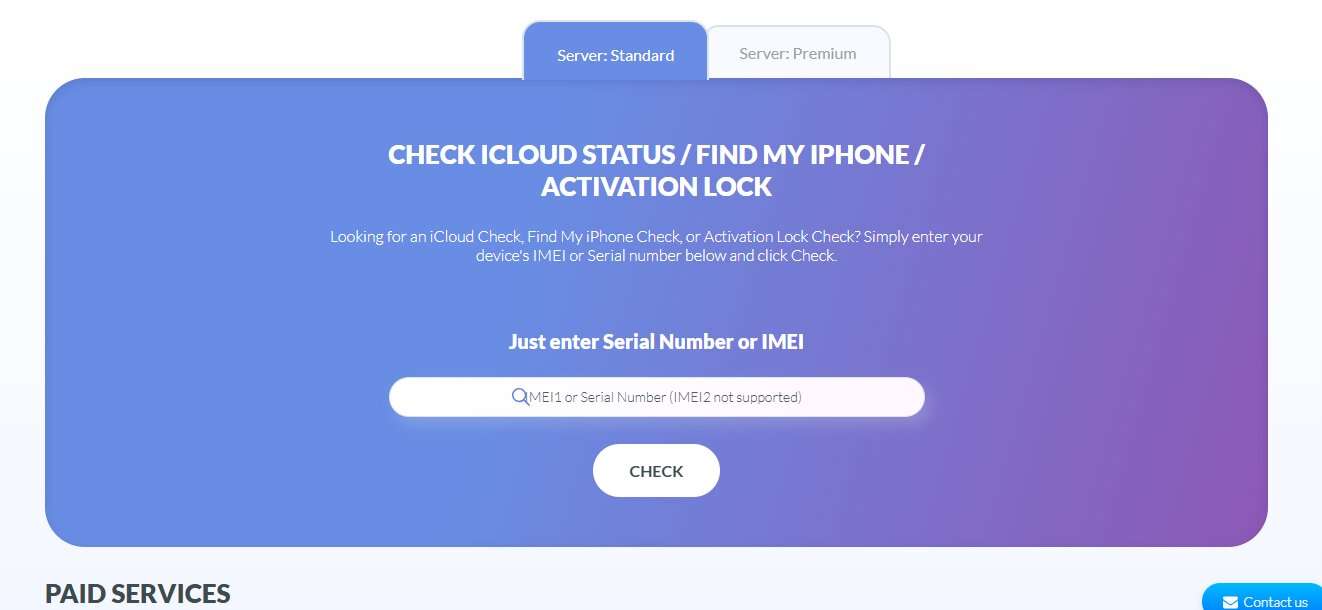
IMEI24 offers a free Apple iCloud and Activation Lock checker tool that enables users to check if a certain iPhone or iPad is locked with Find My Device just by using the IMEI or serial number. This utility is remarkably fast, giving the user the ON or OFF status of an iCloud as well as other details such as the device's blacklisting, warranty status, carrier lock, authenticity, etc. Besides the fact that it has an iCloud checker, IMEI24 can also be used to get a full report of a device, check a device's warranty, find a phone in the database, carrier-specific check, etc., which makes it a multifunctional IMEI analytical platform that can be used to safely check used Apple products prior to the purchase.
- Provides iCloud ON/OFF + detailed device report
- Includes warranty, blacklist, carrier, and authenticity checks
- Real-time checks with fresh results
- Supports Apple and multi-device ecosystem
- Some features require paid access
Part 3. Expert Advice: Decoding the iCloud Lock Check Results
Besides performing the iCloud activation lock check, it is very important to interpret the iCloud check results correctly. A slight misinterpretation can cause you to purchase a locked or unusable device.
- "FMI (Find My iPhone) = ON" & "Status = CLEAN": It shows that Find My iPhone is still active and the device is associated with an Apple ID of a previous owner. The IMEI could still be clean, but the phone is Activation Locked and you won't be able to use it fully without the original credentials.
- "FMI = OFF": You can't get a better and safer result. It means Activation Lock is turned off, and the device, after resetting, can be freely set up with a new Apple ID. Such conditions are typical when purchasing a second-hand iPhone.
- "Status = LOST / REPORTED": This is basically a very risky result. It normally indicates the device has been reported as lost, stolen, or has unpaid carrier/financial obligations. That kind of device may be blacklisted and generally should be avoided.
Part 4. Common Issues and Fixes in iCloud Lock Checking
Apple's iCloud IMEI checker tools can be very helpful; however, the outcomes are not always entirely accurate. Recognizing these limitations is part of the help in not making wrong decisions when acquiring a second-hand iPhone.
Problems
- "No data found": In most cases, this means that the tool simply does not have the device IMEI available in its database.
- "Unknown status": This is likely to occur when a program is unable to firmly match the IMEI to Apple or carrier databases.
- "Clean IMEI but locked iCloud": A device can be listed as clean (not blacklisted) but still be iCloud locked. This is because the blacklist status and Activation Lock are two entirely different checks.
- "Mismatch results": One tool may display one result while another may display completely different ones. This is especially true for refurbished, replaced, or cloned devices for which records are inconsistent across different databases.
Solutions
- Check the IMEI again carefully to make sure there are no typos
- Use two or more different iCloud checker tools to compare the data
- Request that the seller show the iCloud logout before closing the deal
- Try to verify on the device directly, if possible (via Settings → Apple ID)
- If the test results are still inconsistent or unclear, then it is better not to buy, as the risk is too high
Conclusion
One of the main ways to prevent the expensive error of buying a second-hand iPhone locked by iCloud Activation Lock is by checking the status beforehand. Since IMEI-based results through different tools may differ, the best way to ensure accurate verification is by using a detailed and reliable checker."
Additionally, for more comprehensive and dependable results, the users can go for Dr.Fone Online Unlock's IMEI Check, which can deliver over 20 device-related data points, including iCloud status, blacklist status, carrier lock, warranty, etc., all in one report. This is giving you a speedier and more thorough means of checking a device prior to purchase, which in turn leads to lowering the risk of acquiring a locked or unusable phone."

Wondershare
Dr.Fone
Wondershare Dr.Fone
Need More Phone Tools? Discover More on Dr.Fone — One Toolkit for All Your Phone Solutions.


 Try It Free
 Try It Free
 100% Clean & Safe
FAQs
-
Can I check iCloud activation lock status for free?
Yes, many IMEI-based tools offer free basic iCloud checks, but detailed reports or advanced verification may require paid services. -
Is it safe to enter my IMEI on a third-party website?
It is generally safe if the website is reputable. However, always avoid unknown or suspicious platforms to protect your device data and privacy. -
What is the difference between "activation lock" and "blacklisted"?
Activation Lock is linked to Apple ID security (Find My iPhone), while blacklist status is related to carrier or GSMA records for lost, stolen, or unpaid devices. -
How long does an iCloud lock check take?
Most IMEI iCloud checks take only a few seconds to a minute, depending on the tool and database response time.