ChatGPT
 Perplexity
 Gemini
 Claude
 Grok
Grok
Buying a used iPhone is a good way to save money or get an upgrade without spending too much. You might find a great deal online or from someone nearby, but there's a risk many people miss: iCloud lock. It's frustrating to turn on your new phone and find out you can't use it and may have lost your money. This happens more often than you'd expect, especially if you don't check for iCloud lock before buying.
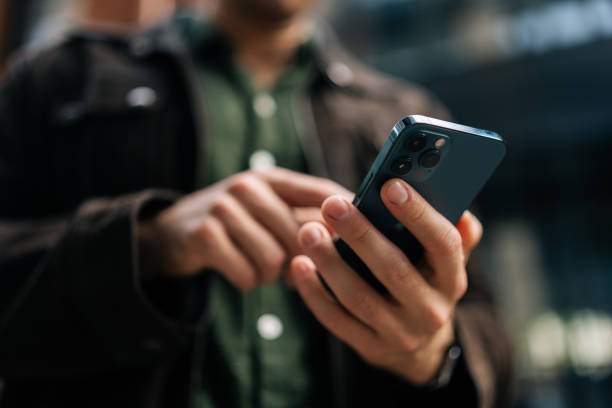
If an iPhone is iCloud locked, you can't use it unless you have the original owner's Apple ID. That means you can't use apps, make calls, or even reset the phone. This guide shows you how to check if iCloud is locked on iPhone with easy steps, real examples, and expert advice. Whether you're buying online or in person, you'll learn how to protect yourself and make sure your next iPhone works right away.
In This Article

Part 1: How to Check If iPhone Is iCloud Locked (Step-by-Step Methods)
You can check if an iPhone is iCloud locked in a few different ways, depending on if you have the phone with you or just the IMEI number. Here's how to check if iPhone iCloud locked in each situation.
Method 1: Check iCloud Lock Status by IMEI (Best Remote Method)
If you're buying online or can't meet the seller, checking the IMEI is the most reliable option.
What is IMEI?
The IMEI (International Mobile Equipment Identity) is a unique 15-digit code for every iPhone. Sellers can find it by dialing *#06# or in Settings > General > About.
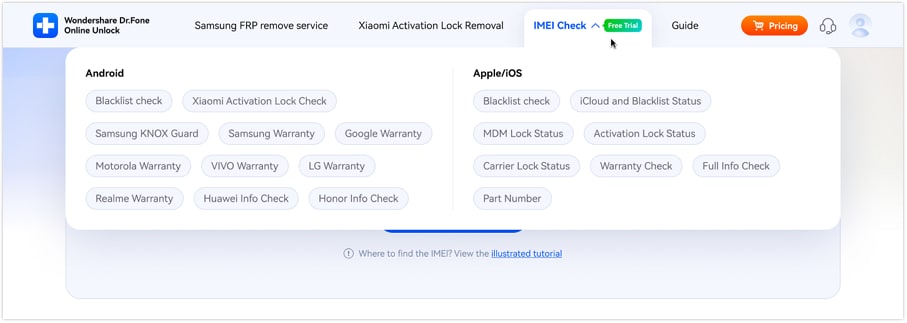
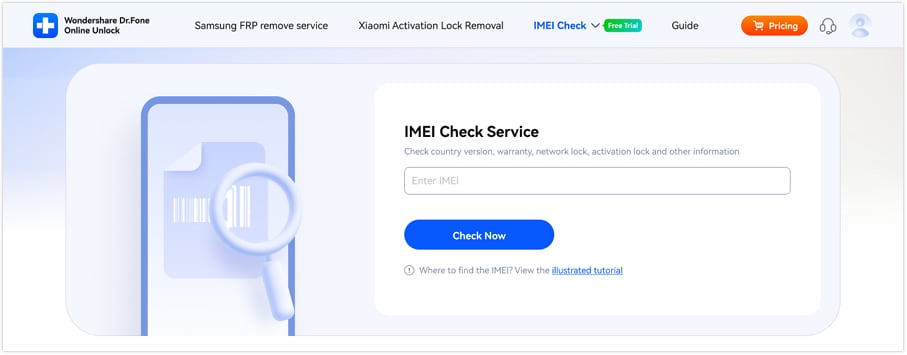
How to Check iCloud Lock Using Dr.Fone Online Unlock:
Quick Navigation
-
Step 1 Go to Dr.Fone Online Unlock's IMEI checker.
-
Step 2 Enter the IMEI and required details.
-
Step 3 View the real-time iCloud lock status instantly.
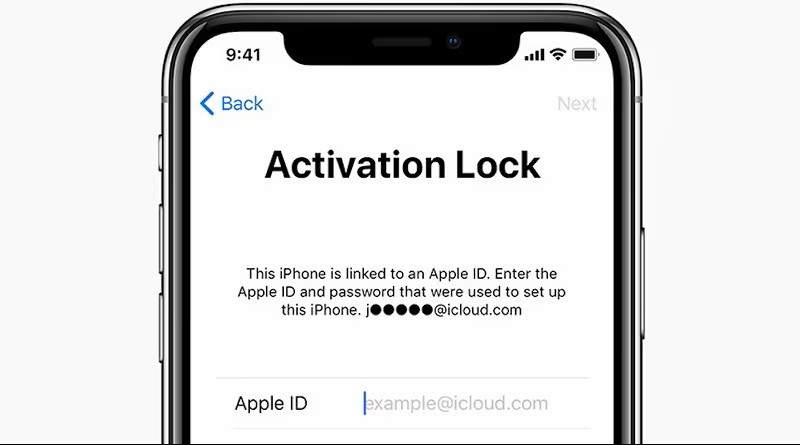
Method 2: Check iCloud Lock via Setup Screen (If You Have the Phone)
If you can turn on the phone, this is the quickest way to check.
Steps:
- Turn on the iPhone.
- Start the setup process.
- Watch for a screen asking for an Apple ID and password.
- If prompted for the previous owner's credentials, the iPhone is iCloud locked.

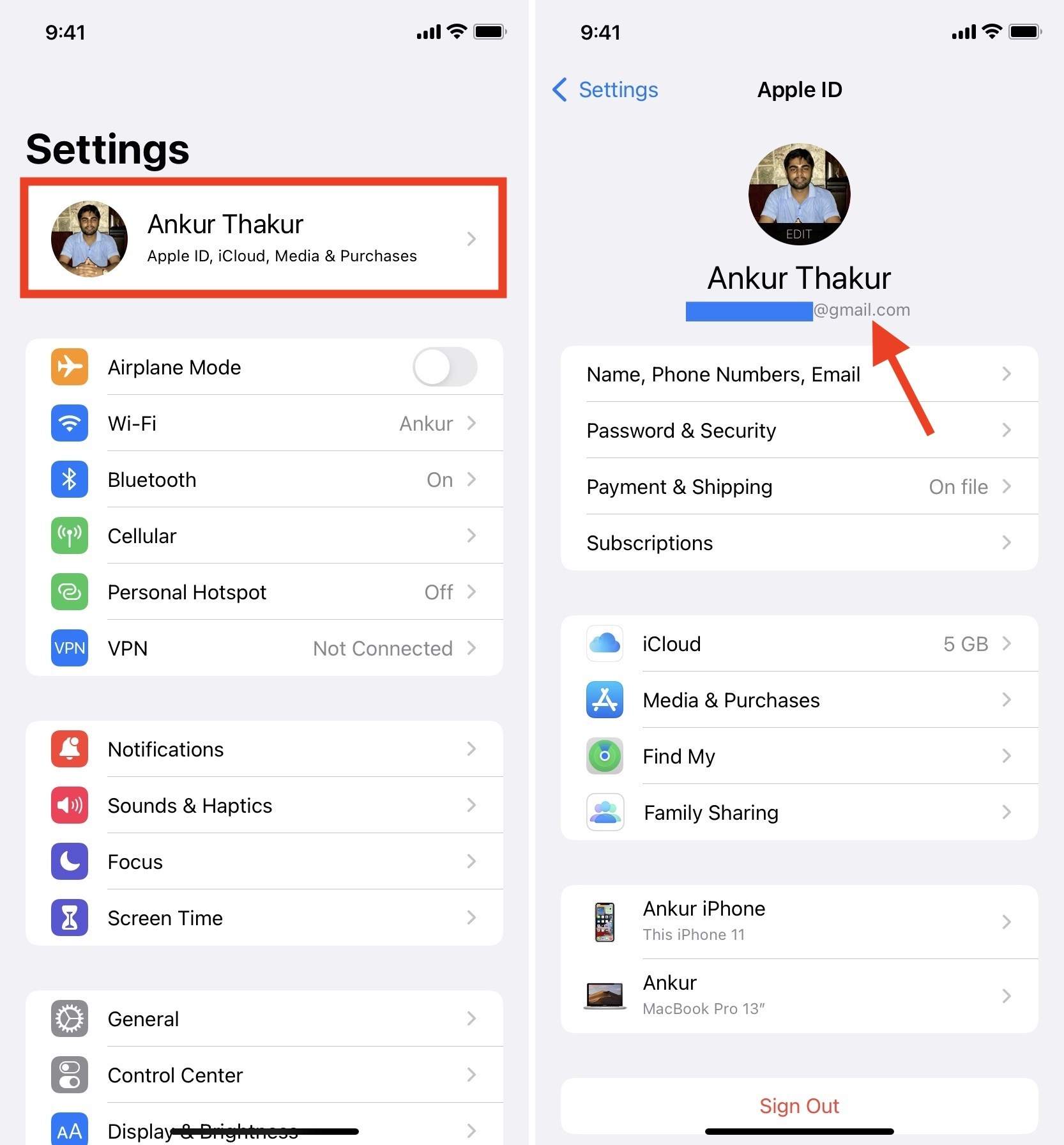
Method 3: Check Apple ID in Settings (If Device Is Accessible)
If you can access the device settings:
Steps:
- Open Settings.
- Tap the Apple ID at the top.
- Review the Apple ID signed in.
- Ask the seller to sign out before buying.
Which Method Is the Most Reliable?
Using Dr.Fone Online Unlock to check the IMEI is the safest and most recommended method, especially if you can't meet the seller face-to-face.
If you have the phone, it's best to check it in person using the setup screen or by performing a reset, and according to Phonecheck, missing details in an IMEI report can result in ending up with an unusable device or even risking your business reputation.
Part 2: What to Do If the iPhone Is iCloud Locked

Finding out your phone is iCloud locked after you buy it can be very frustrating, but there are a few things you can try. Just know that your options are limited if you're not the original owner.
- Ask the Seller to Remove the Lock
The original owner can remove the Activation Lock remotely through their Apple ID or iCloud account.
- Request a Refund If Necessary
If the seller refuses to unlock the device, contact your payment provider or marketplace for buyer protection support.
- Contact Apple Support With Proof of Ownership
Apple may help remove the lock if you can provide a valid proof of purchase and ownership.
- Online iCloud Unlock Services for Eligible Devices
Dr.Fone Online Unlock helps remove iCloud Activation Lock online for supported devices, with support for the latest iPhone models and iOS versions, fast unlock processing, and professional technical assistance for eligible cases.
- Avoid Unofficial Bypass Websites
Be cautious of websites claiming illegal Activation Lock bypass methods, as many are unreliable and may expose users to scams or privacy risks.
Part 3: Real-World Test Cases and Expert Insights
Reading about iCloud lock is useful, but real stories from buyers and experts show the risks and solutions even better. Here are some real examples and specialist views that show why checking the iCloud lock status matters before you buy.
Test Case 1: Online Buyer Avoids a Costly Scam
A buyer found a used iPhone for a bargain price on a popular online marketplace. Instead of hurrying into the deal, they asked the seller for the IMEI number of the device and used the Dr.Fone IMEI check tool. The results showed the iPhone was iCloud locked. Thanks to this quick check, the buyer avoided spending over $300 on a phone they could never use.
Test Case 2: Face-to-Face Sale Raises a Red Flag
At an in-person meeting, a seller didn't want to reset the iPhone in front of the buyer. The buyer noticed this was suspicious and asked to see the setup process. When the seller refused, the buyer left, avoiding a possible scam and saving money and stress.
Expert Insights
Tech reviewers and mobile technicians agree: IMEI checks are a must for second-hand iPhone buyers.
According to a guide from Phonecheck, checking the IMEI is the quickest way to determine if a phone is blocked before making a purchase. “Activation Lock can only be removed by the original owner or with the correct Apple ID credentials. There's no legal workaround as of 2024.”
Real stories and expert advice make it clear: always check if an iPhone is iCloud locked before you pay. It only takes a few minutes and can save you from a costly mistake.
Part 4: Common Mistakes to Avoid

Even experienced buyers can make mistakes when purchasing a used iPhone. Here are some common mistakes to watch out for:
- Skipping the authentication steps: Don't just take the seller's word for it—run your own iCloud lock check using the methods outlined above.
- Accepting "forgot password" excuses: If a seller claims they can't unlock the phone or have forgotten their Apple ID, treat this as a major red flag and walk away.
- Paying before confirming unlock status: Never send payment or transfer ownership until you've personally confirmed the device isn't iCloud locked.
- Trusting screenshots or photos as proof: Scammers can easily fake images. Insist on a live demonstration or use a trusted IMEI checker like Dr.Fone yourself.
- Overlooking seller reviews and ratings: If you're buying online, check the seller's history and feedback to avoid repeat offenders.
Avoiding these mistakes can save you time, money, and stress, so always double-check before you buy. A few simple steps can help you get a good deal on a used iPhone that works right away.
Conclusion
The main thing to remember when buying a used iPhone is to always check if it's iCloud-locked before you buy. If you skip this step, you could end up with a phone you can't use or sell.
Of all the ways to check, using an IMEI check is the safest and most reliable, especially if you're buying online or from far away. Tools like Dr.Fone's IMEI checker let you see the phone's status right away, so you can buy with confidence.
If the iPhone turns out to be iCloud locked after purchase, Dr.Fone Online Unlock may help remove iCloud Activation Lock in seconds for eligible devices.
Don't let a good deal become an expensive problem. Take a few minutes to check the iCloud lock status. You'll be glad you did.

Wondershare
Dr.Fone
Wondershare Dr.Fone
Need More Phone Tools? Discover More on Dr.Fone — One Toolkit for All Your Phone Solutions.


 Try It Free
 Try It Free
 100% Clean & Safe
FAQs
-
Q1: How do I know if my iPhone is iCloud locked just by looking?
During setup, if the iPhone asks for another person's Apple ID and password, it's iCloud locked. If you reach the Home screen without any prompts, it's likely not locked. However, using an IMEI checker adds an extra layer of certainty. -
Q3: Is IMEI checking always accurate for iCloud lock status?
IMEI checking with reputable tools like Dr.Fone is very accurate and commonly used by both buyers and professionals. For best results, combine it with an in-person check if possible. -
Q4: What happens if a seller refuses to provide the IMEI?
According to Apple, if you have proof of purchase, you can request support to remove the Activation Lock. -
Q5: Does Apple support iCloud lock removal?
Apple will only remove iCloud locks if you show valid proof that you own the device, such as an original purchase receipt. Without this, Apple won't unlock the phone.