ChatGPT
 Perplexity
 Gemini
 Claude
 Grok
Grok
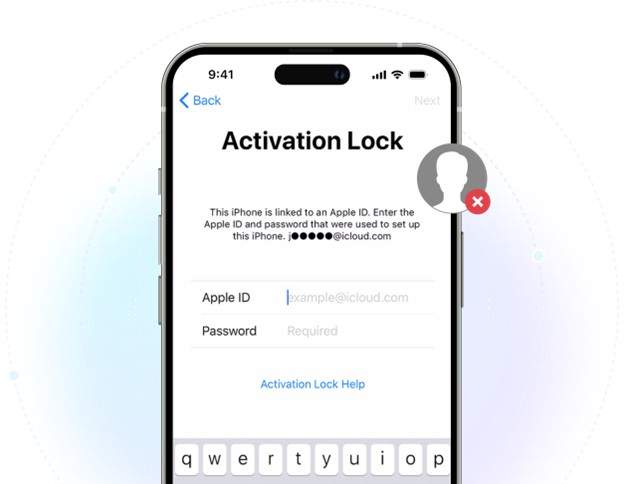
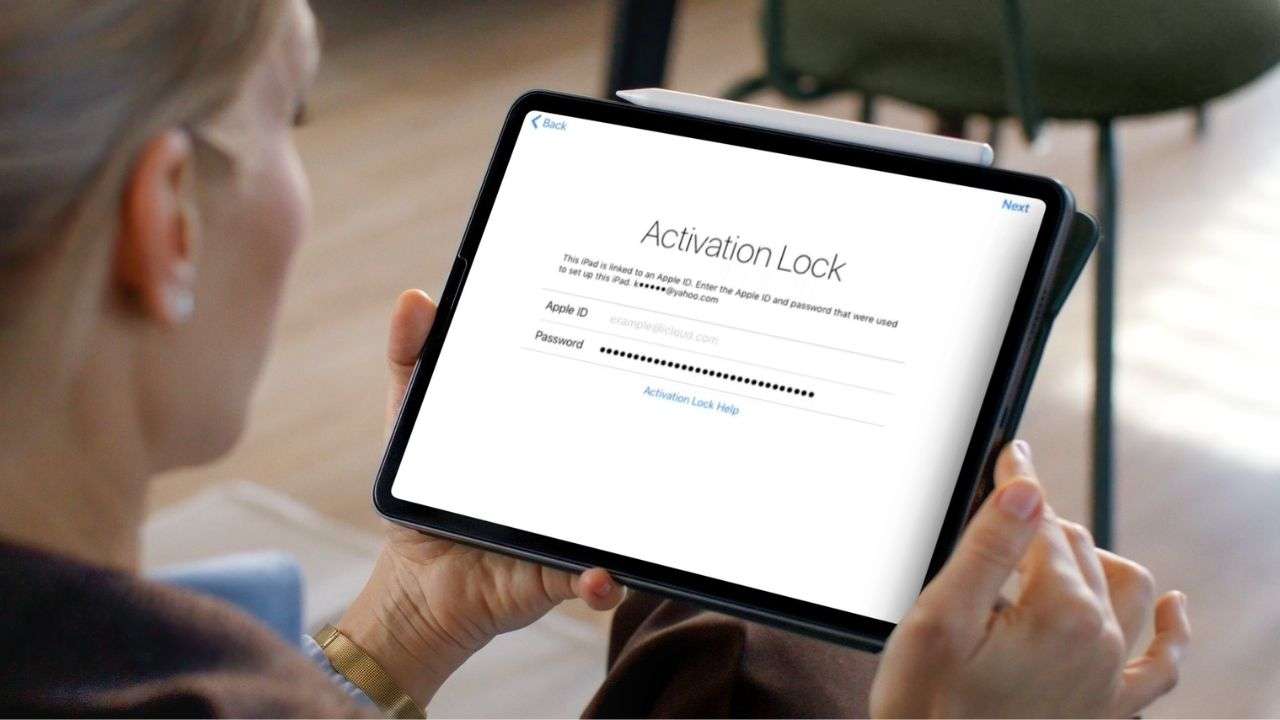
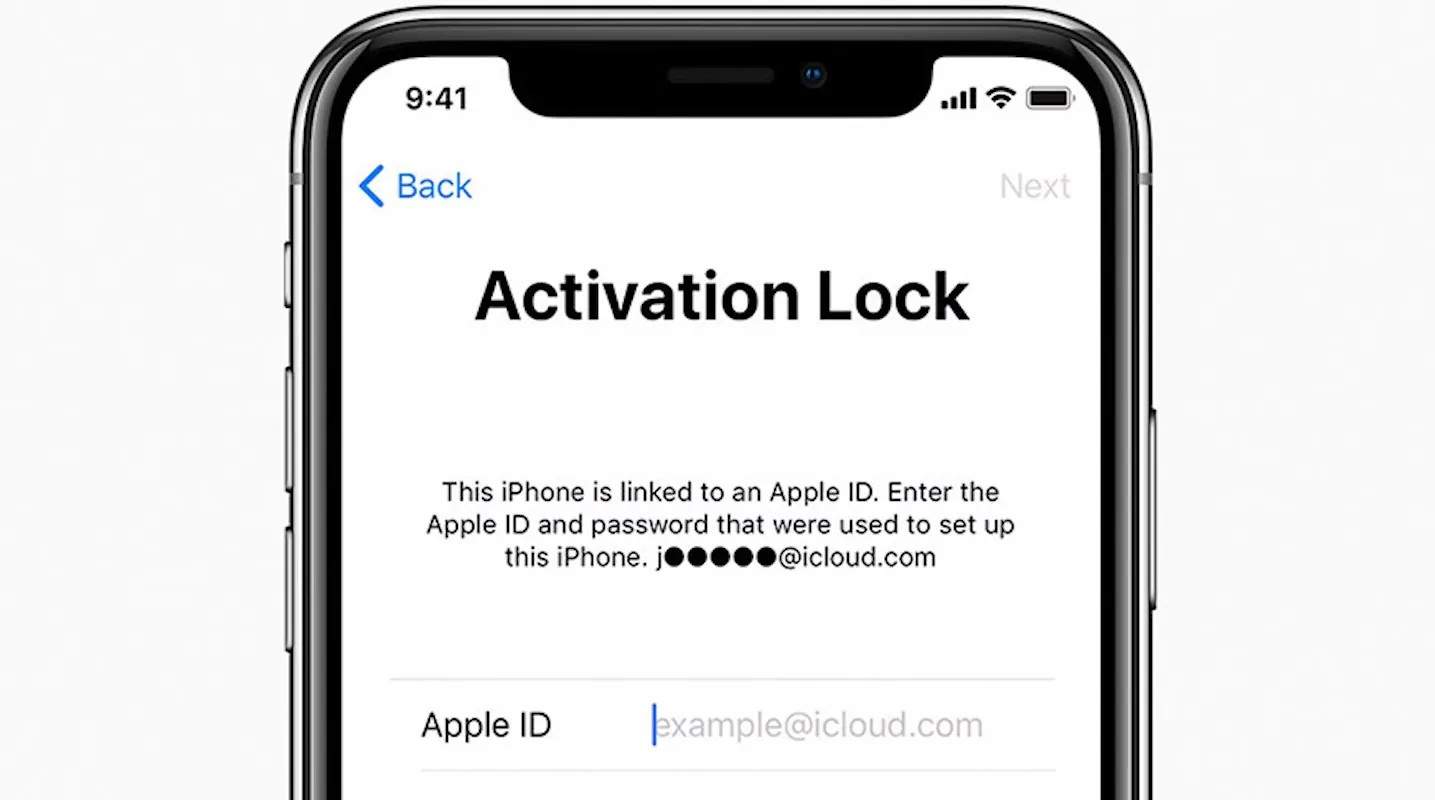
It can be very upsetting to get locked out of your iPhone or iPad because of iCloud Activation Lock removal and not having the original Apple ID credentials. This security feature was made to prevent stolen devices from being used by others without the owner's permission. It is connected to Find My iPhone and is turned on automatically when a device is restored.
Yet it may also lead to inconvenience and frustration of legitimate users who, for example, purchased a second-hand phone, forgot their login details or received a locked phone as a gift.
The following guide details how to bypass Activation Lock without Apple ID. You will learn about official recovery methods and third-party ones too, their pros and cons. Most importantly, you will be shown a whole spectrum of helpful as well as harmful solutions. Let's explore iCloud activation lock removal.
In this article
- Can You Legally Remove Activation Lock Without Apple ID?
- How to Remove iCloud Activation Lock (All Methods)
- Method 1 — Ask the Previous Owner to Remove the Lock (Easiest)
- Method 2 — Contact Apple Support with Proof of Purchase (Official Way)
- Method 3 — Remove Activation Lock via iCloud.com (If You Know the Apple ID)
- Method 4 — Use Online Unlock Tools (When Other Methods Fail)

- Method 5 — DNS Bypass (Temporary Access Only)
- Summary Table: Which Method Should You Choose?
- How to Avoid Activation Lock Issues When Buying Used iPhones
- Conclusion
Can You Legally Remove Activation Lock Without Apple ID?
Yes, but only in certain situations, and demonstrating ownership is what really counts.
Apple Activation Lock is a security mechanism meant to stop a thief from using your device without your consent.
When it's legally allowed
Removing Activation Lock without an Apple ID is feasible in these typical, legitimate cases:
- You purchased the device directly from Apple and still have the original receipt or invoice
- You were given or sold the device, but the previous owner neglected to remove it from their iCloud account
- The device is part of a corporate or institutional setup and managed by an IT department that can authorize unlocking
In such situations, Apple Support or authorized unlocking tools may come to your aid upon successful verification.
What you MUST NOT do
There is a definite legal and moral line that you should not be willing to cross:
- Do not try to unlock a stolen or lost device
- Do not use bypass methods for devices that you have no proof of ownership
- Unauthorized access could lead to prosecution under laws such as the Computer Fraud and Abuse Act or the Computer Misuse Act 1990
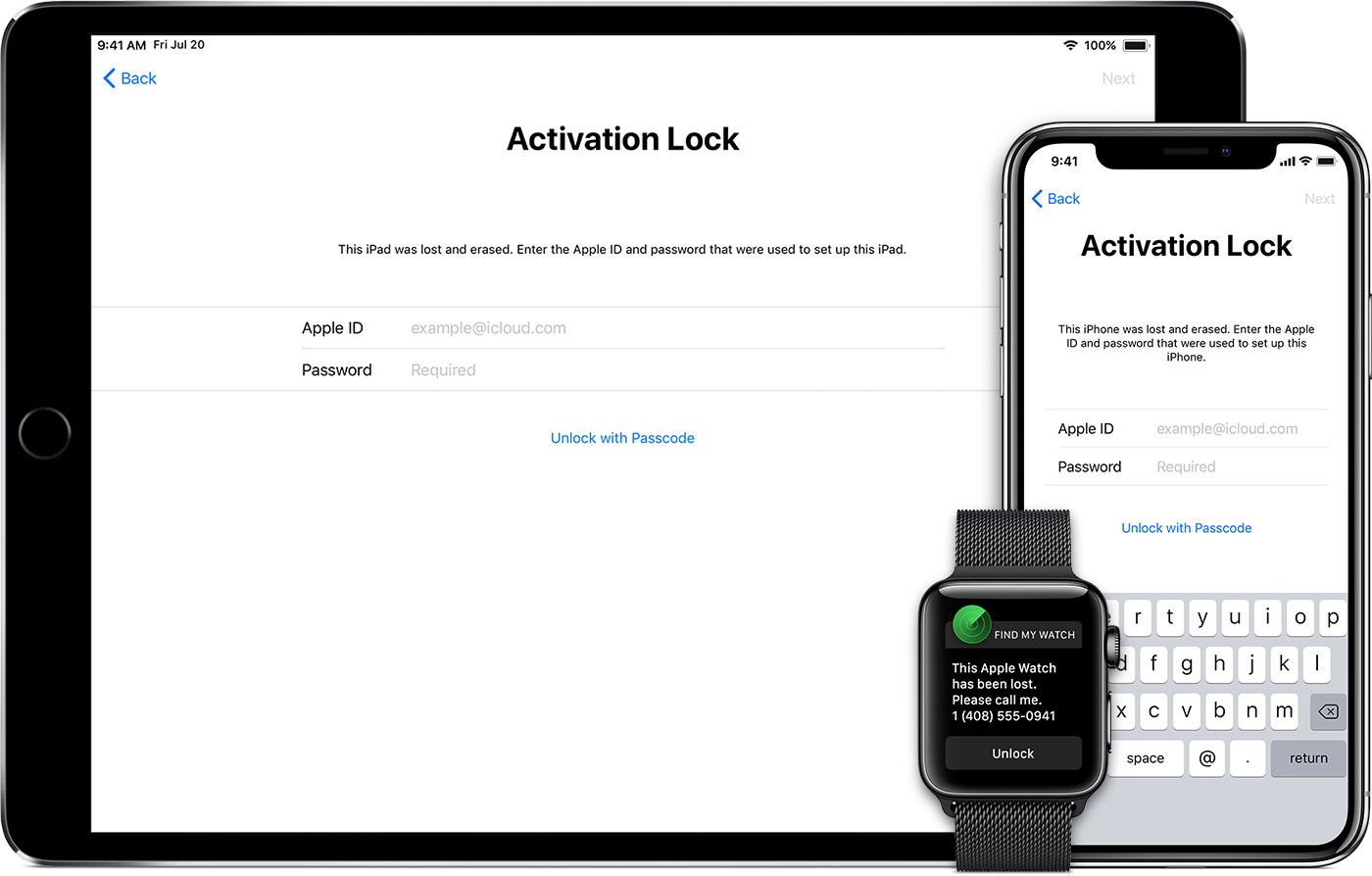
How to Remove Activation Lock (All Methods)
If you find yourself locked out of your iPhone or iPad, there are multiple ways available that can help you bypass the Activation Lock. A few approaches are legit and must be verified by Apple, but some work through third-party tools that offer different success rates. It will be a perfect option for you depending on whether you can get the previous owner, prove the ownership feature, or get alternatives for help.
Here's how to bypass Activation Lock:
Method 1 — Ask the Previous Owner to Remove the Lock (Easiest)
The easiest and most dependable way for iPhone Activation Lock removal is to request the former owner to remove the link between the device and their account. Since the lock is associated with their Apple ID, its removal will result in the device being unlocked right away.
Reasons Why This Is the Easiest Way
This is the official and risk-free way, no need for tools, bypassing, or any other technical complications. It is fast, permanent, and Apple fully supports it.
Detailed guide
-
Step 1
Request the former owner to log in to iCloud with their Apple ID.
-
Step 2
Navigate to Find My > All Devices, then select the locked iPhone or iPad.
-
Step 3
Hit Remove and confirm.
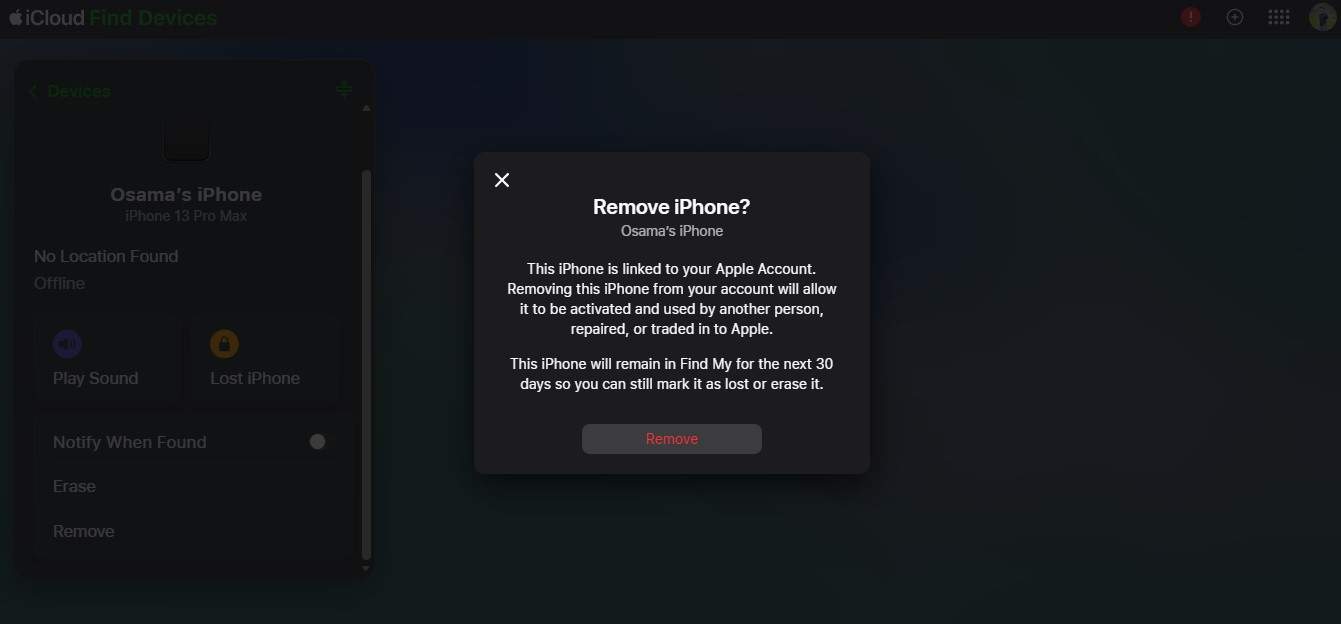
After that, power off the device and proceed with the setup using your own Apple ID.
What if the old owner is not reachable?
If you have no way of getting in touch with them:
- First, try to obtain proof of purchase (receipt, invoice, IMEI record)
- Secondly, get in touch with Apple Support and ask for verification-based removal
- If that doesn't work, you'll probably have to look at other options (which we will talk about next), but please note that these methods usually have disadvantages or risks
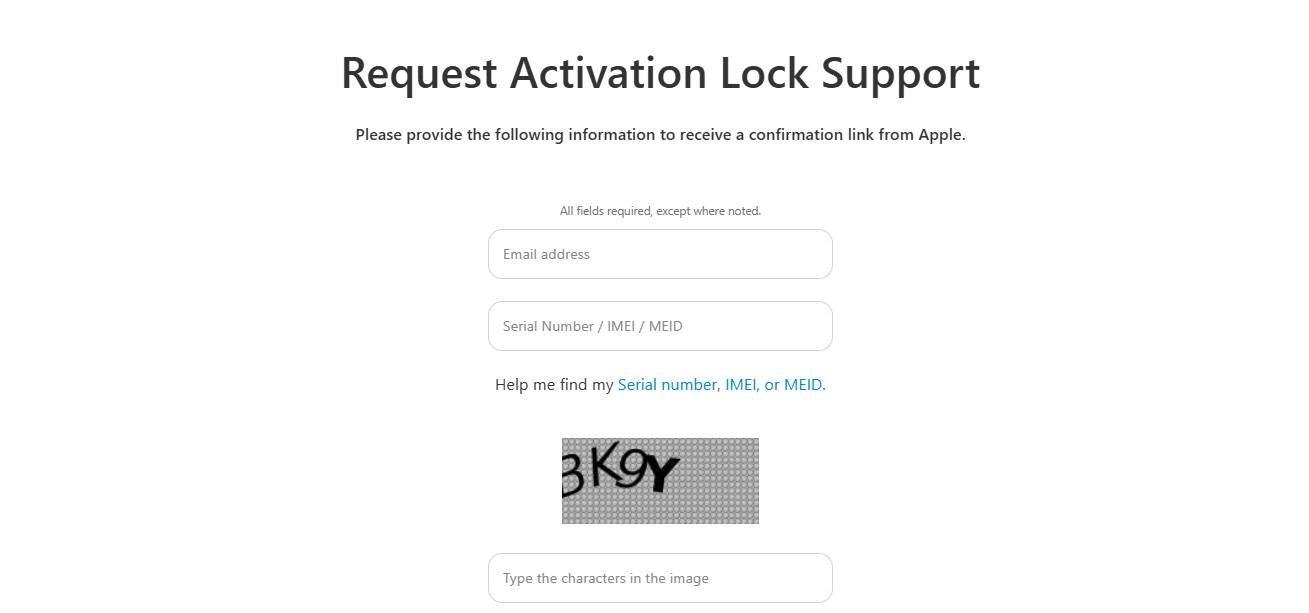
Method 2 — Contact Apple Support with Proof of Purchase (Official Way)
If you cannot get in touch with the previous owner, then the safest option is to go straight to Apple.
This is the only completely official way to deactivate the Activation Lock without the Apple ID, but it is very strictly a matter of whether you can prove ownership or not.
When this method works
Apple will only consider your request in cases such as:
- Apple will only consider reviewing your request if:
- It has been confirmed that you are the legitimate owner of the device
- You can provide valid purchase proof that clearly shows the serial number, IMEI, or MEID
- The device is not marked as Lost Mode
- The device is not under the management of a company or school
Once these conditions are fulfilled, Apple after authentication may even authorize the unlocking.
Step-by-step instructions
-
Step 1
Reach out to Apple Support or visit an authorized service center.
-
Step 2
Place a request for Activation Lock removal specifying your device details (IMEI/serial number). Show or send a copy of your proof of purchase to Apple.
Once authorized, Apple will unlock the device remotely, and you can continue with the setup as usual.
What Apple requires
Apple is very likely to request the following items from you for the purpose of
- Original purchase receipt (should have the device serial number or IMEI)
- Buyer ID as per the purchase (used in some cases)
- Clear evidence of ownership (especially for second-hand devices)
Remember that Apple policies are quite stringent if your paperwork is not a straightforward demonstration of ownership, it is very likely that your request will be rejected.
Method 3 — Remove Activation Lock via iCloud.com (If You Know the Apple ID)
Are you looking for a way to remove iPhone Activation Lock? If you still remember the Apple ID connected to the device, there's no need for the most complicated software as a matter of fact. You can turn off the Activation Lock remotely by iCloud even when the iPhone or iPad is broken, offline, or in the hands of somebody else.
Who this is for
You can use this method in the following cases:
- You have the Apple ID and password linked to the device
- The device is inaccessible (lost, damaged, or already factory-reset)
- You want to remove Activation Lock from your account
Step-by-step instructions
-
Step 1
Visit iCloud and sign in with your Apple ID.
-
Step 2
Go to Find My → All Devices, then pick the locked iPhone or iPad.
-
Step 3
Press Remove and confirm.
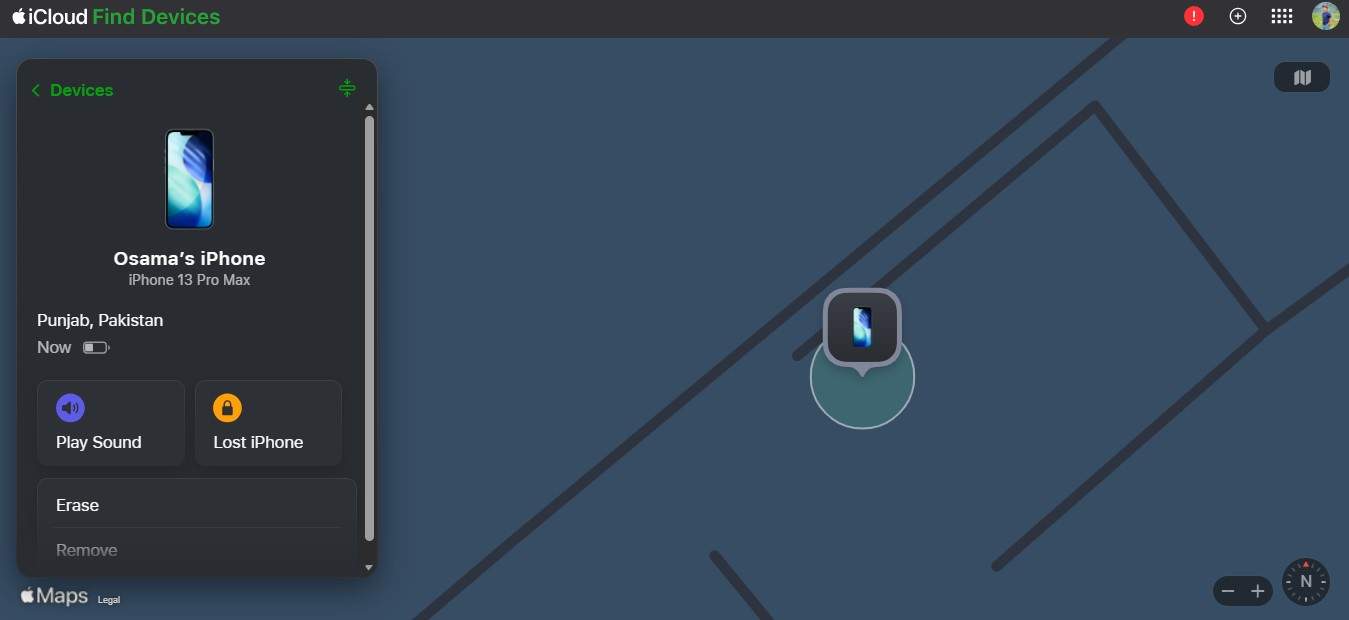
Then Activation Lock is removed and the device can be set up without any limitations.
What if you forgot the Apple ID password?
In case you can't recall your login info, you may use these official recovery avenues:
- Visit Apple's account recovery page: iforgot.apple.com
- Try to complete the two-factor authentication (2FA) if enabled
- If you have already set up an account recovery key, enter it.
When you have successfully recovered your account, you will be able to log in to iCloud as usual and remove the device.
Method 4 — Use Online Unlock Tools (When Other Methods Fail)
Sometimes the official channels don't work, for example, if you can't get the previous owner or Apple is unable to confirm the ownership, some users resort to third-party online unlock services. These services boast of removing Activation Lock by routing device info via their system.
What is Dr.Fone Online Unlock?
Dr.Fone Online Unlock has a remote iCloud Activation Lock removal service where users submit their device specifications including model, iOS version, and ECID for processing. The service is targeted at situations when other official Apple methods are not available or fail. The software claims extensive device compatibility, backing a wide variety of iPhones and iOS versions, and marketing quick processing time with possible delivery of results in just minutes depending on one's eligibility.
Besides guiding users through submitting the necessary details easily, Dr.Fone Online Unlock provides customer support to help users with any issues while using the service.
- Supports remote cloud unlocking using device details
- Broad compatibility, supporting iPhones from iPhone 5s up to iPhone 17 Pro Max and recent iOS versions (18.6 to 26.1)
- Unlock results claimed in as little as 1–60 seconds
- Requires specific device data (like ECID)
- May not work if device is not eligible or supported
Step-by-Step Instructions
Dr.Fone Online Unlock walks you through the entire process of Activation Lock removal request remotely.
-
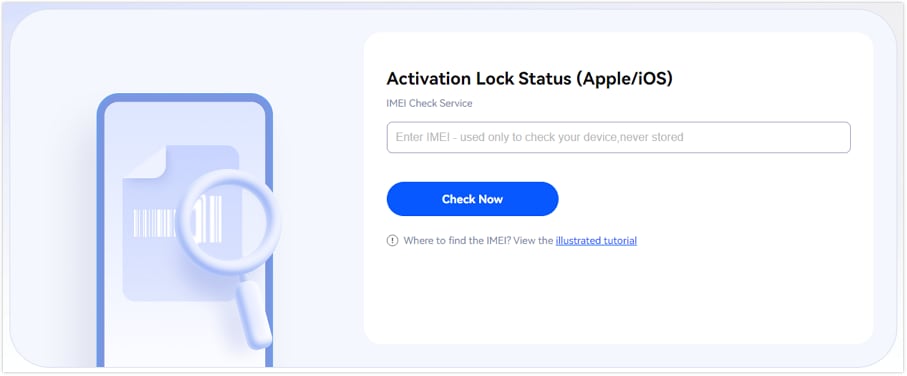
Step 1
Launch the official Dr.Fone Online Unlock site and navigate to the iCloud Activation Lock removal page.
-
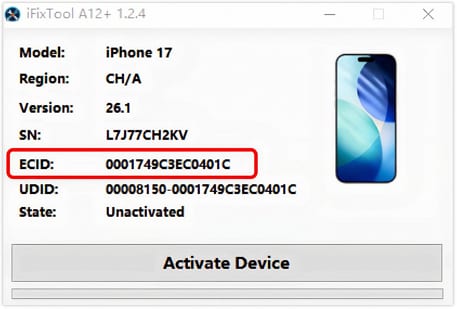
Step 2
Get the iFixTool helper downloaded and opened, link your device, and then have your ECID generated and copied automatically.
-
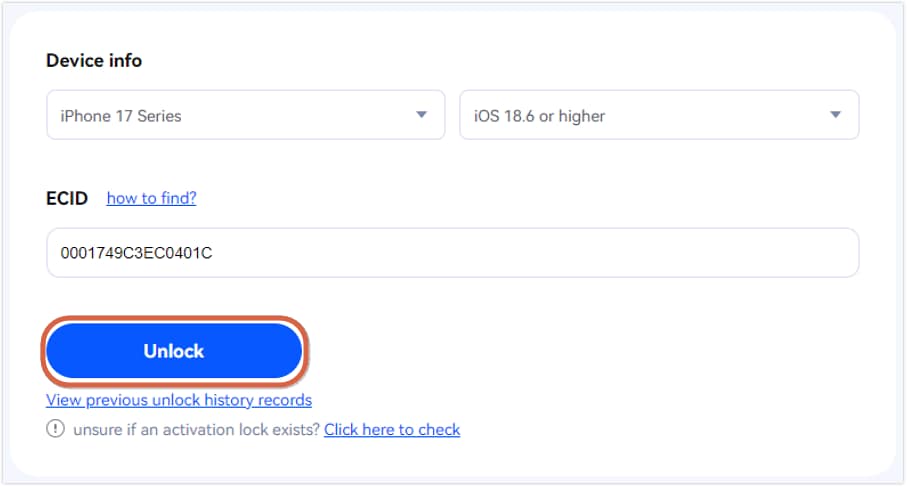
Step 3
Pick your device model, select your iOS version, paste the ECID in the box, and hit "Unlock" to make your request.
-
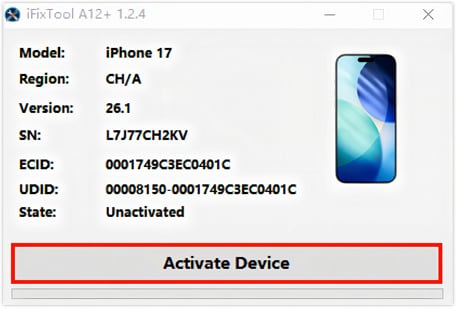
Step 4
After you see the confirmation screen, comply with the directions in iFixTool by hitting "Activate Device" and, after it's done, reboot your device to verify the unlock status.
Method 5 — DNS Bypass (Temporary Access Only)
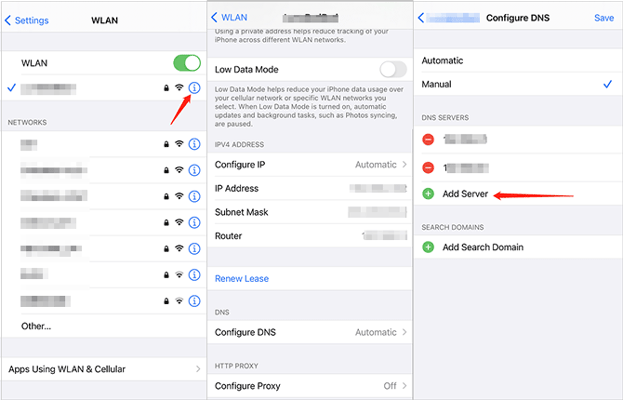
DNS bypass is a temporary solution that does not fully unlock iCloud Activation Lock. It merely tricks the device at setup time to allow limited access to some features, which is offered only through redirection. Besides, this is a short-lived trick, and any wiping or reboot will bring back the Activation Lock screen again.
Step-by-step Instructions
-
Step 1
Press the "i" (info) icon on the side of the Wi-Fi network and access the DNS settings.
-
Step 2
Delete the old DNS and enter a new one belonging to a region-based DNS server.
What you can and cannot do with DNS bypass
| You can do (limited access) | You cannot do (restricted) |
|---|---|
| Access basic setup menus and some device options | Sign in with an Apple ID or use iCloud services |
| Use limited browser-based features (via redirect portals) | Make calls, use cellular services, or install apps normally |
| Connect to Wi-Fi and explore restricted functions | Fully unlock or activate the device |
| Temporarily use the device without credentials | Reset/update the device without losing access |
Summary Table: Which Method Should You Choose?
Choosing the right method depends on your situation—whether you have access to the Apple ID, proof of ownership, or contact with the previous owner.
| Your Situation | Recommended Method | Why This Works |
|---|---|---|
| You know your Apple ID and password | Use iCloud | Official, fastest, and permanent removal via your account |
| You are the original owner with a receipt | Contact Apple Support | Apple can verify ownership and remove the lock safely |
| You can reach the previous owner | Ask them to remove it | Easiest and instant solution through their account |
| None of the above apply | Use Dr.Fone Online Unlock | Alternative method when official options are not available |
| Need temporary access only | Use DNS Bypass | Provides limited, non-permanent access while exploring solutions |
How to Avoid Activation Lock Issues When Buying Used iPhones
Do you know 80% of phones stolen are iPhones? Smartphone theft is increasing worldwide, and stolen devices often re-enter the resale market within days. Here is a checklist for buying secondhand iPhones:
Checklist before buying a second-hand iPhone
- Ask the seller to remove iCloud: Guide the seller to open Settings → [Name] → Sign Out. And after that, the seller can reset the device, so it won't be a trouble asking for the old Apple ID.
- Determine if there is an Activation Lock on the device before you buy: Make sure to check the device with Apple Check Coverage to verify that it is not locked to someone else's account.
- Check IMEI with the help of stolen phone databases: Consider running a check against GSMA Device Check or other similar services for stolen phone database.
- Physical concordance of IMEI/Serial number: Confirm that the IMEI on the device is the same as what is shown in Settings, SIM tray, and, if at all possible, the packaging too.
- Secure the original proof of purchase: A valid receipt with mention of IMEI/serial number has a significant role in establishing legitimate ownership.
- Perform a total factory reset: Request the seller to erase the iPhone (Settings → General → Transfer or Reset iPhone → Erase All Content and Settings) and then take on the setup to determine if the Activation Lock is still present or not.
- Be wary of extremely cheap offers: Very low prices are frequently associated with locked or stolen devices.
Conclusion
You can remove the iCloud Activation Lock without having the Apple ID if you only fulfill certain criteria. The safest and most reliable methods for iCloud Activation Lock removal usually involve proving you are the legit owner, for instance by contacting the old owner or the Apple Support with the purchase receipt.
If these avenues are closed, one might turn to Dr.Fone Online Unlock as a last resort; meanwhile, DNS bypass is just a temporary method that doesn't offer full features.
Simply put, having proof of ownership is what will lead to your success. Always give first preference to the official procedures and keep a safe distance from unauthorized fixes. When you purchase a second-hand iPhone, a few precautionary measures will keep you away from the Activation Lock problem completely.

Wondershare
Dr.Fone
Wondershare Dr.Fone
Need More Phone Tools? Discover More on Dr.Fone — One Toolkit for All Your Phone Solutions.


 Try It Free
 Try It Free
 100% Clean & Safe
FAQs
-
1. Is it legal to remove iCloud Activation Lock?
Yes—only if you are the rightful owner of the device. Removing Activation Lock on stolen or unauthorized devices may violate laws such as the Computer Fraud and Abuse Act or similar regulations in other countries. -
2. Does Dr.Fone Online Unlock work on all iPhone models?
No, it does not guarantee support for every device. Dr.Fone claims compatibility with many iPhone models and iOS versions, but success depends on device eligibility and system conditions. -
3. Will removing Activation Lock delete my data?
Yes. In most cases—especially with official methods via Apple—all data on the device will be permanently erased during the unlocking process. -
4. Can IMEI unlock remove iCloud lock?
No. IMEI unlocking is typically used for carrier unlocking (network restrictions), not for removing iCloud Activation Lock. These are two completely different systems.