ChatGPT
 Perplexity
 Gemini
 Claude
 Grok
Grok
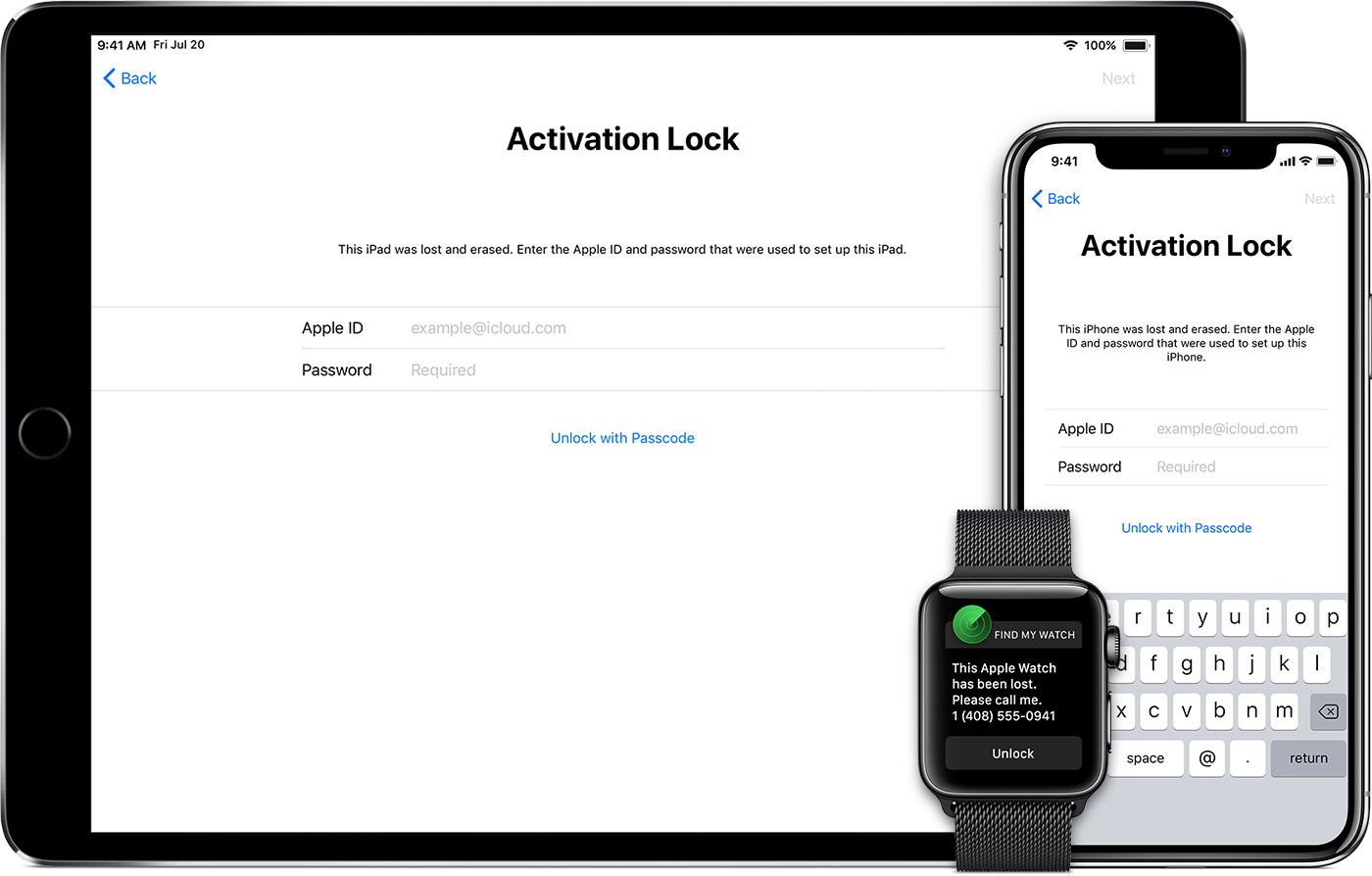
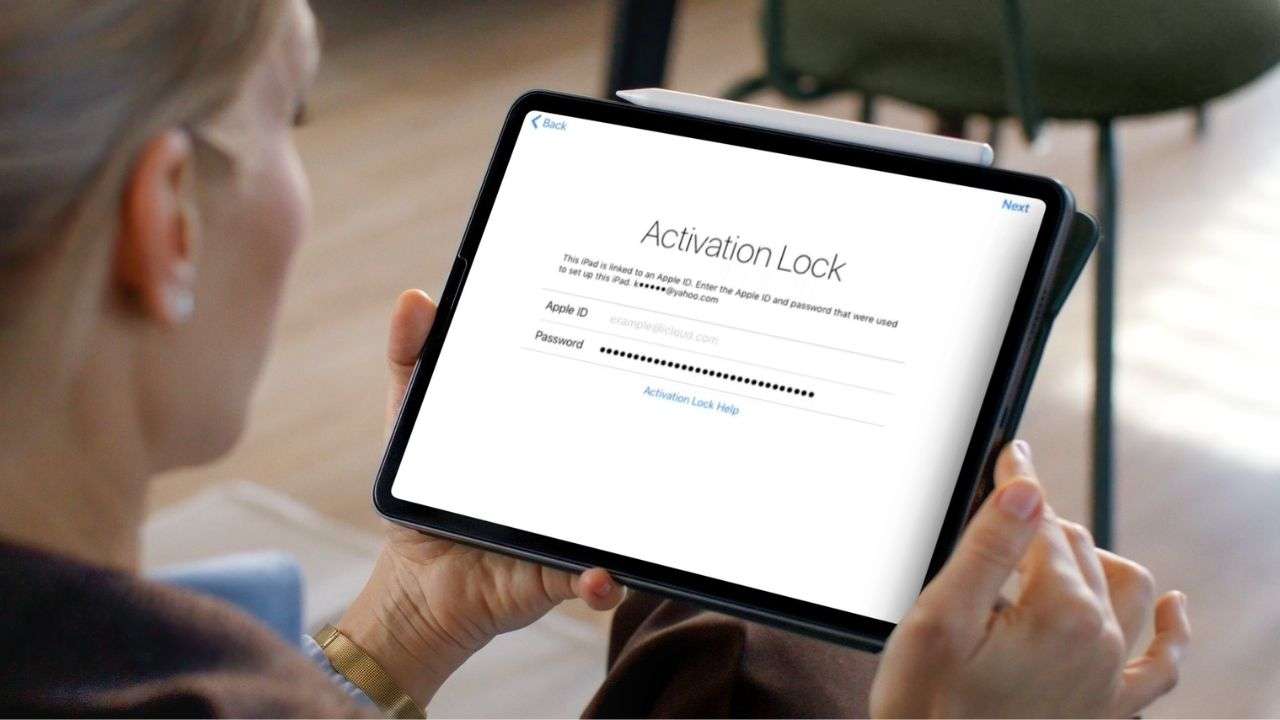
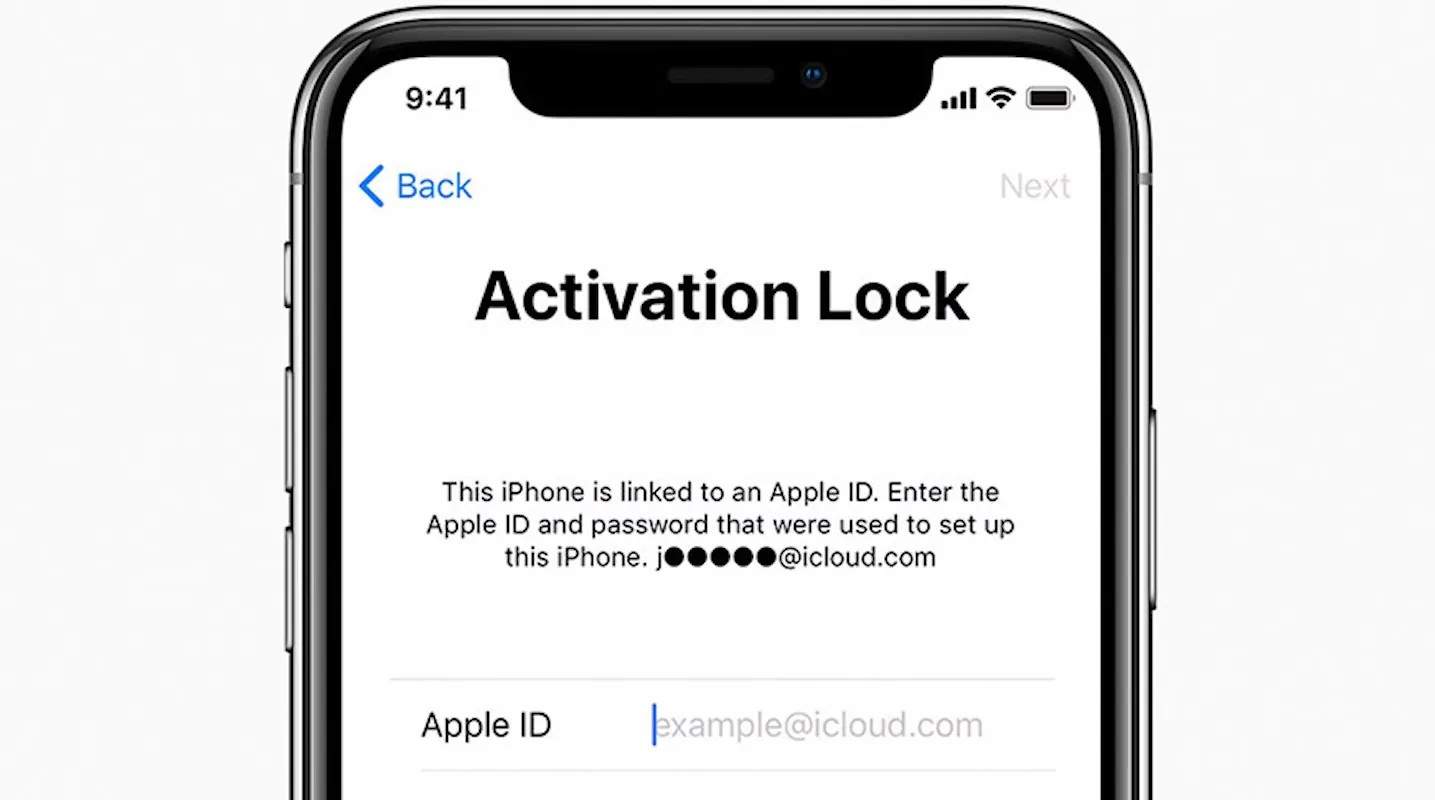
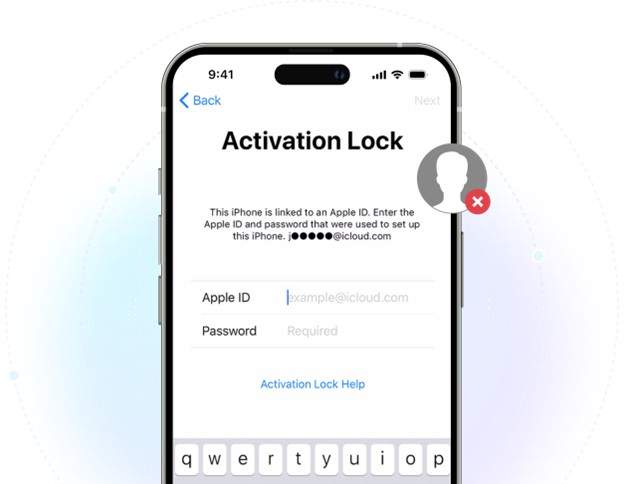
Being locked out of your Apple device due to Activation Lock can be quite annoying – especially if you have purchased a second-hand iPhone, iPad, or MacBook and are unable contact the previous owner. Although this feature enhances security, it may also pose difficulties for genuine buyers who end up with a locked device.
There are actually few ways in 2026 through which you could remove Activation Lock without the previous owner, depending on your circumstances and device type. This article will help you understand what Activation Lock is, under what circumstances it may be removed legally, and the best and safest ways to unlock an iPhone, iPad, or MacBook when you don't have the original owner's password.
In this article
- Is It Possible to Remove Activation Lock Without the Previous Owner?
- How to Remove Activation Lock Without the Previous Owner on iPhone & iPad: Working Methods
- How to Remove Activation Lock on MacBook Without the Previous Owner
- Which Method Should You Use? Quick Decision Guide
- How to Protect Yourself When Buying Used Apple Devices

Is It Possible to Remove Activation Lock Without the Previous Owner?
Yes, in some very legitimate situations, it is indeed possible to remove or bypass Activation Lock without the involvement of the prior owner. Which method is appropriate really depends on the type of device you have and whether you can prove ownership.
Path A: You have proof of purchase
In case you still possess a receipt, invoice, or a contract with your carrier, reach out to Apple Support.
Path B: You have no documentation
In case you cannot reach the previous owner and don't have any proof of purchase, a few users resort to using tools like Dr.Fone Online Unlock or DNS-based bypass methods. These alternatives have the potential to function only with supported devices, but the outcome also depends on the iOS or macOS version.
Path C: The device is company- or school-owned
Devices from Apple that are given to or owned by schools and companies usually are managed via MDM (Mobile Device Management). Therefore, the IT administrator of that respective organization is the one who can unchain the Activation Lock remotely.
What does NOT work
You will be unlikely to have any success with the methods below that most probably won't work on the latest Apple devices:
- Attempting to guess the Apple ID credentials
- Getting involved with carrier IMEI unlock services (these only remove SIM lock, not iCloud lock)
- Jailbreaking to remove Activation Lock permanently
- "Free unlock generators" from any random websites

How to Remove Activation Lock Without the Previous Owner on iPhone & iPad: Working Methods
Here is how to remove Activation Lock without the previous owner on iPhone & iPad:
Method 1 — Remove Activation Lock via Apple Support (Free, With Proof of Purchase)
If you legally own the device, then the activation lock support process on Apple's official website is the most secure and trustworthy option. If the owners' info checks out, Apple can unlock it for you.
When is this option effective?
This solution is generally effective when:
- You must be the legitimate owner of the device
- You have the original purchase receipt or a carrier invoice
- The serial number, IMEI, or MEID corresponds to your documents
- The device has not been marked as Lost Mode
Step-by-Step Instructions
-
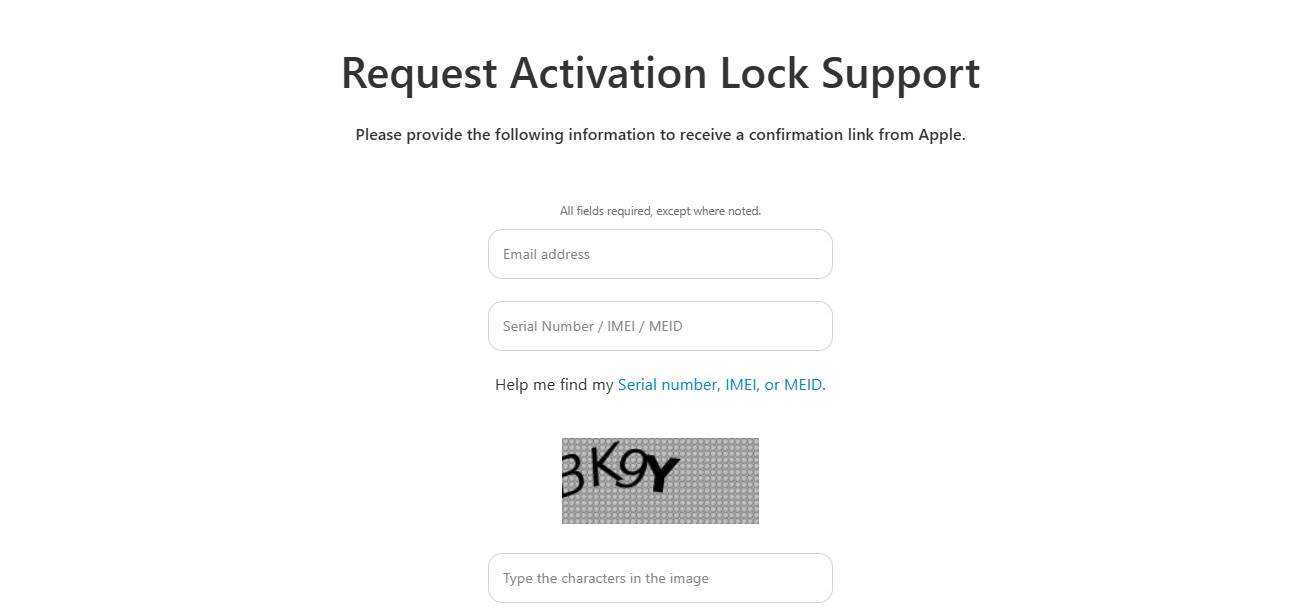
Step 1 Go to Apple's Activation Lock support page
Head to the official Apple Activation Lock support page and type in your device serial number, IMEI, or MEID.
-
Step 2 Upload proof of ownership
Send your original purchase receipt, carrier invoice, or any other valid ownership document that matches the device's details.
-
Step 3 Submit the request and wait for approval
Agree with Apple's terms, send the request, and wait for Apple's response. If your case is approved, Activation Lock will be removed remotely from the device.
Method 2 — Dr.Fone Online Unlock (No Previous Owner Required)
Dr.Fone Online Unlock provides online Activation Lock removal program for users who no longer have access to get the previous owner to unlock their iPhone or iPad. It supports iPhone XR to iPhone 17 Pro Max, and iOS versions from 18.6 to 26.1, excluding iOS 18.7.3. Dr.Fone, unlike conventional carrier IMEI unlocking tools, concentrates solely on removing iCloud Activation Lock and even enables users to send device information for processing without going to the store.
The platform claims unlock results typically take only 1–10 minutes instead of several hours, making it one of the fastest third-party options available in 2026. It also promises expert technical help, keeping the unlocking history, making & receiving payments safely, and the guarantee of a full refund.
Quick Navigation
Dr.Fone Online Unlock walks you through the entire process of Activation Lock removal request remotely.
-
Step 1
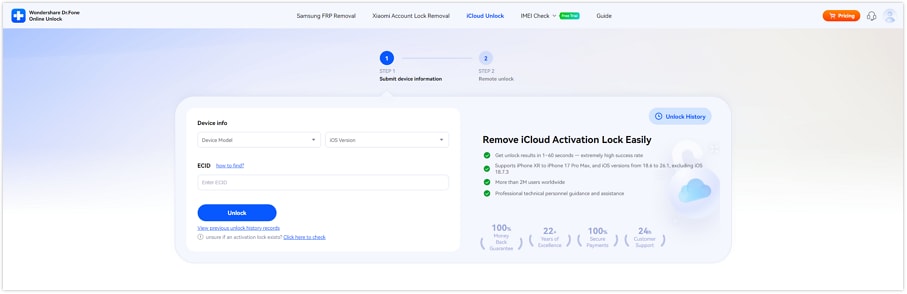
Launch the official Dr.Fone Online Unlock site and navigate to the iCloud Activation Lock removal page.
-
Step 2
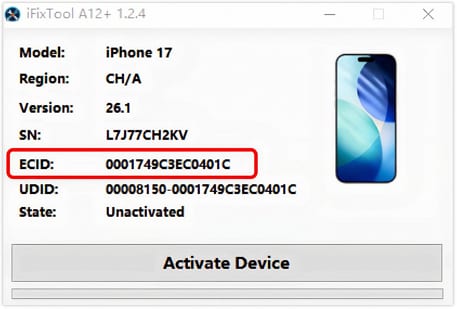
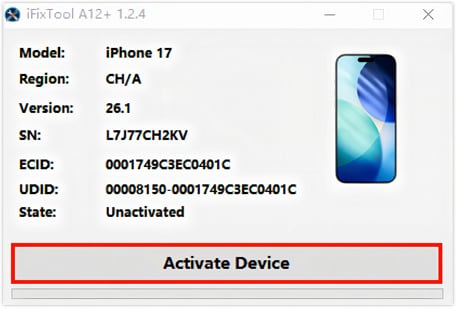
Get the iFixTool helper downloaded and opened, link your device, and then have your ECID generated and copied automatically.
-
Step 3
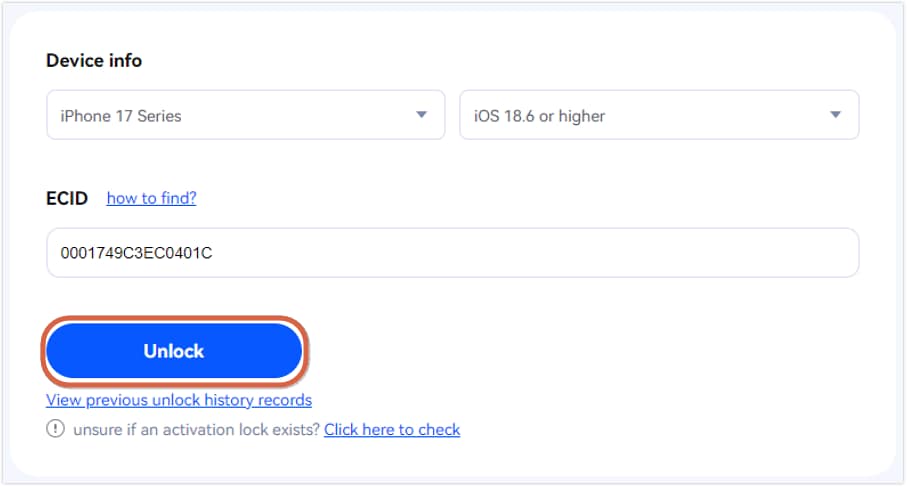
Pick your device model, select your iOS version, paste the ECID in the box, and hit "Unlock" to make your request.
-
Step 4
After you see the confirmation screen, comply with the directions in iFixTool by hitting "Activate Device" and, after it's done, reboot your device to verify the unlock status.
Method 3 – Enterprise/MDM Unlock
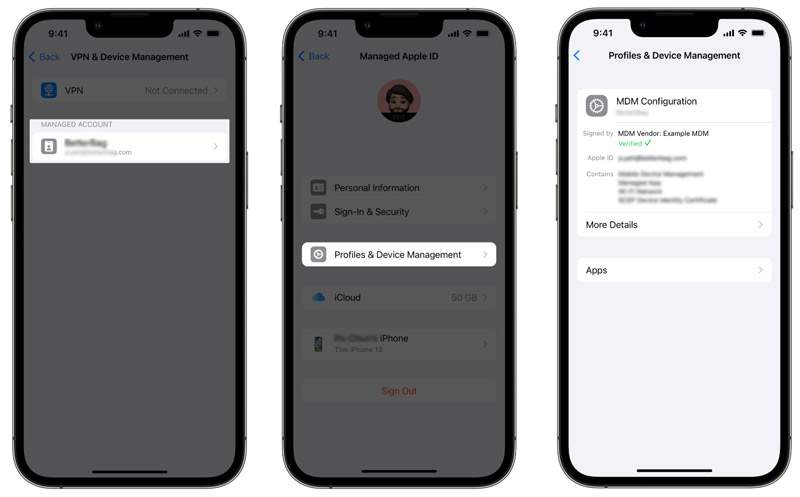
If company-owned MacBooks, iPads, and iPhones are tracked through Mobile Device Management, most of them are controlled via MDM. When the device is still in the organization's network, the IT admin is capable of remotely deleting the Activation Lock without the old user's Apple ID, in fact even if they don't have it.
Method 4 — DNS Bypass for Temporary Access (No Previous Owner Needed)
DNS bypass is an old method that doesn't unlock Activation Lock but could give you access to a few iPhone features temporarily, and only on some older iOS versions. It basically changes the way your device connects to the activation servers by using different network settings which results in very limited functionality and not giving you full access to the device.
-
Step 1
Turn on the iPhone and do the setup until you get to the screen where you choose Wi-Fi.
-
Step 2
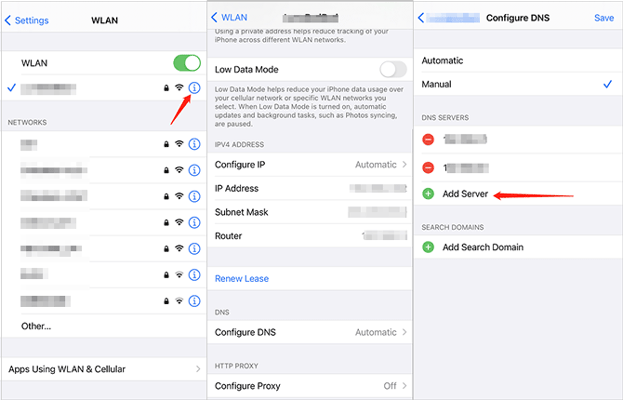
Press on the "i" button next to your network and then change the DNS server to one of the bypass addresses (these depend on your area and the method you are using).
-
Step 3
Return and keep doing the setup. If it works, you may be taken to a restricted menu instead of the full Activation Lock screen.
Method 5 — Recovery Mode Reset (Partial Solution for Older iOS Versions)
Recovery Mode reset is a method approved by Apple which essentially reinstalls iOS after erasing the device. For very old iOS versions (iOS 11.4 or earlier), it may have changed the Activation Lock behavior temporarily; however, with contemporary devices, it cannot remove iCloud lock.
When this works
- Devices that run on iOS 11.4 or earlier have a less strict Activation Lock.
- This method is not applicable to devices with A12 chips or newer models (iPhone XS and later)
Step-by-step instructions
-
Step 1
Use a Mac (Finder) or Windows PC (iTunes) and connect the iPhone with a Lightning cable.
-
Step 2
Force-restart the device and keep pressing the volume down and power button until the Recovery Mode screen appears.
-
Step 3
Select "Restore" in Finder or iTunes to erase your device and reinstall iOS.
How to Remove Activation Lock on MacBook Without Previous Owner
Here's how to remove Activation Lock on MacBook without previous owner:
Why MacBook Activation Lock is different
MacBook Activation Lock is a feature integrated into Apple's system security and closely linked with the Apple ID used on macOS Catalina (10.15) and newer. The lock is handled via System Settings → Apple ID and does not get deactivated after reinstalling macOS.
Unlike iPhone ways, MacBooks cannot use DNS bypass or the like. When Activation Lock gets enabled, only the initial Apple ID, Apple Support (after verifying ownership), or the MDM system of a company can unlock it.
Method A — Apple Support Claim (Same as iPhone Process)
The most dependable method to disable the Activation Lock on a MacBook is by using Apple's official support services. You will only be able to use this method if you are able to show that you own the device.
-
Step 1 Get proof of purchase
You should have the original receipt, bill, or carrier/retailer document with the MacBook serial number on it.
-
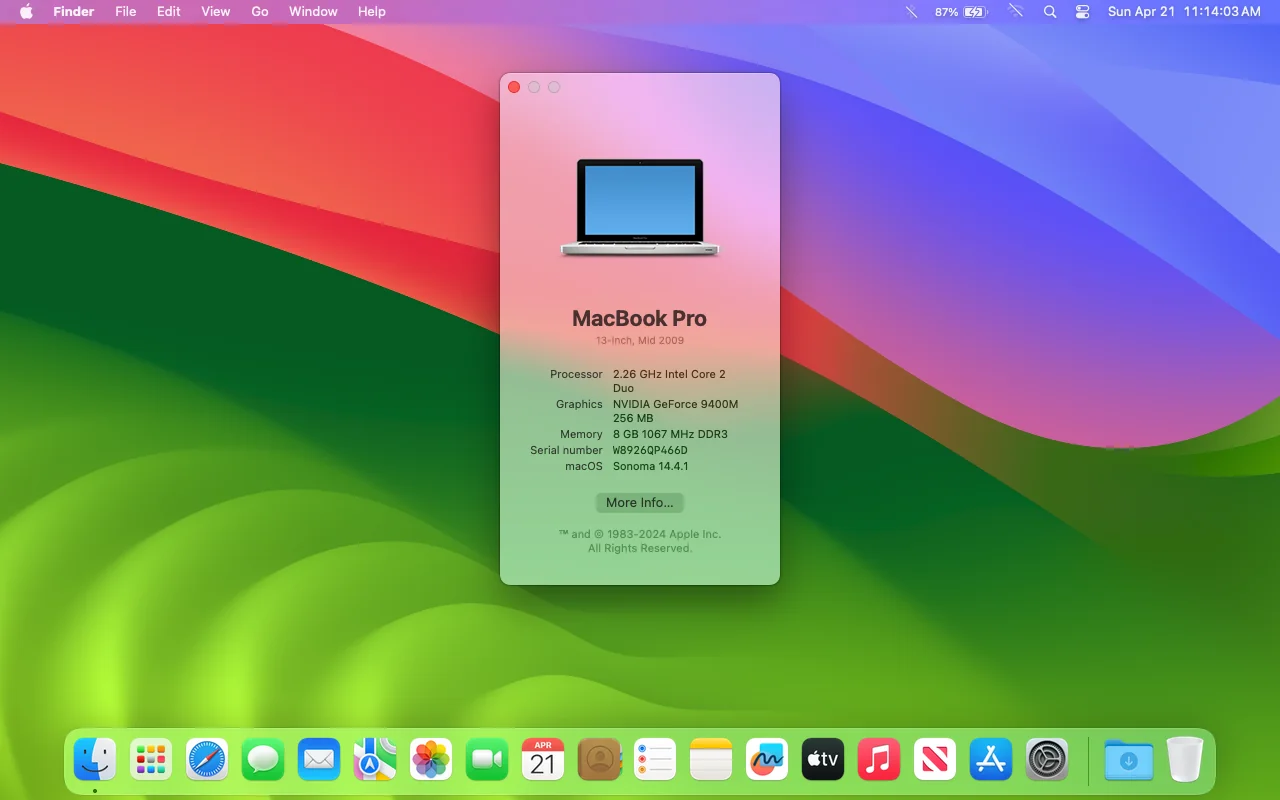
Step 2 Locate your MacBook serial number
If you can open it, go to Apple menu → "About This Mac" to get the serial number. Otherwise, it might also be engraved on the gadget or box.
-
Step 3 Send request to Apple Support
Reach out to Apple Support and share the serial number together with your ownership proof. After confirmation, Apple will be able to remove the Activation Lock on the MacBook.
Method B — MDM Administrator Removal
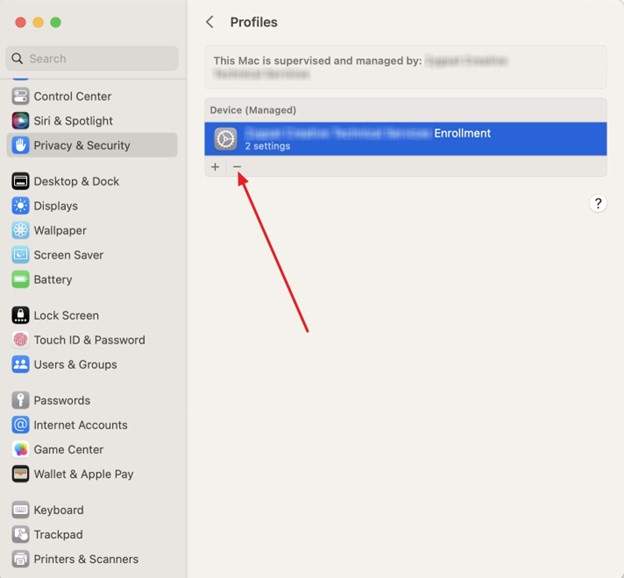
In case the MacBook was given by a company or a school, usually the Activation Lock is managed via Mobile Device Management (MDM) instead of the former owner's Apple ID. Under such circumstances, it is the IT administrator of the organization who has the power to remotely unlock the device through Apple's managerial interfaces such as Apple Business Manager or Apple School Manager.
Method C — Apple Authorized Service Provider
If you end up forgetting your Apple ID password, another way to unlock your device is by getting support from an Apple Authorized Service Provider (AASP) or an Apple Store. If you have a proof of purchase and still need immediate face-to-face assistance to verify and submit to Apple's system, then this is one of the best.
-
Step 1
Bring your MacBook and valid proof of purchase (invoice or receipt) to an Apple Store or an authorized service provider.
-
Step 2
The team members will scan your MacBook serial number and ensure it aligns with your purchase documentation.
-
Step 3
After the ownership is confirmed, they might file or guide you with an official Apple Support request to remove Activation Lock remotely.
What does NOT work on a MacBook
- DNS bypass (only applies to some iOS setups, not macOS)
- Third-party iCloud unlock tools (generally not effective for macOS Activation Lock)
- Internet Recovery or macOS reinstall (Activation Lock remains on Apple Silicon and modern Macs even after erase)
Which Method Should You Use? Quick Decision Guide
Choosing the right method depends on your situation and what information you have about the device.
| Situation | Recommended Method | Result |
|---|---|---|
| Can contact previous owner | Remove via iCloud | Fastest & free permanent removal |
| Have Apple purchase receipt | Apple Support claim | Free, takes ~3–7 days |
| Device is MacBook (owned or corporate) | Apple Support or MDM admin removal | Official permanent solution |
| No receipt + no previous owner (iPhone/iPad) | Dr.Fone Online Unlock | Practical third-party option |
| Need temporary access only | DNS bypass | Limited, non-permanent access |
| Older device (pre-iPhone XS, iOS ≤11.4) | Recovery Mode reset | May work on very old devices |
How to Protect Yourself When Buying Used Apple Devices
- If you are thinking about making a payment, check Activation Lock status on Apple Check Coverage
- If you meet a seller, ask the seller to sign out of iCloud in front of you (open Settings→[Name]→Sign Out)
- Double-check the IMEI on a high lined database like GSMA Device Check or Swappa IMEI tools
- Asking for an original purchase receipt or invoice as proof of ownership is a good idea
- Make the device work quite well before buying it (boot to home screen, check Face ID / Touch ID, basic functions)
Conclusion
In some instances, removing Activation Lock without the previous owner is indeed possible. However, it always relies on proof of ownership and device conditions. The safest and most foolproof method remains Apple Support, provided that the owner can show the purchase receipts. On the other hand, MDM removal is suitable only for devices owned by an organization.
Those who have neither the previous owner nor the selling documents might find third-party tools such as Wondershare Dr.Fone Online Unlock very helpful. It can remove iCloud Activation Lock and provides a quicker and more accessible option when official ways are not available.

Wondershare
Dr.Fone
Wondershare Dr.Fone
Need More Phone Tools? Discover More on Dr.Fone — One Toolkit for All Your Phone Solutions.


 Try It Free
 Try It Free
 100% Clean & Safe
FAQs
-
Can I remove Activation Lock without the previous owner for free?
Yes, but only if you have proof of purchase. Apple Support can remove it for free after verifying ownership. Without documents or the previous owner, free options are extremely limited. -
Does removing Activation Lock delete everything on the device?
Yes. In most official cases, Apple will erase all data during the unlock process. After removal, the device starts fresh and cannot restore old data if Activation Lock is still tied to backups. -
Why doesn't Recovery Mode remove Activation Lock on newer iPhones?
On modern devices (iPhone XS and later), Activation Lock is stored on Apple's servers, not the device. So even after a full recovery, the device will still require the original Apple ID. -
What if the device is blacklisted?
If a device is blacklisted (reported lost, stolen, or unpaid), it may not work properly on mobile networks even after unlocking. In most cases, it cannot be fully restored to normal use, and Apple will not remove Activation Lock without proper ownership proof.