ChatGPT
 Perplexity
 Gemini
 Claude
 Grok
Grok
An IMEI (International Mobile Equipment Identity) number is a unique 15-digit code that each smartphone has. It is like a digital ID for your phone that can be used to identify the model, check the carrier lock status, warranty, and blacklist records. Whether it is an iPhone or an Android, a simple IMEI check can help you verify the authenticity of a phone when you are buying or selling it.
Due to the expanding trade of secondhand smartphones and the increase in mobile thefts, free IMEI checker tools have become a necessity in 2026. A simple IMEI check helps in not only avoiding the use of stolen or blacklisted phones but also in cross-checking the device specifications. As per GSMA, globally, mobile operators utilize IMEI blocklists to disable stolen devices from their networks. This article discusses the best free IMEI checker tools that 2026 has brought to us and compares their features and reliability.
In this article
- Top 9 Best Free IMEI Checker Tools in 2026 (Ranked & Reviewed)

- Dr.Fone Online Unlock — Best Free IMEI Checker Overall
- IMEI.info — Best for Detailed Device Information & Database-Based IMEI Lookup
- IMEICheck.com — Best for blacklist & carrier lock verification
- IMEI24.com — Best for Full Device Report & Warranty Insights
- IMEIPro.info — Best for Global Blacklist & ESN Verification
- IMEI.org — Best for Carrier Lock, Blacklist & Full Device Status Checks
- Swappa IMEI Check — Best for clean vs blocked device verification (GSMA-backed)
- CEIR (India) IMEI Verification / Device Check (Canada) — Best for official government IMEI blacklist verification
- Apple Official IMEI / Coverage Check — Best for Official Apple Warranty & Device Verification
- Quick Comparison: Which IMEI Checker Should You Use?
- How to Check iPhone Details by IMEI for Free
- Real-World Use Cases & Expert Insights
Top 9 Best Free IMEI Checker Tools in 2026 (Ranked & Reviewed)
Different IMEI checker tools vary considerably when it comes to accuracy, level of detail about the device, and blacklist checking. Some are best suited for iPhones, others for Android carrier checks, warranty status, or lost device verification. Hence, below is a list of the 9 best free IMEI checker tools of 2026 along with their ranking and reviews based on features, reliability, supported devices, and ease of use criteria.
1. Dr.Fone Online Unlock — Best Free IMEI Checker Overall
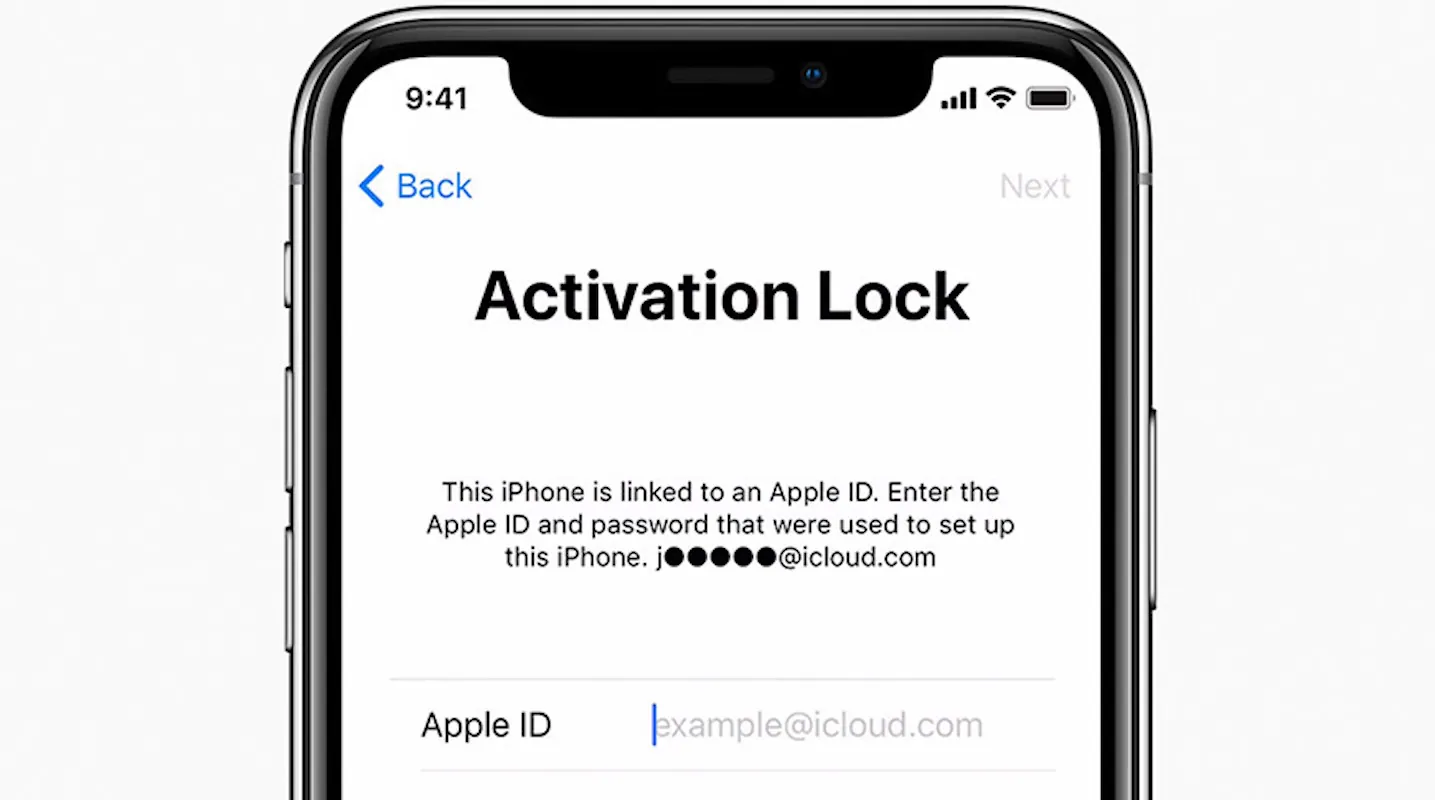
Dr.Fone Online Unlock is really one of the top full-featured free IMEI checker tools in 2026. It helps users to instantly check the main device details for both Android and iPhone models with only the IMEI number. In case you want to know if the device is on a blacklist, carrier locked, under warranty, iCloud activation status, or Samsung KNOX Guard, the site will give you fast and detailed results in a matter of seconds. Among its major strengths is the 20+ types of data verifications supported. This best IMEI checker can authenticate Apple Activation Lock, MDM lock, Xiaomi activation lock, iCloud account status, and warranty details of popular brands like Apple, Samsung, Huawei, OPPO, and VIVO.
- Offers 20+ types of IMEI and device verification
- Supports both iPhone and Android devices
- Checks blacklist, carrier lock, warranty, and activation status
- Can detect Apple Activation Lock, MDM lock, and Samsung KNOX Guard
- Fast and beginner-friendly platform
- Some advanced reports may require paid credits
- Certain results depend on carrier database availability
Best for: Users who want an all-in-one free IMEI checker with extensive device verification features for both Android and iPhone models.
2. IMEI.info — Best for Detailed Device Information & Database-Based IMEI Lookup
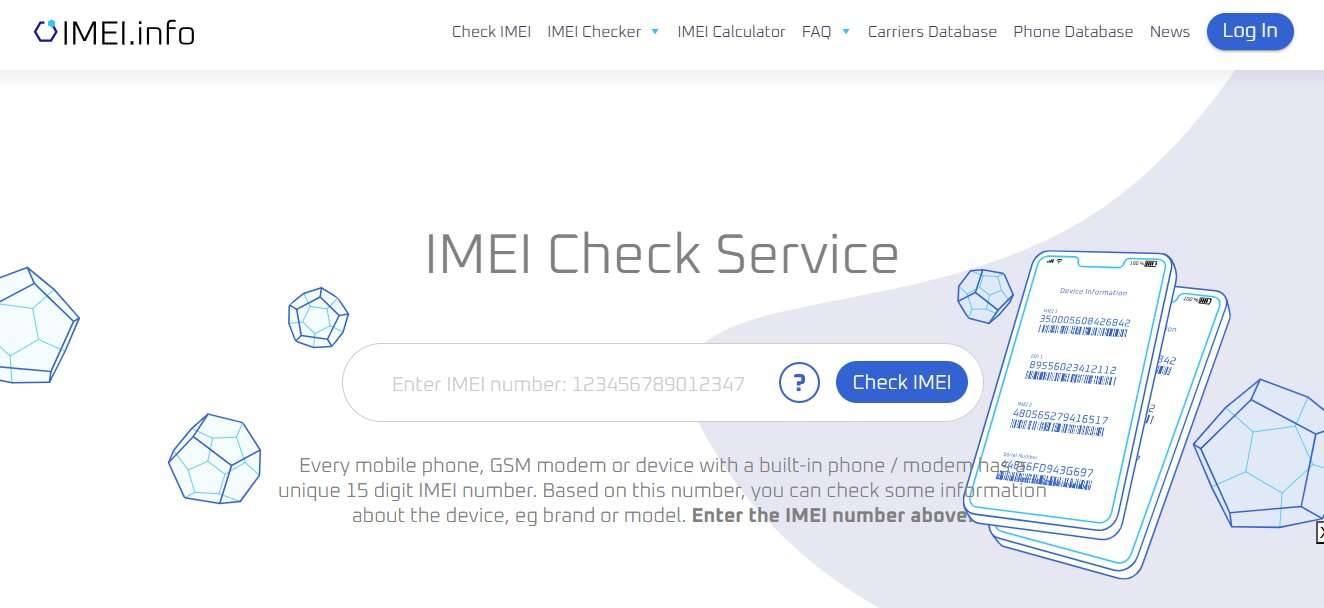
IMEI.info is an efficient IMEI checker that uses one of the largest TAC databases in the world, enabling users to find detailed device information just by a 15-digit IMEI number. By entering your IMEI, you get access to key information such as the phone brand, model, warranty status, carrier information, blacklist status, and purchase-related data. Besides, it provides free IMEI lookup that can show hidden specs and network-related details, which make it a trusty tool for buyers, sellers, and technicians.
- Built on one of the largest TAC device databases
- Provides detailed info like model, warranty, carrier, and blacklist status
- Includes extra tools like the IMEI calculator and phone database
- Completely free basic IMEI check
- Easy-to-use interface for quick lookup
- Some advanced features may require additional steps or navigation
- Data accuracy depends on database coverage for newer devices
Best for: Users who want to check IMEI free online with detailed device specifications, warranty insights, and carrier information in one place.
3. IMEICheck.com — Best for blacklist & carrier lock verification
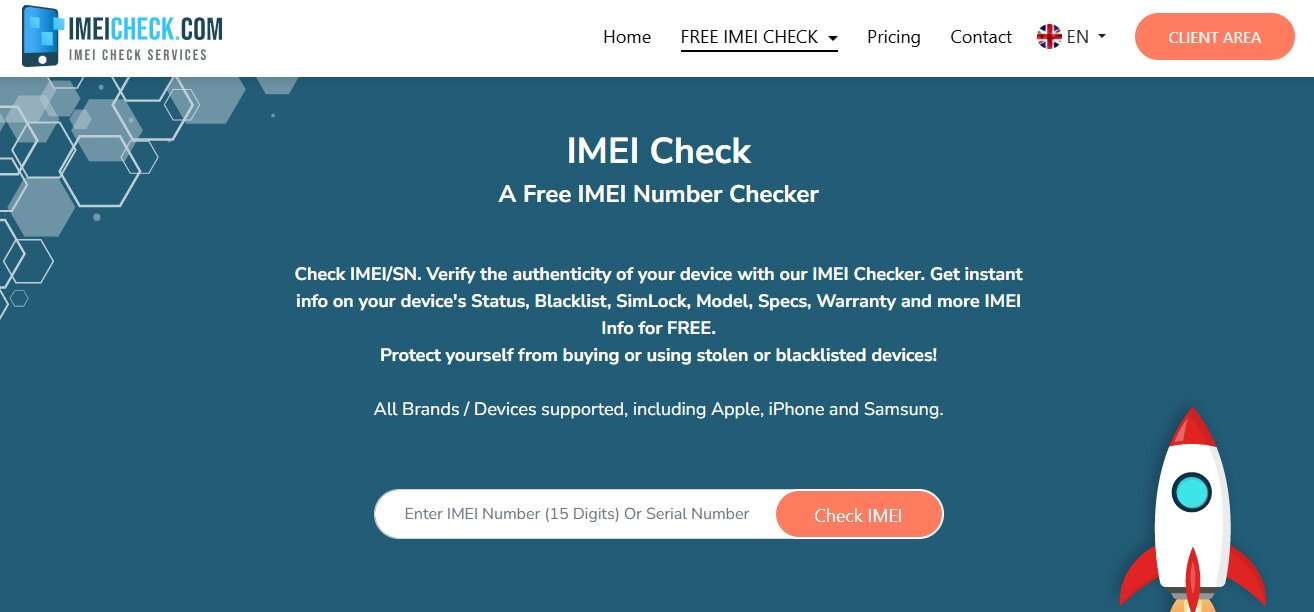
IMEICheck.com is a quick and one of the best IMEI checker tool that can show the security and network details of a device instantly. Using an IMEI number, one can easily find out whether a phone is on a blacklist, which carrier it is locked to, get warranty info, check Apple iCloud status, get Samsung device data, and even more. Buyers and sellers commonly use it to double-check if a mobile phone is stolen, locked, or ready to use.
- Fast and instant IMEI results within seconds
- Strong focus on blacklist and carrier lock checks
- Supports Apple, Samsung, Huawei, and other major brands
- Includes iCloud status and warranty verification
- Simple interface with multiple check options
- Some detailed reports are paid per check
- Advanced features are limited in the free version
Best for: Users who want quick blacklist checks, carrier lock verification, and basic device authenticity checks before buying or selling a smartphone.
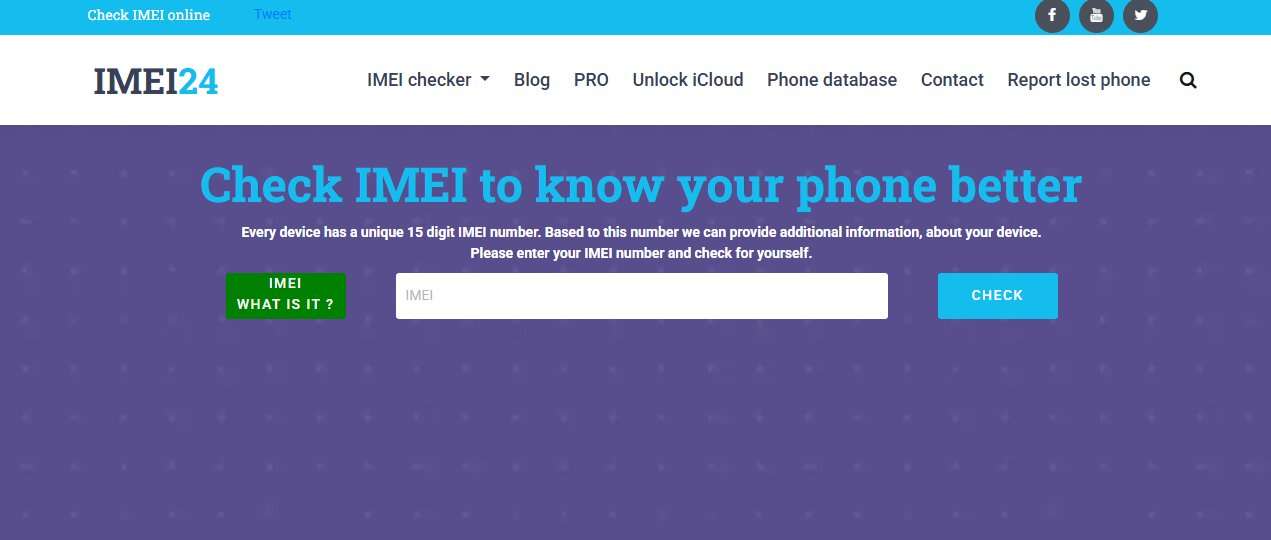
4. IMEI24.com — Best for Full Device Report & Warranty Insights
IMEI24.com is a tool to verify your phone's IMEI that works for free. It offers a wide range of mobile device information once you provide the 15-digit IMEI code. By sharing the IMEI or phone model, users get instant access to a complete device report which includes phone specs, warranty status, carrier info, blacklist details, and purchase history. Besides, it lets you know if you are going to buy a stolen or blocked phone.
- Provides full device reports including specs and warranty info
- Checks blacklist status, carrier details, and purchase data
- Free IMEI lookup with easy interface
- Supports both IMEI and model-based search
- Useful for identifying stolen or blocked devices
- The interface is slightly cluttered with extra content and blogs
- Some information may vary depending on the device database coverage
Best for: Users who want a detailed IMEI report, including warranty status, specifications, and full device history in one place.
5. IMEIPro.info — Best for Global Blacklist & ESN Verification
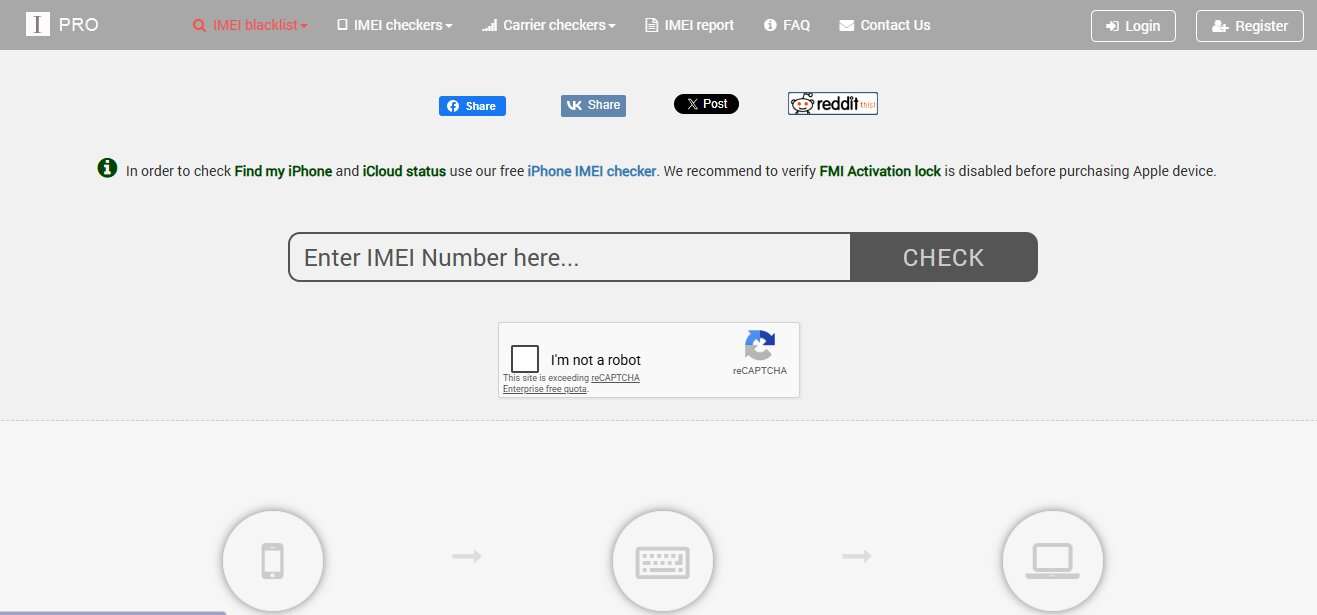
IMEIPro.info is an IMEI database that helps users to find out the phone status by checking whether the phone is clean, lost, or blacklisted from worldwide carrier databases. You just have to enter a single IMEI number and find out the blacklist status, ESN validity, iCloud/FMI activation lock, and get basic device identification details of the phone brands such as Apple, Samsung, Huawei, etc.
- Free global IMEI blacklist and ESN check
- Supports iCloud / FMI activation lock status
- Works with most major phone brands
- Simple and fast IMEI lookup process
- Useful for identifying stolen or blocked phones
- Interface is basic and not very modern
Best for: Users who want a quick and simple IMEI blacklist check to verify if a phone is stolen, blocked, or safe to buy in seconds.
6. IMEI.org — Best for Carrier Lock, Blacklist & Full Device Status Checks
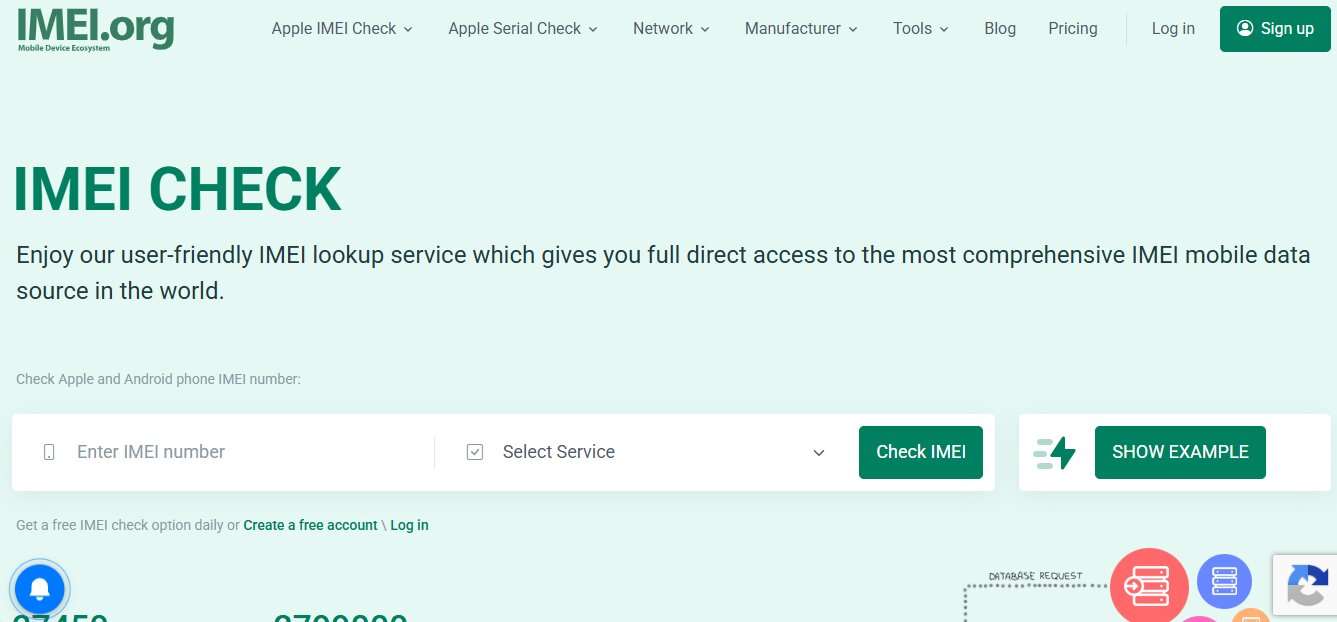
IMEI.org is an extremely capable platform for looking up IMEI that also offers thorough device verification based on IMEI, MEID, or ESN numbers. It enables a user to instantly access a variety of details such as blacklist status, carrier lock/unlock status, iCloud activation lock, warranty info, MDM/DEP lock, and reports of stolen devices for both iPhone and Android models. This service derives its strength from having access to a large IMEI database worldwide and delivers multiple features for Apple and Android devices, e.g., carrier-oriented verifications (AT&T, Verizon, T-Mobile, Sprint, and several others).
- Offers extensive checks: blacklist, carrier lock, iCloud, warranty, MDM, and stolen status
- Supports both iPhone and Android devices
- Covers major carriers like AT&T, Verizon, T-Mobile, and Sprint
- Fast IMEI processing with real-time results
- Includes API and automation support for businesses
- Some advanced checks require paid access or a login
- The interface can feel information-heavy for beginners
Best for: Users who want a complete IMEI verification platform with advanced carrier, blacklist, and Apple device checks in one place.
7. Swappa IMEI Check — Best for clean vs blocked device verification (GSMA-backed)
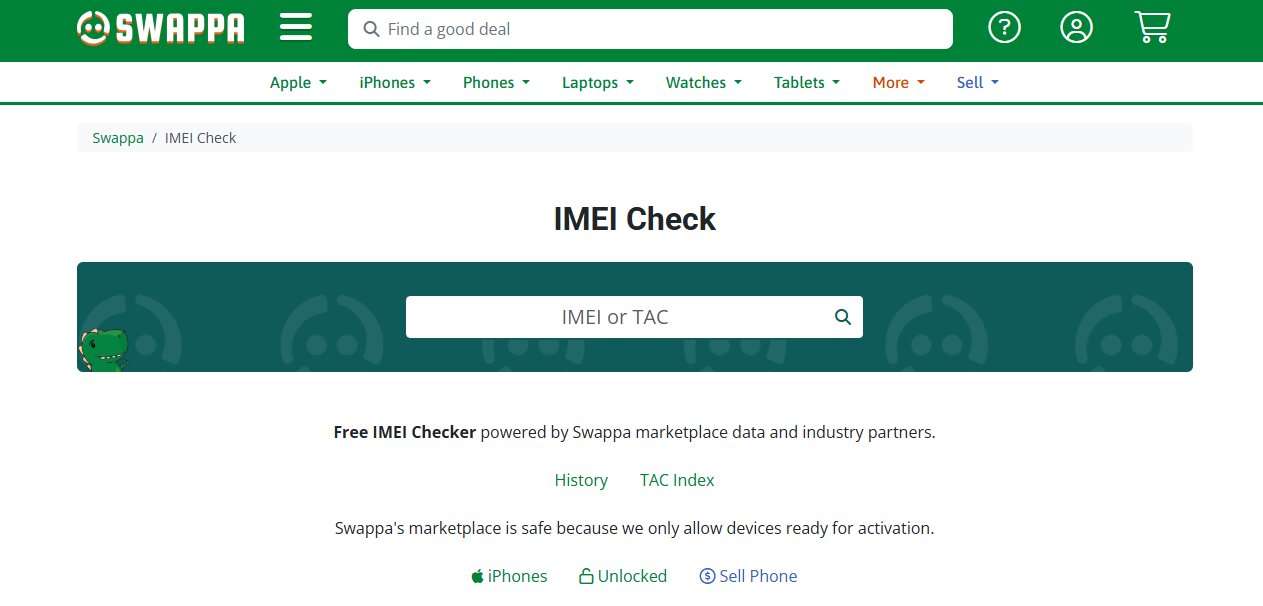
Swappa's IMEI Check tool is free to use and very trustworthy. It makes it possible for buyers to verify the condition of a device just in a few seconds, whether it is clean, blocked, or ready for activation. Besides the marketplace data, it even has GSMA registry data, which makes it the most reliable way to check ESN/IMEI status. Through the status, one can be sure if a phone is not just safe to use but also if the phone is lost, stolen, or if it has certain financial obligations.
- Free ESN/IMEI check powered by GSMA registry data
- Clearly shows clean vs blocked/blacklisted status
- Trusted marketplace-backed verification system
- Simple and fast IMEI lookup
- Great for secondhand phone buyers
- Limited detailed device specifications (focuses mainly on status)
- Not as rich as advanced IMEI report tools
Best for: Users who want a quick and trusted check to confirm whether a phone is clean, blocked, or ready for activation before purchasing.
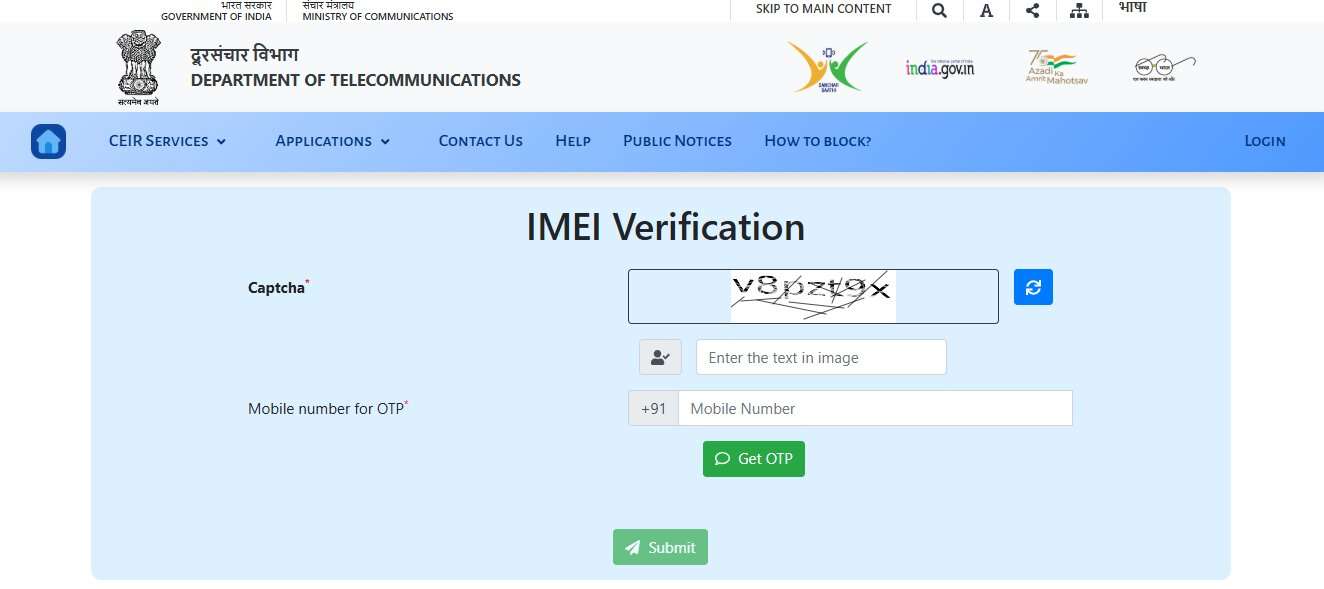
8. CEIR (India) IMEI Verification / Device Check (Canada) — Best for official government IMEI blacklist verification
CEIR (India) and Device Check (Canada) are government-supported official IMEI validation systems that enable users to find out if a mobile phone is legitimate, blocked, or reported as lost or stolen. CEIR supports users in India not only in checking but also in blocking a stolen phone over the different networks. In contrast, Canada's Device Check system enables a user to verify whether a device has been blacklisted prior to activation with a Canadian carrier. These services get their data from the telecom databases of the respective countries, so they can be considered more reliable than the IMEI checking tools from third parties.
- Official government-backed IMEI verification systems
- Highly reliable blacklist and stolen device detection
- Helps block or verify lost/stolen phones (CEIR)
- Direct carrier database integration
- Strong fraud prevention for used phones
- Region-specific (India and Canada only)
- Limited device details compared to commercial IMEI tools
- Not designed for global full-spec phone reports
Best for: Users in India or Canada who want official, highly trusted IMEI blacklist verification before buying, selling, or activating a smartphone.
9. Apple Official IMEI / Coverage Check — Best for Official Apple Warranty & Device Verification
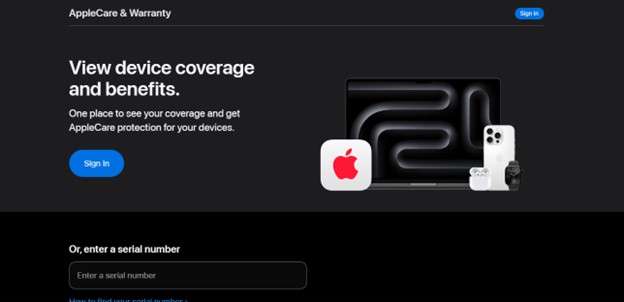
An official IMEI-based verification system of Apple is highly reliable method to determine if an iPhone or any other Apple device is genuine and their warranty status. With help of the device's serial number (and in some cases IMEI), the users can verify from Apple's official database the AppleCare coverage, the status of the limited warranty, the eligibility for repair and the activation information.
- 100% official Apple source for device verification
- Checks warranty, AppleCare, and repair eligibility
- Highly accurate and trusted globally
- Helps confirm device authenticity
- Free and easy to use
- Requires serial number (not always full IMEI usage)
- Limited to Apple ecosystem only
- Does not show blacklist or carrier lock details
Best for: Users who want the most reliable and official way to verify Apple device warranty, authenticity, and support coverage before buying or selling an iPhone or iPad.
Part 2. Quick Comparison: Which IMEI Checker Should You Use?
| Tool | Free | Check Types | No login required | Ad-free | iPhone (iCloud) | Blacklist | Best For |
|---|---|---|---|---|---|---|---|
| Dr.Fone Online Unlock | ✔ | 20+ checks | ✔ | Mostly | ✔ | ✔ | All-in-one IMEI verification |
| IMEI.info | ✔ | Specs, warranty, carrier, blacklist | ✔ | No | Limited | ✔ | Detailed device information |
| IMEICheck.com | Partial | Blacklist, carrier, warranty | ✔ | Mostly | ✔ | ✔ | Carrier & blacklist checks |
| IMEI24.com | ✔ | Full device reports | ✔ | ❌ | Limited | ✔ | Warranty & device history |
| IMEIPro.info | ✔ | Blacklist, ESN, FMI lock | ✔ | Mostly | ✔ | ✔ | Quick blacklist verification |
| IMEI.org | Partial | Carrier, blacklist, MDM, iCloud | Some checks require login | Mostly | ✔ | ✔ | Advanced IMEI analysis |
| Swappa | ✔ | ESN/activation status | ✔ | ✔ | ❌ | ✔ | Clean vs blocked checks |
| CEIR / Device Check | ✔ | Official blacklist verification | ✔ | ✔ | ❌ | ✔ | Government-backed checks |
| Apple's Official Check | ✔ | Warranty & AppleCare | ✔ | ✔ | ❌ | ❌ | Official Apple verification |
How to Check iPhone Details by IMEI for Free
All you have to do to get in-depth details of an iPhone free of charge is to know its IMEI number and use a trustworthy online IMEI checker service. How to find your IMEI number? The easiest way to get your iPhone's IMEI is through a phone call where you just dial *#06#. Also, you can find it by going to Settings > General > About. And don't forget, the SIM tray or the box the device originally came in contains the IMEI as well.
How to Run an IMEI Check Online?
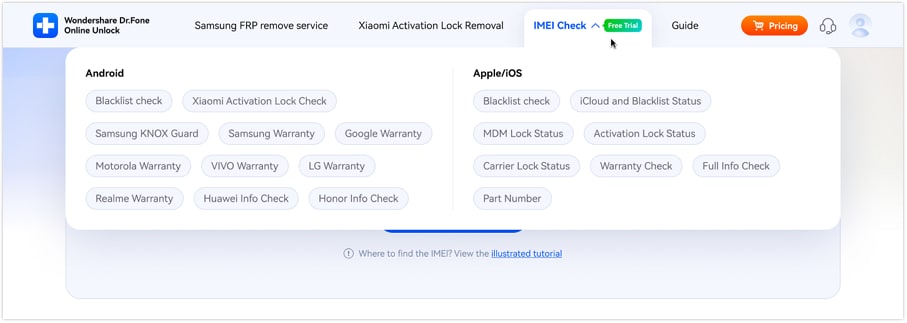
Step 1 Select the IMEI checking type
Go to the official Dr.Fone IMEI Check webpage and pick the kind of IMEI check you want from the options.
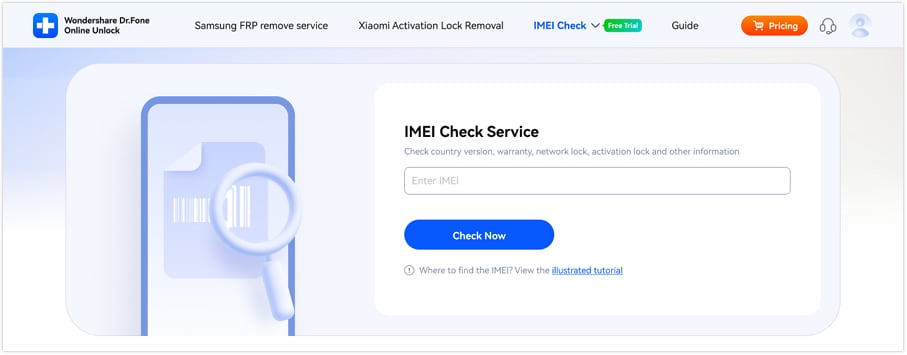
Step 2 Input your IMEI number
Enter your device's IMEI number into the input field and press Check Now.
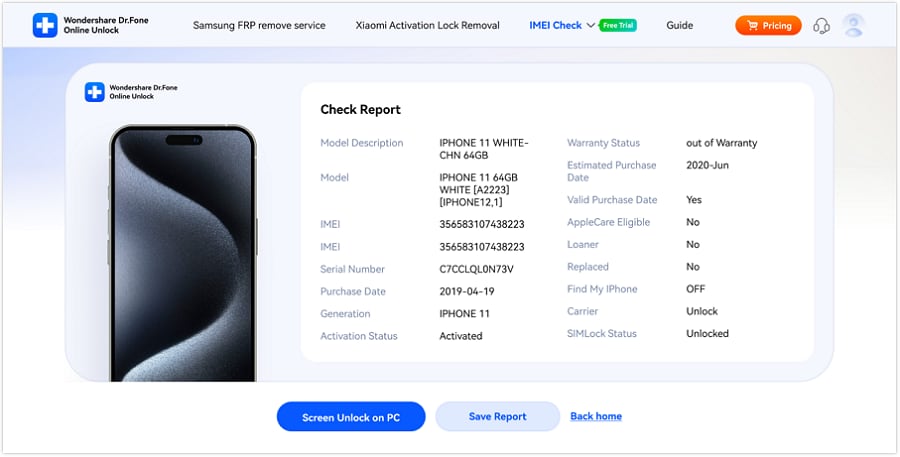
Step 3 Check and keep the report
Once your IMEI is validated you will obtain a comprehensive IMEI report. Press Save Report to get a copy for reference.
Part 4. Real-World Use Cases & Expert Insights
Scenario 1: Purchasing a pre-owned iPhone
A buyer, who checks the IMEI prior to making a payment, finds out that the phone is on the blacklist and thereby, they can avoid purchasing a stolen phone.
Scenario 2: Putting a smartphone up for sale
The seller gives the buyer an IMEI report, which establishes a sense of trust and facilitates the speeding up of the transaction. Devices that come with verification generally pull in a larger number of buyers and lead to a higher resale price.
Conclusion
If you want to safely buy, sell, or check a phone, a free IMEI checker is almost a must-have tool. They allow you to promptly identify blacklisted phones, check if the phones are carrier locked, confirm if the warranty is there, and help you to stay away from scams.
But since free checkers' accuracy may differ, it is a wise decision to lean on a trusted and feature-packed platform. For a dependable experience, tools like Dr.Fone Online Unlock get at the top of the list as it performs several verifications at the same time blacklist, carrier lock, warranty, Activation Lock, and more, which you will not find in just one free IMEI lookup tool. So, if you want a more thorough verification option, this will be a good one for you.

Wondershare
Dr.Fone
Wondershare Dr.Fone
Need More Phone Tools? Discover More on Dr.Fone — One Toolkit for All Your Phone Solutions.


 Try
It Free
Try
It Free Try It
Free
Try It
Free 100% Clean
& Safe
100% Clean
& SafeFAQs
-
Is it safe to share my IMEI number with a free IMEI checker?
Yes, it is generally safe because the IMEI is not sensitive personal data. However, always use trusted platforms and avoid sharing other personal information. -
Can a free IMEI check tell me if an iPhone has an iCloud lock?
Some advanced IMEI tools can show iCloud or Activation Lock status, but accuracy varies depending on the database. -
How reliable are free IMEI checkers?
They are fairly reliable for basic checks like blacklist status and model info, but results may differ across tools since they use different databases. -
What is the most accurate IMEI checker?
Official sources like Apple's coverage check and government databases (where available) are the most accurate, while premium IMEI tools such as Dr.Fone Online Unlock provide the most detailed combined reports.