


How To Check Android Blacklist Online?
Thinking about buying a pre-owned Android phone? A device with a blacklisted IMEI won't connect to mobile networks at all—meaning no calls, no messages, and no internet on the go. Whether you're purchasing second-hand, selling devices, or checking your own phone, confirming the blacklist status first protects you from a useless purchase.
Dr.Fone's Android Blacklist Check, part of the Online Unlock IMEI Check suite, lets you verify if your device has been reported lost, stolen, or blocked for unpaid bills—using just your IMEI number. Results come back instantly from global carrier databases, giving you the clarity you need before making any decision.
Here's how to run the check and get your report in four simple steps.
Supported Device Info on IMEI Check:
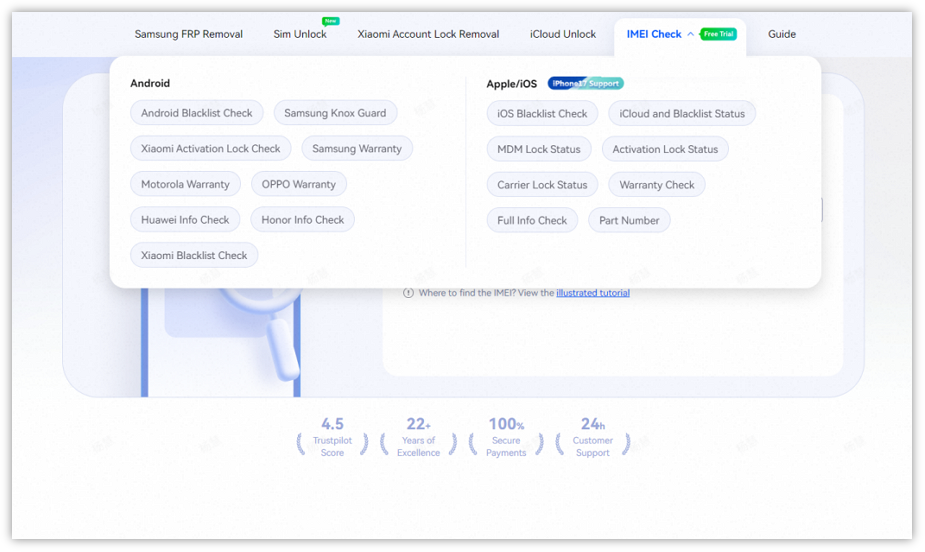
- For Apple/iOS Devices: Blacklist Check, iCloud and Blacklist Status, MDM Lock Status, Activation Lock Status, Carrier Lock Status, Warranty Check, Full Info Check, Part Number
- For Android Devices: Blacklist Check, Xiaomi Activation Lock Check, Samsung KNOX Guard, Samsung Warranty, Google Warranty, Motorola Warranty, VIVO Warranty, LG Warranty, Realme Warranty, Huawei Info Check, Honor Info Check
IMEI Check Online, Instant and Accurate
🎉 Bonus: You can perform your first IMEI check for free—no login required! Just enter your IMEI on the dashboard and view your report instantly.
Step-by-Step Guide to iOS Blacklist Verification
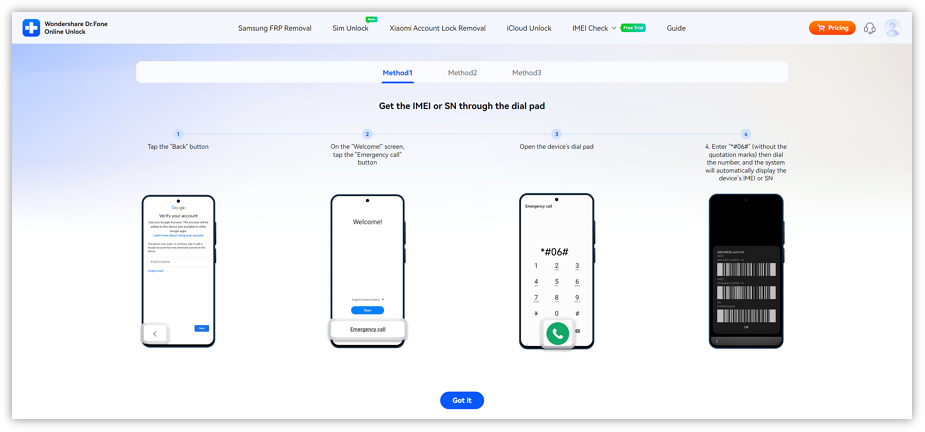
Before using this service, you should first prepare your device IMEI or SN. These identifiers help us verify your device and ensure the service works.
Please click IMEI Check in the navigation bar, then select Android Blacklist Check from the dropdown menu.
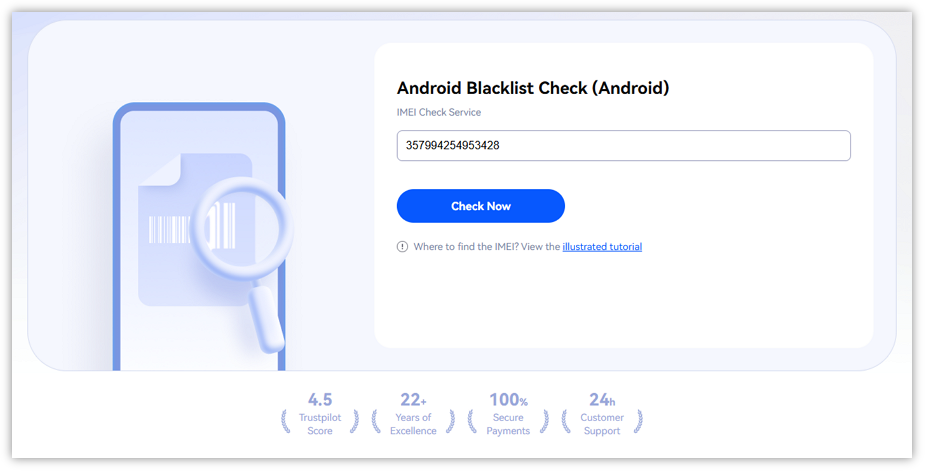
Type your device's IMEI number into the input field, then click Check Now.
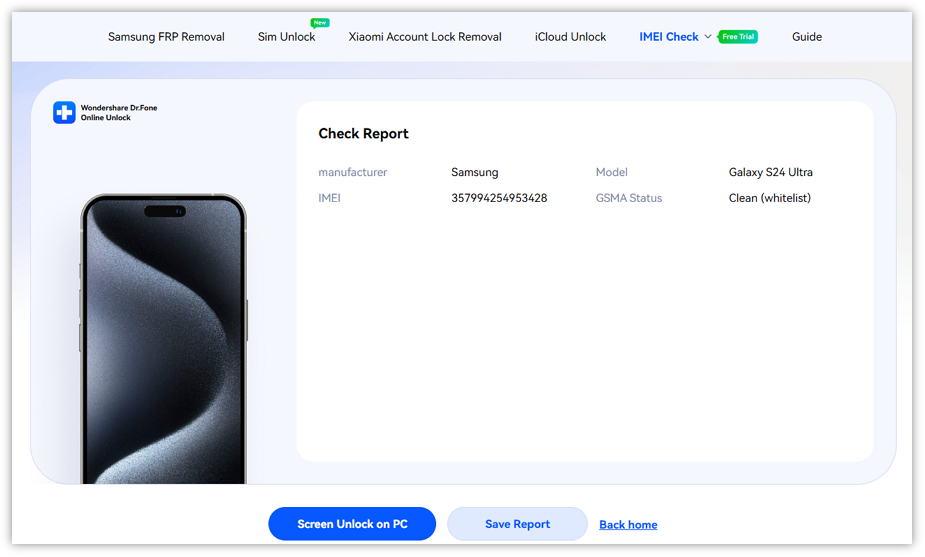
Once your IMEI is confirmed, your blacklist status report will appear. Feel free to click Save Report to download and keep a copy for future reference.
WHAT YOU'LL NEED
Dr.Fone provides a complete set of tools for solving all iOS/Android phone problems.
Frequent Asked Quesitons about Android Blacklist Check
 When does an Android phone get blacklisted?Can a phone be blacklisted after I already bought it?Is there a limit to how many IMEIs I can check?Why did the tool ask me to re-enter my IMEI?Can I verify blacklist status if the Android phone won't power on?