


How To Check Motorola Warranty Online?
Whether you are preparing for a repair, checking device coverage before contacting support, or simply verifying the warranty status of your phone, a Motorola Warranty check is a practical way to view important device-related information through your IMEI number.
With the Motorola Warranty feature under the IMEI Check section of the online unlock platform, you can quickly check warranty-related details for your Motorola device in just a few steps. It offers a simple way to review your device status and access a detailed report when needed.
This guide will walk you through how to use Motorola Warranty and save your report easily.
Supported Device Info on IMEI Check:
- For Apple/iOS Devices: Blacklist Check, iCloud and Blacklist Status, MDM Lock Status, Activation Lock Status, Carrier Lock Status, Warranty Check, Full Info Check, Part Number
- For Android Devices: Blacklist Check, Xiaomi Activation Lock Check, Samsung KNOX Guard, Samsung Warranty, Google Warranty, Motorola Warranty, VIVO Warranty, LG Warranty, Realme Warranty, Huawei Info Check, Honor Info Check
IMEI Check Online, Instant and Accurate
🎉 Bonus: You can perform your first IMEI check for free—no login required! Just enter your IMEI on the dashboard and view your report instantly.
Step-by-Step Guide to Using Motorola Warranty Check
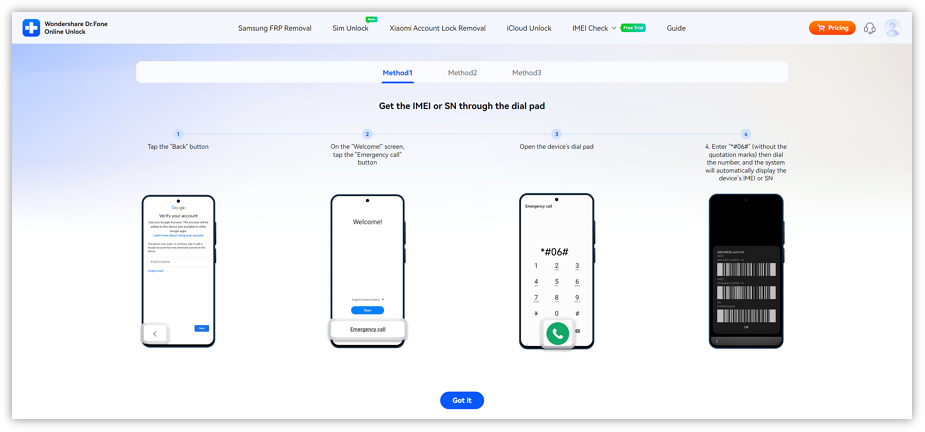
Before using this service, you should first prepare your device IMEI or SN. These identifiers help us verify your device and ensure the service works.
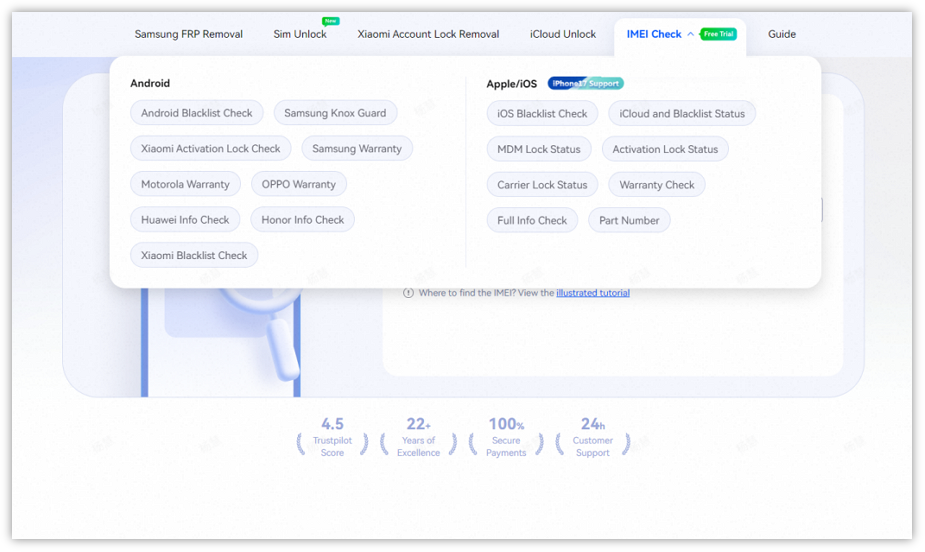
Please click IMEI Check in the navigation bar, then select Motorola Warranty from the dropdown menu.
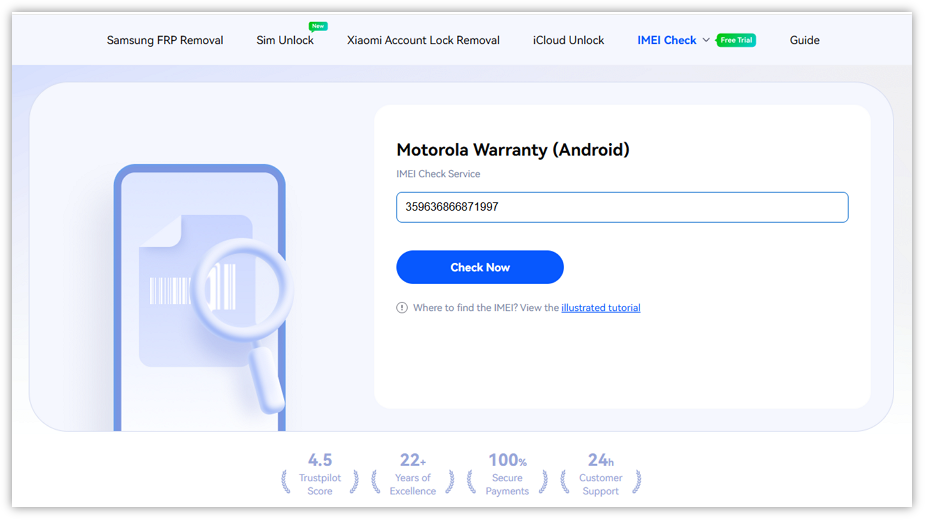
Type your device's IMEI number into the input field, then click Check Now.
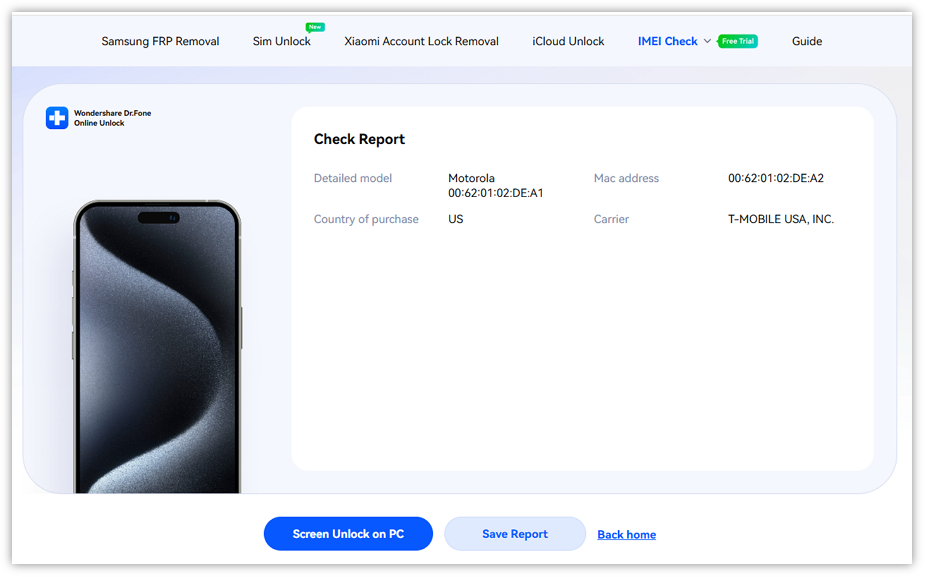
Once your IMEI is verified, you will receive a detailed report with the available warranty information for your device.You can click Save Report to download and keep a copy for future reference.
WHAT YOU'LL NEED
Dr.Fone provides a complete set of tools for solving all iOS/Android phone problems.
Frequent Asked Quesitons about Motorola Warranty
 Why should I check my Motorola warranty status?Does checking my warranty status affect my device or warranty?What happens if I enter the wrong IMEI number?What should I do if my warranty check shows no active coverage?Are there any situations where the warranty check might not return results?