


How to Remove iCloud Activation Lock Online? (Supports the Latest iPhone Series)
Locked out by iCloud Activation Lock and unable to sign in without your Apple ID or linked phone number? The iCloud Activation Lock prevents access to your iPhone/iPad after a reset, leaving many legitimate device owners stuck. Fortunately, we offer a secure online solution to help you remove the activation lock when you are the verified device owner with proof of ownership.
Dr.Fone iCloud Activation Unlock provides a streamlined online activation lock removal workflow using your device's ECID and the iFixTool helper application for remote unlocking. The entire process is completed through an online workbench—no Apple ID password or linked phone number required—and supports a wide range of iPhone and iPad models.
This comprehensive guide walks you through retrieving your device's ECID, submitting an unlock request on the online workbench, and completing the removal process with iFixTool.
Supported Devices: (Running iOS/iPadOS 18.6-26.1)
- iPhone: XR / XS / XS Max, SE (2nd / 3rd), 11 / 11 Pro / 11 Pro Max, 12 / 12 Mini / 12 Pro / 12 Pro Max, 13 / 13 Mini / 13 Pro / 13 Pro Max, 14 / 14 Plus / 14 Pro / 14 Pro Max, 15 / 15 Plus / 15 Pro / 15 Pro Max, 16 / 16 Plus / 16 Pro / 16 Pro Max / 16e, 17 / 17 Pro / 17 Pro Max
- iPad: iPad (8th), iPad (9th), iPad (10th), iPad (11th)
- iPad Mini: iPad Mini 5, iPad Mini 6, iPad Mini 7
- iPad Air: iPad Air 3, iPad Air 4, iPad Air 5, iPad Air 6, iPad Air 7
- iPad Pro: iPad Pro 11‑inch (1st / 2nd / 3rd / 4th / 5th / 6th), iPad Pro 12.9‑inch (3rd / 4th / 5th / 6th), iPad Pro 13‑inch (1st / 2nd)
Regain Your Device Anytime, Anywhere
Index
Part 1: Free Pre‑Unlock iCloud Activation Lock Check
Use your phone’s IMEI number to check iCloud Activation Lock information for free on the Dr.Fone IMEI Check Online platform.
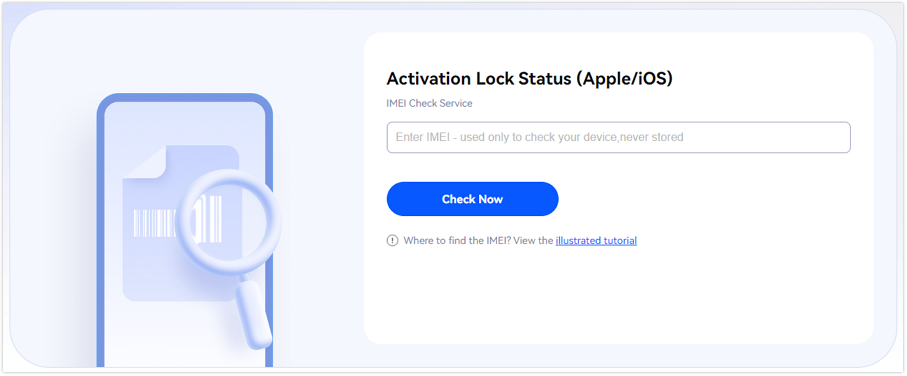
🎉 Bonus: You can perform your first IMEI check for free—no login required! Just enter your IMEI on the dashboard and view your report instantly.
Part 2: Step-by-Step Guide to Remove iCloud Activation Lock Online
Open your browser and navigate to the official Dr.Fone iCloud Unlock website page.
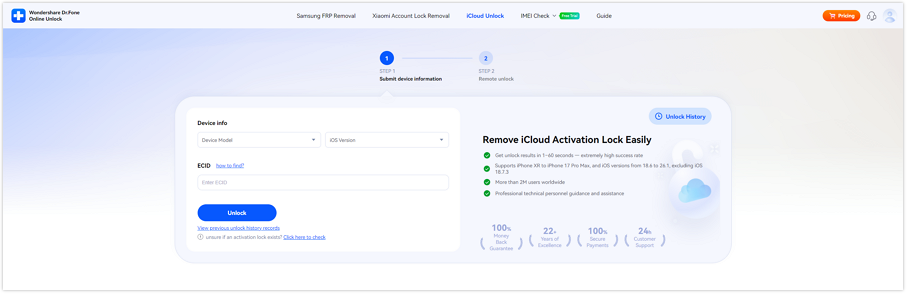
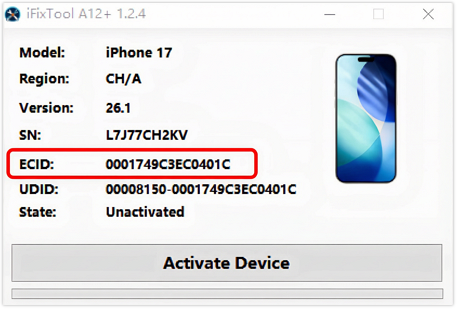
To retrieve your device's ECID (Exclusive Chip ID), you'll need to download iFixTool, our dedicated unlocking helper application. You can access iFixTool through the download link provided within the Online Unlock platform or via the direct download link below.
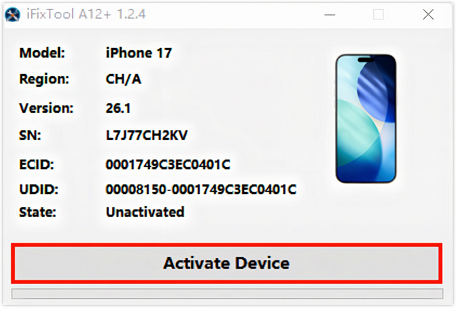
Once downloaded, launch iFixTool on your computer and connect your device via USB. The application will automatically detect and display your unique ECID.
💡 iFixTool Download: [Click Here]
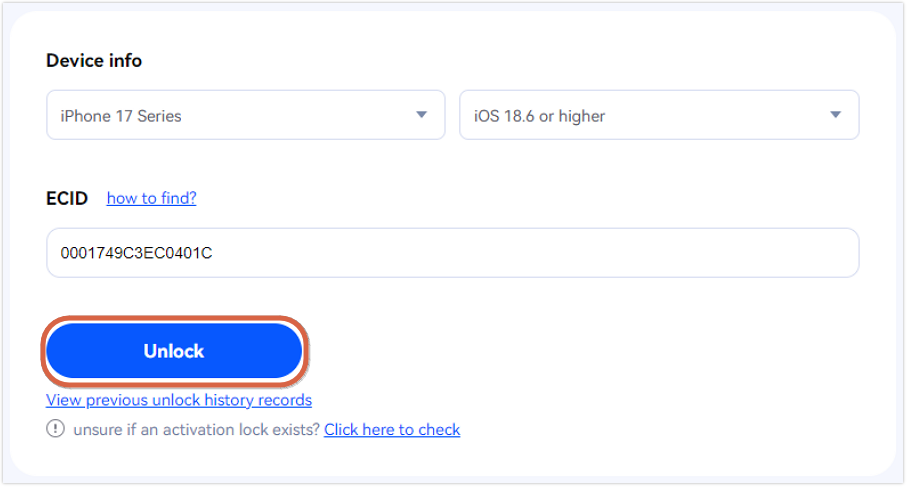
Using the provided dropdown menus, select your device model and corresponding iOS system version. Paste the ECID you retrieved from iFixTool into the designated ECID field. Verify all information for accuracy, then click the Unlock button to submit your unlock request.
Upon successful submission, the platform will display a confirmation screen verifying that your unlock request has been received and processed. Leave this page open and carefully follow the on-screen instructions. When prompted, reopen iFixTool to proceed to the next phase of the unlocking process.
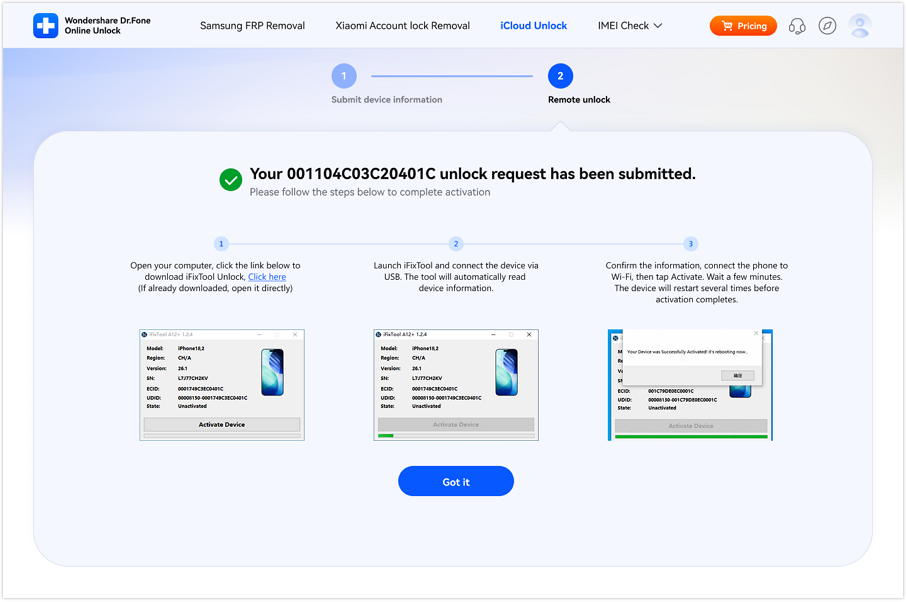
Return to iFixTool and follow the displayed on-screen prompts. Click the Activate Device button to commence the activation lock removal. Please note that your device will automatically restart several times during this process—this is normal and necessary for successful completion.
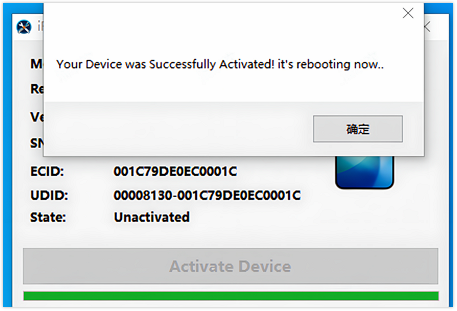
Once the removal process concludes successfully, iFixTool will display a "Removal Successful" confirmation message. Restart your device to finalize the changes.
WHAT YOU'LL NEED
Dr.Fone provides a complete set of tools for solving all iOS/Android phone problems.
FAQs
 What is iCloud Activation Lock?Is it legal to remove iCloud Activation Lock with Dr.Fone?What information is needed for iCloud Activation Lock removal?How long does iCloud Activation Lock removal take?What if iCloud Activation Lock removal fails?