

How The Dr.Fone Online Unlock Tool Can Solve Problems?
Getting stuck behind a Google FRP Lock, iCloud Activation Lock, SIM Lock, or Mi Account Lock is a major roadblock for any mobile user. Often, the challenge isn’t the unlock process itself, but identifying exactly what your device needs and gathering the right data, such as the IMEI info, before you begin.
Dr.Fone Online Unlock was built to provide clarity and ease of use. Instead of a single, rigid workflow, our platform offers dedicated services tailored to your specific lock scenario. By including device identification and pre-check features, we help you confirm compatibility and reduce errors before submitting a request.
This guide provides a quick overview of the essential preparation steps and our core unlocking features. If you already know your specific lock type, you can jump directly to the relevant section below to find the detailed, step-by-step instructions.
Manage Your Phone Wherever You Go
Index
Part 1: Getting Ready for Your Online Unlock
1.1 Understanding the Role of IMEI
The IMEI is a unique 15-digit code that serves as your smartphone’s global identity. For Dr.Fone Online Unlock, this number is critical because it tells our system exactly which device model and version we are working with. Having the correct IMEI ensures the unlock command is perfectly matched to your hardware.
Before you start, make sure you have the accurate IMEI for your device. If the number is entered incorrectly, the system may provide wrong information or fail to process your request. Verifying this number is the most important part of your preparation.
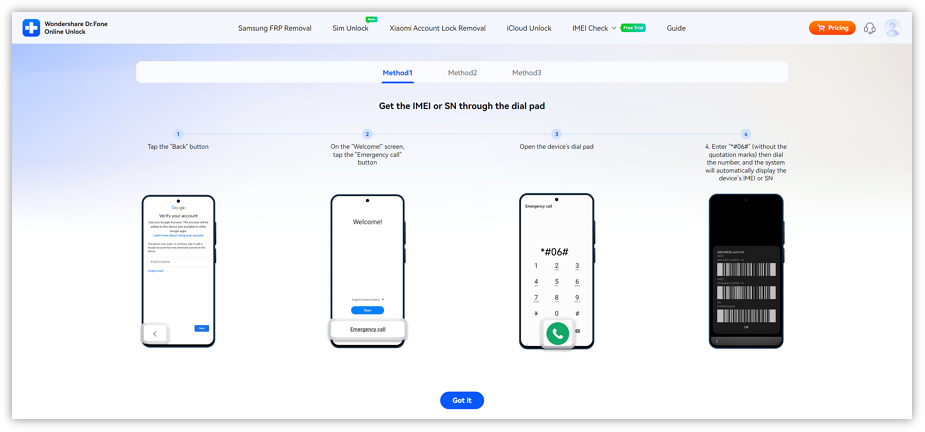
1.2 Get Your Device IMEI and Serial Number
Before using this service, you should first prepare your device IMEI or SN. These identifiers are commonly used to verify the device model, check compatibility, and submit the correct unlock request.
1.3 Verify Device Status and Eligibility
If you aren’t sure which lock you have or if your phone is supported, use our built-in check tool first. By selecting your service type and entering your IMEI, you can preview the device details and supported services. This step is highly recommended to ensure you choose the correct path for your carrier, activation, or account-related lock.
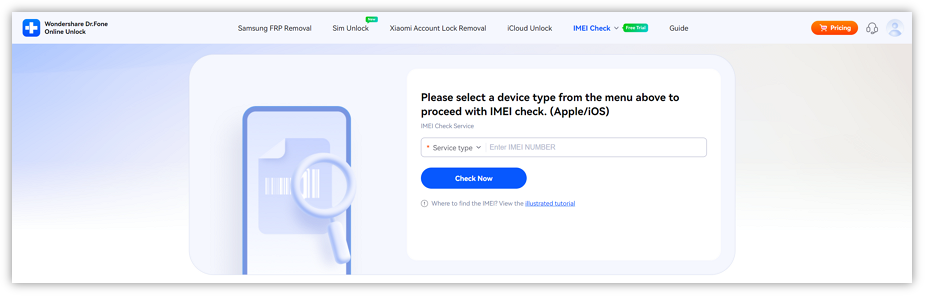
💡 Tips: You can find steps to check your device’s IMEI number in the [IMEI Check Online guide].
🎉 Bonus: You can get your first IMEI check for free—no login required! Just enter your IMEI on the dashboard and view your report instantly.
Part 2: Samsung FRP Removal
Dr.Fone Online Unlock helps Samsung users bypass the Google account verification screen that often appears after a factory reset. This remote service is designed to get you past the setup screen and back into your phone without complex manual steps.
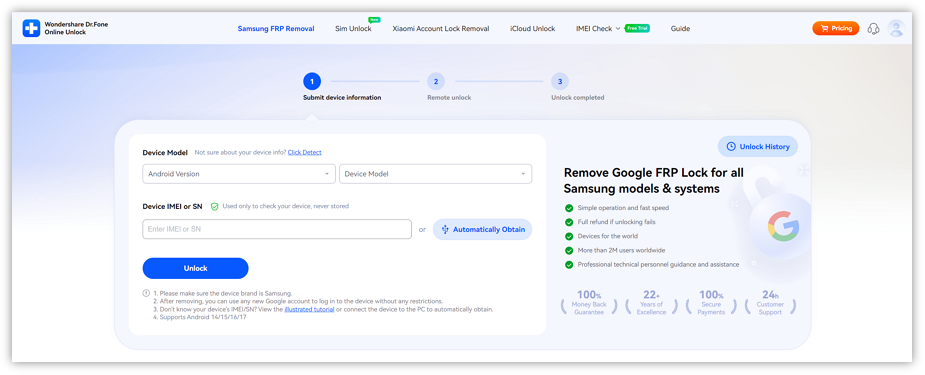
Device Compatibility
- Compatible Models: All Samsung phones and tablets, including Galaxy A/M/F/S/Z/Fold/Flip models and the latest Galaxy S26 series.
- Supported Android Versions: Android 15, Android 16, Android 17 Beta and earlier.
Part 3: iCloud Activation Lock Removal
For Apple devices stuck on the “Locked to Owner” screen, our iCloud Unlock service provides a dedicated remote solution. By providing your model and iOS version, you can initiate a removal request to regain access to your iPhone or iPad.
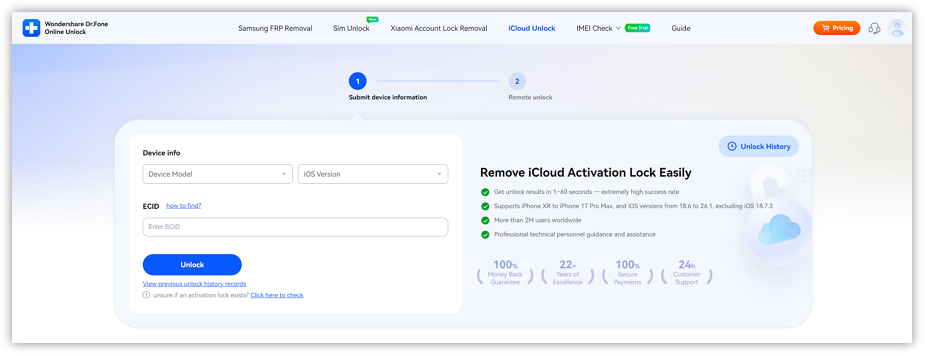
Supported Devices: (Running iOS/iPadOS 18.6-26.1)
- iPhone: XR / XS / XS Max, SE (2nd / 3rd), 11 / 11 Pro / 11 Pro Max, 12 / 12 Mini / 12 Pro / 12 Pro Max, 13 / 13 Mini / 13 Pro / 13 Pro Max, 14 / 14 Plus / 14 Pro / 14 Pro Max, 15 / 15 Plus / 15 Pro / 15 Pro Max, 16 / 16 Plus / 16 Pro / 16 Pro Max / 16e, 17 / 17 Pro / 17 Pro Max
- iPad: iPad (8th), iPad (9th), iPad (10th), iPad (11th)
- iPad Mini: iPad Mini 5, iPad Mini 6, iPad Mini 7
- iPad Air: iPad Air 3, iPad Air 4, iPad Air 5, iPad Air 6, iPad Air 7
- iPad Pro: iPad Pro 11‑inch (1st / 2nd / 3rd / 4th / 5th / 6th), iPad Pro 12.9‑inch (3rd / 4th / 5th / 6th), iPad Pro 13‑inch (1st / 2nd)
Part 4: SIM Unlock
If your mobile device is restricted to a single network provider, our SIM Unlock workflow allows you to free it for use with any carrier. By verifying your original carrier and submitting your IMEI, you can request a permanent network unlock.
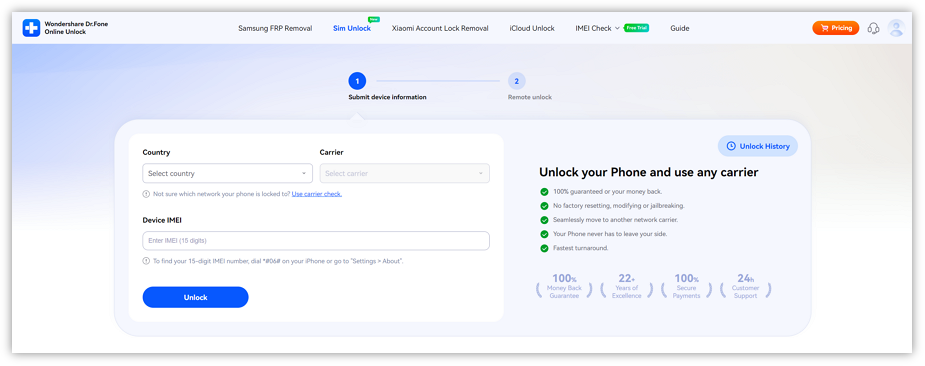
Supported Devices:
- Carriers: AT&T (more carriers will be supported soon)
- Phone Brands: All phone brands
- Phone Operate System: All iOS and Android versions
Part 5: Xiaomi Mi Account Lock Removal
Xiaomi phones that are inaccessible due to a Mi Account lock after a reset can be restored through our specialized removal portal. This service is intended for users who can no longer access their original account credentials.
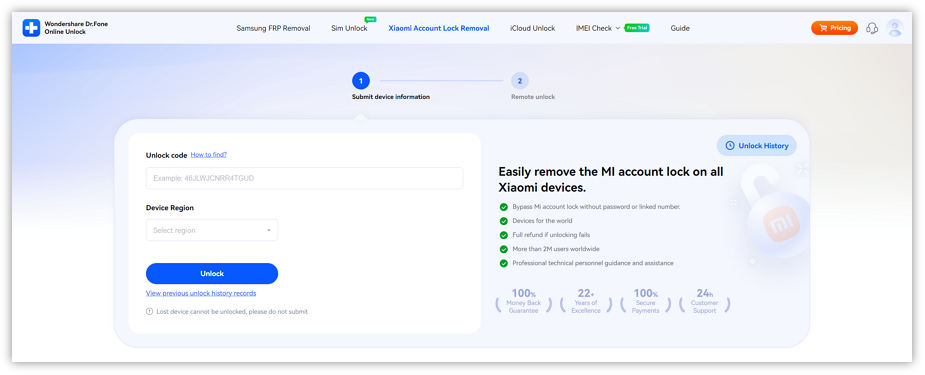
Supported Devices:
- Models: Wide coverage across Xiaomi, Redmi and POCO devices — including mainstream Mi, Redmi Note/Series and POCO series.
- Regions: Global coverage — works with devices from most countries and regions worldwide.
WHAT YOU'LL NEED
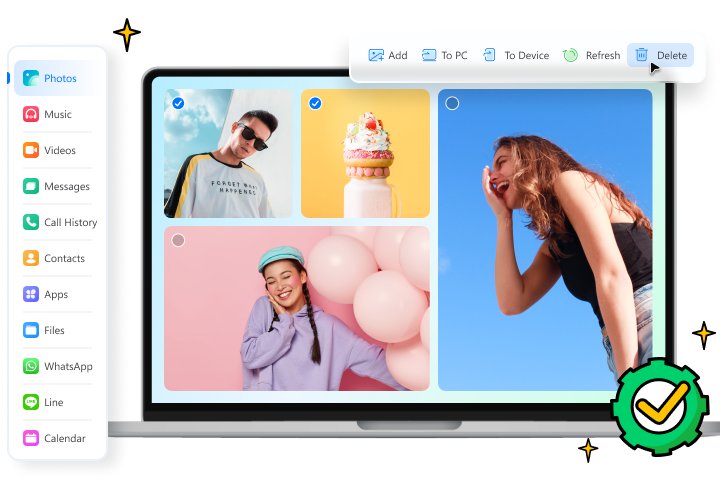
Dr.Fone provides a complete set of tools for solving all iOS/Android phone problems.
FAQs
 What happens if I enter the wrong IMEI number?Will my iCloud services work normally after the activation lock is removed?Will my information stay safe during the unlock process?Do I need to download any software to use this service?