ChatGPT
 Perplexity
 Gemini
 Claude
 Grok
Grok
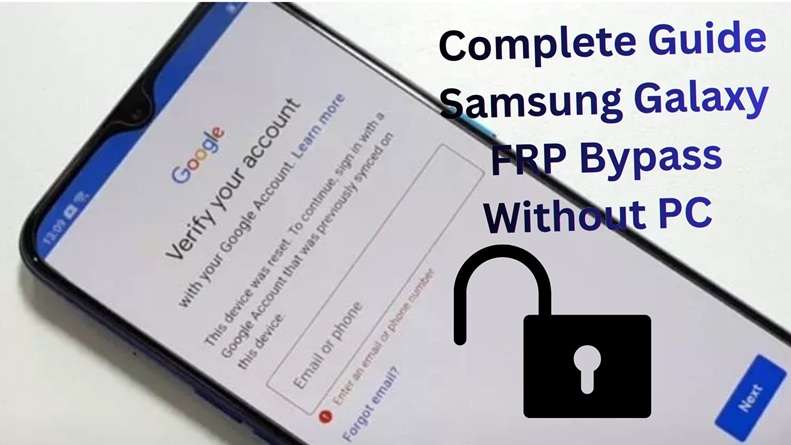
A used Samsung phone can look perfect in the listing. Clean body. Good price. Maybe even the original box. Then you reset it, turn it on, and hit a wall: “Verify your Google Account.” The phone wants the account that was used before the reset, not yours. This is where Samsung FRP unknown owner cases become hard. While you may own the device legally, Android still sees your device as protected.
The guide explains why this happens, what Google and Samsung say officially, what you should try first and what the legitimate option remaining is when the seller or giver or previous owner can’t be contacted.
In this article
Why Do People Face FRP Lock on a Secondhand Samsung Phone?
A secondhand Samsung phone can trigger FRP after a factory reset if the previous Google account was not removed first. Samsung has clarified that FRP can ask for the Google account and screen lock that has been synced on the device before reset. It prevents the reuse of lost or stolen mobile phones.
Examples from real life include.
- Used phone purchase: The buyer gets a Samsung phone from eBay, Facebook Marketplace, Craigslist, or a local seller. The seller resets it but forgets to remove their Google account.
- Seller is unreachable: Google support forums often suggest contacting the seller, but this is not always possible after a private sale.
- Gifted phone: A friend or relative gives the phone, then moves away, changes numbers, or forgets the old Google login.
- Inherited phone: A family member passes down a Samsung device, but no one knows the linked Google account or screen lock.
This makes Samsung FRP unknown owner a common real-world issue. It often happens to lawful buyers, gift receivers, and families dealing with previous owner FRP, not only suspicious devices.
What Google Officially Says About FRP
Google FRP is not a normal screen lock. It is a reset protection check. If a Samsung phone is reset through buttons, it may ask for the Google account or screen lock used before the reset. Samsung also confirms that if the wrong Google details are entered, the device will not unlock.
So, resetting the phone again usually does not fix Samsung FRP, unknown owner. The same Google verification screen can return.
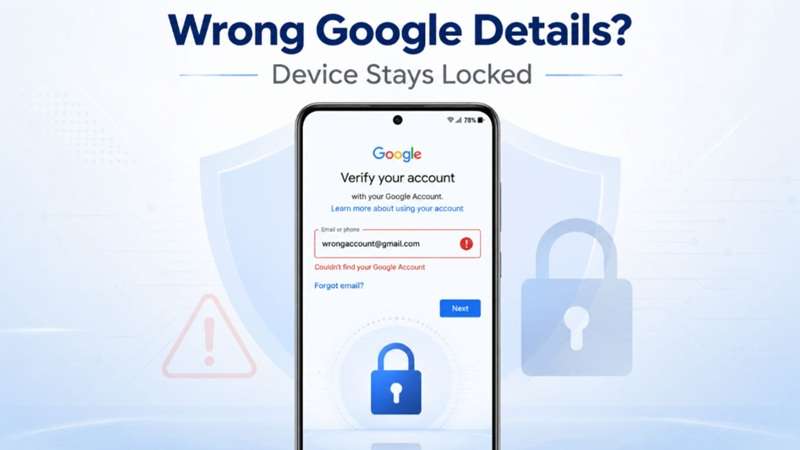
Google and Samsung’s safest path is simple: use the old account, contact the previous owner, or visit an authorized Samsung Service Center with proof of purchase. Samsung says proof of purchase may be needed if you cannot remember the Google account details.
2.1 First Rule: Make Sure the Phone Is Yours
FRP bypass is only right when you legally own the phone. It may be a used phone you bought, a gift, or an inherited device. Never use secondhand FRP bypass on a stolen, found, or borrowed phone.
Keep these details ready before trying support or any tool:
- Purchase receipt
- Payment proof
- Seller chat history
- Marketplace listing
- IMEI or serial number
- Gift or inheritance proof
2.2 Before You Try Any Tool: Quick Checklist
Try these steps first. They are safer and more official for Samsung FRP unknown owner cases.
-
Step 1 Contact the seller first
Ask the seller to enter the old Google account or remove it from the device. This is the cleanest fix.
-
Step 2 Ask for remote account removal
If the seller is far away, ask them to remove the phone from their Google or Samsung account. Samsung says FRP is linked to the Google account used before the reset.
-
Step 3 Check your proof of purchase
Keep the receipt, IMEI, payment proof, and seller chat. Samsung says locked users can take the device with proof of purchase to an authorized Samsung Service Centre.
-
Step 4 Try Google account recovery if it was your account
If the Google account is yours, recover it first. Samsung also notes that after a password reset, it may take 24–72 hours before the new password works on the device.
2.3 Legal Note: Use FRP Bypass Only on Your Own Phone
Secondhand FRP bypass is only valid when you legally own the Samsung phone. This includes a device you bought, received as a gift, or inherited.

What methods actually work to bypass Samsung FRP when the previous owner is unreachable?
This is the hardest part. You may have paid for the phone, but the old owner is gone. Maybe the Facebook profile disappeared. Maybe the phone was gifted months ago. Maybe the family member who owned it has passed away.
At this point, you have the following options:
Method 1: Ask the Seller to Fix the Lock Remotely
This is still the first method because it is the most official.
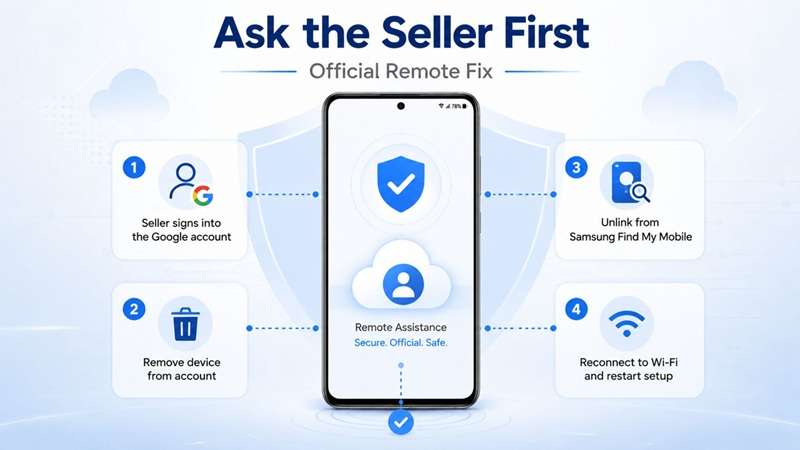
Ask the seller to:
- Log into the Google account that the cellular device uses.
- If possible, remove the Samsung from their account.
- Unlink the device from Samsung Find My Mobile if you have linked it.
- This will allow you to reconnect the phone to the Wi-Fi and restart setup.
This is best when sellers are real, cooperative, and still have access to the account.
- Recent purchases from a reachable seller
- Inherited phones
- Missing sellers
- Fake marketplace accounts
Method 2: Try Samsung or Google Support With Proof
If you have a proper invoice, box, IMEI, or ownership proof, you can contact Samsung support. Explain that you are the legal owner and the phone is stuck on FRP after reset.
This does not always work. Google’s FRP policy is designed to protect the previous account, not just unlock any device. But it is worth trying when you have strong documents.
- Phones bought from shops, carriers, or official resellers
- Cash deals with no receipt
Method 3: Use an IMEI-Based Online FRP Removal Service
If you have already tried reaching the seller and it went nowhere, you are not out of options. Many secondhand Samsung buyers end up in exactly this situation, and there are legitimate tools designed specifically to handle it.
A practical option is Dr.Fone Online Unlock. It is built for Samsung FRP cases where the user does not have the old Google credentials. Wondershare describes it as a browser-based tool for Samsung FRP removal and IMEI checking, with no installation required for the online service.
Dr.Fone’s online FRP platform states that it supports Samsung models and Android versions, including Android 14, 15, 16, and 17, and it lists a refund if unlocking fails as part of its service promise.
This makes it a strong fit for Samsung FRP unknown owner cases because you do not need the previous owner’s Google password. You mainly need the device details, such as IMEI or serial number, depending on the flow shown by the tool.
-
Step 1 Open the official DrFone Online Unlock platform in your browser. Sign in to the dashboard and select FRP Removal.
-
Step 2 Choose the mode for your Samsung devices. Then, you can type the device IMEI or serial number. You can obtain from the box, SIM tray, device label or plug to a PC for auto-detect.
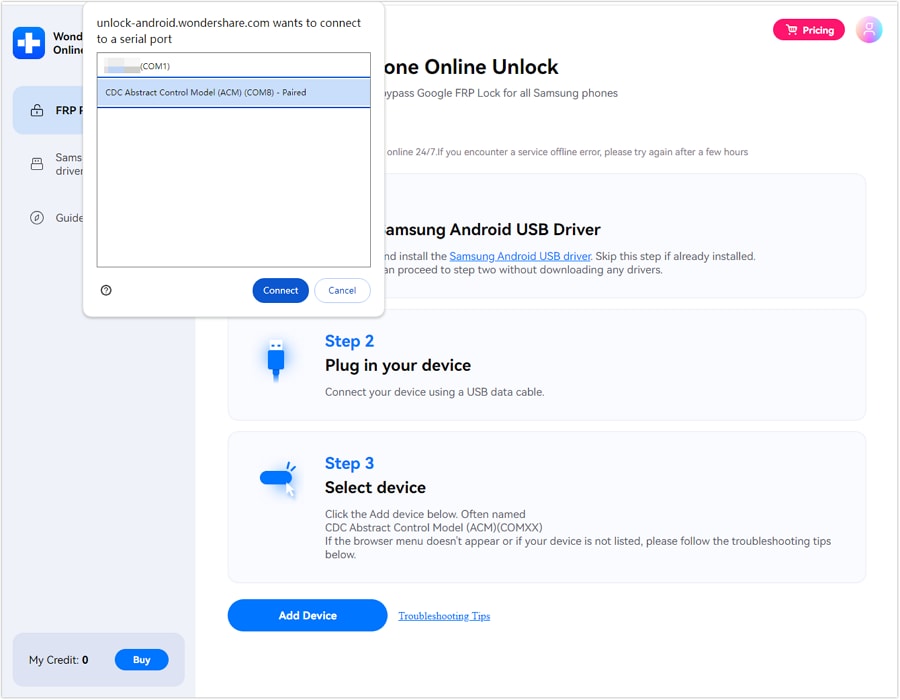
-
Step 3 Verify the device info that is displayed on the screen. When every detail is correct, click Unlock and the FRP lock removal process will begin.
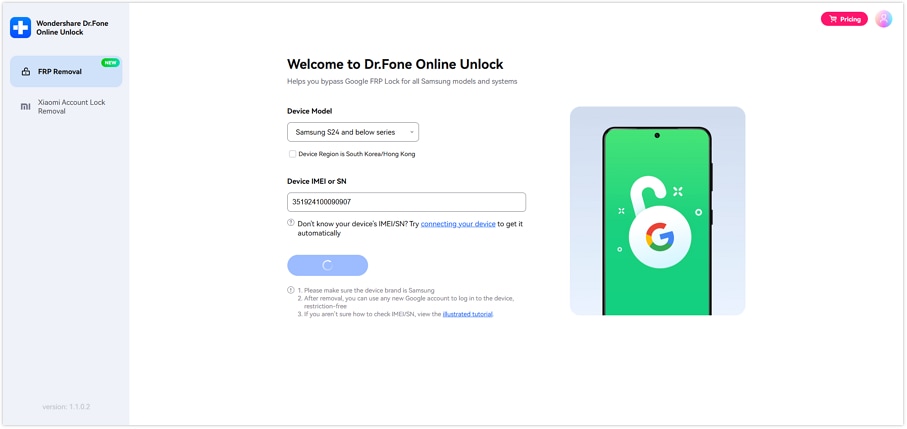
-
Step 4 Wait while your device is being unlocked via the internet by Dr.Fone. Cloud-based, the process simply follows the prompts on your screen.
-
Step 5 Once unlocked, do the Samsung setup steps on your phone and activate it.
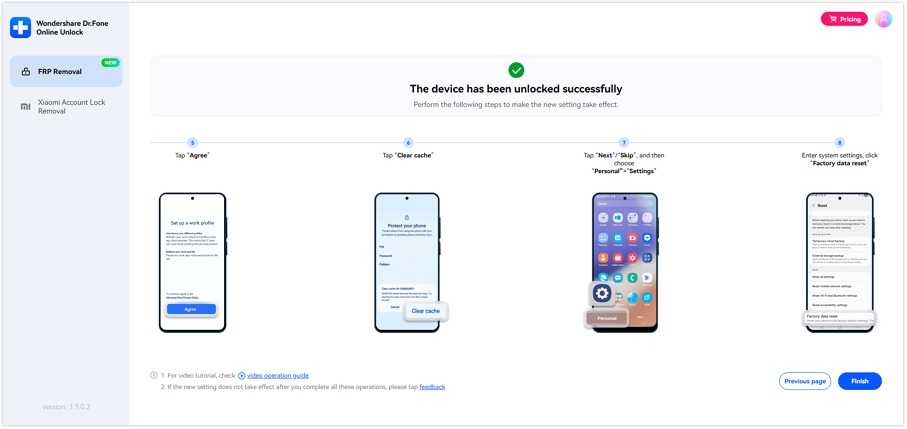
Why it works well for secondhand buyers:
- You do not need the seller to share private login details.
- You also do not need to ship the phone to a shop.
- The money-back guarantee lowers the risk if the service cannot complete the unlock.
Method 4: Use Dr.Fone Desktop – Screen Unlock (Android)
Some users prefer a guided desktop tool instead of an online-only service. In that case, Dr.Fone - Screen Unlock (Android) is the stronger alternative.
The desktop tool by Wondershare is able to get rid of Android screen locks. This includes pattern, PIN, password, fingerprint, and face lock. You also get FRP bypass support. Dr.Fone supports major Android brands, including Samsung, and mentions support for Android 16.
This matters when the used phone has two problems:
- It is stuck on Google verification.
- It also has a screen lock set by the previous owner.
 Unlock an Android phone in seconds.
- Remove PIN, pattern, password, and fingerprint.
- Bypass Google FRP lock easily.
- Works on all Android brands & models.
- No tech skills required – user-friendly.

-
Step 1 Install and connect
Download and set up Dr.Fone - Screen Unlock on your PC. Connect your Samsung phone to the computer with a USB cable.
-
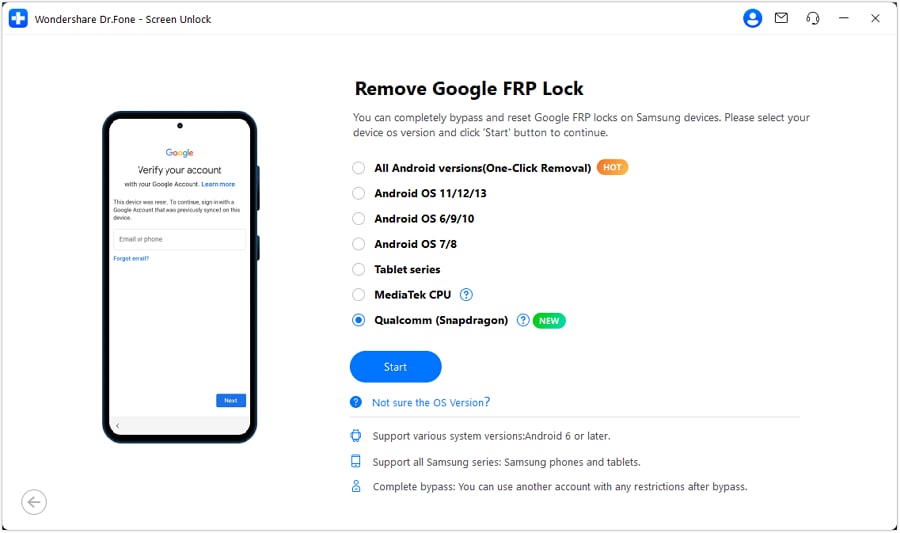
Step 2 Open FRP removal mode
Go to Toolbox, select Screen Unlock, and click Android. Then choose the Remove Google FRP Lock option.
-
Step 3 Select Samsung Qualcomm mode
Choose Qualcomm for your Samsung mobile and click Start. Follow the on-screen instructions.
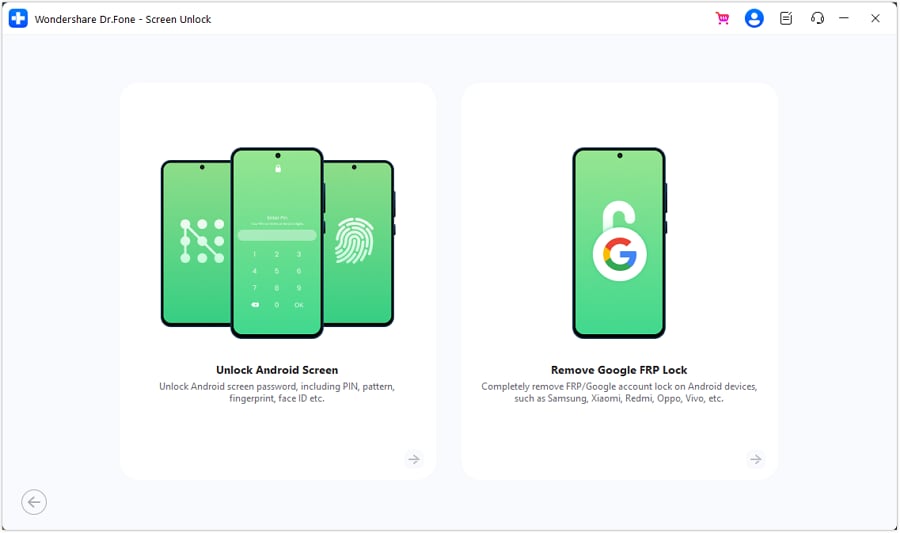
-
Step 4 Download firmware and choose model
Dr.Fone will automatically install the needed firmware. If the tool asks, select your exact Samsung model and continue.
-
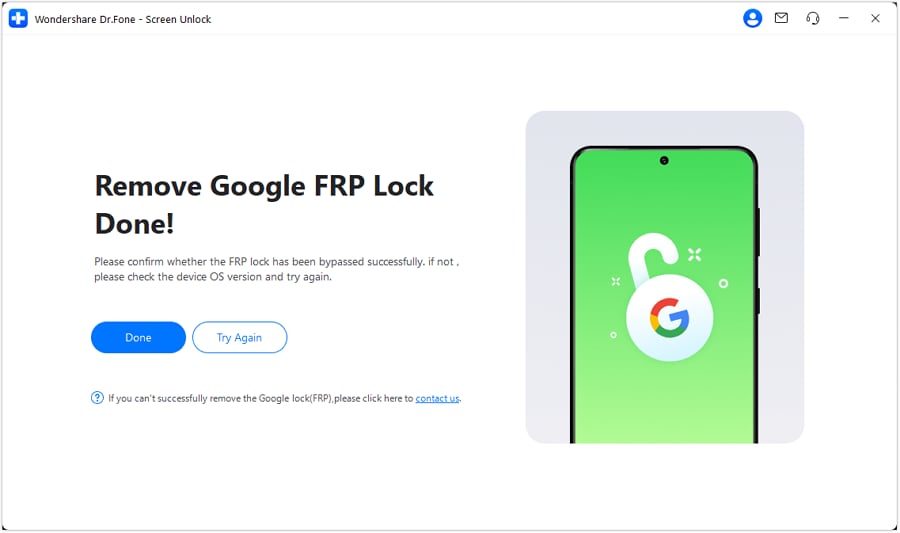
Step 5 Complete FRP removal
Wait while Dr.Fone removes the FRP lock. Keep the phone connected. Once done, check your Samsung phone. If it works, click Done. If not, use the retry option shown in the tool.
Conclusion
A used Samsung FRP lock has different exits. A reachable seller is the cleanest fix. A valid receipt gives Samsung support a chance to help. But when the seller is gone, and the old Google account is unknown, Dr.Fone Online Unlock becomes the most practical route for lawful owners. It fits Samsung FRP unknown owner cases because it works without the previous owner’s password and uses device details instead. For users who also need screen lock help, Dr.Fone - Screen Unlock (Android) is the better desktop option.
FAQ
-
1. Can I prove device ownership to Samsung or Google to remove FRP?
Yes, through Samsung support. Samsung says you can visit an authorized Service Center with proof of purchase if you cannot remember the Google account. Google FRP still needs the old synced account or screen lock after reset. -
2. What if the seller refuses to remove their account?
Ask for a refund first and keep proof: chat, payment record, listing, receipt, and IMEI. If Samsung support cannot help and you legally own the phone, Dr.Fone Online Unlock can be a practical next step because it removes Samsung FRP without the previous owner’s Google password. -
3. Does FRP bypass work on carrier-locked Samsung phones?
FRP lock and carrier lock are separate. FRP blocks setup after reset. Carrier lock blocks SIM use on other networks. FRP removal may unlock setup, but it will not always remove the carrier/SIM lock.