ChatGPT
 Perplexity
 Gemini
 Claude
 Grok
Grok
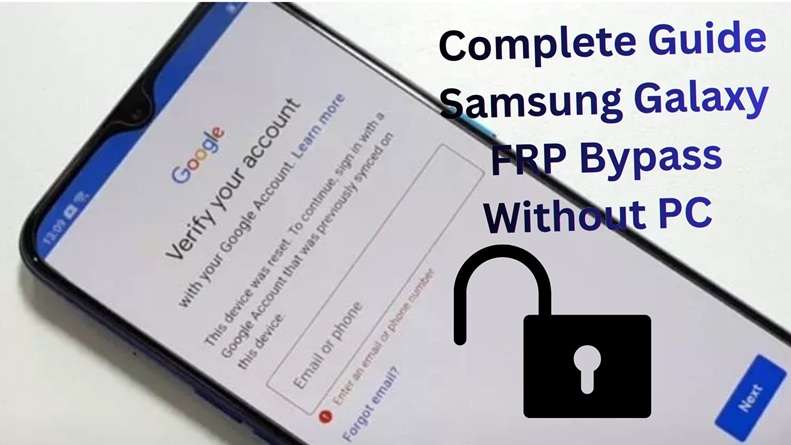
A locked Samsung phone does not always mean the phone is stolen or useless. Many real owners get stuck after a reset because the device asks for the old Google account. That is FRP. It offers protection for data, but it can also block anyone who forgot his/her login details, bought a second-hand Galaxy phone, or reset the phone too soon. Old manual tricks that once worked in the past will become unreliable by 2026 as Android and One UI updates close various loopholes.
That is why users now look for online FRP bypass tools, remote unlock services, and guided desktop software. This review compares the top options, their strengths and weaknesses, prices, and real use cases.
In this article
Why are users turning to online tools for Samsung FRP bypass?
Users are now using the Samsung FRP bypass tools online because older manual bypass methods are being blocked by the new Android and One UI updates. But the online services offer users simple guidance.
- Stronger FRP security: A factory reset cannot remove the Samsung Google account lock as the Samsung FRP lock tries to verify the previously synced Google account after a reset.
- Patched manual tricks: Google’s FRP design requires old account verification after unauthorized resets, making setup-screen shortcuts less reliable on newer Android versions.
- Patch-level dependency: Dialer codes, TalkBack routes, browser tricks, and APK methods may work on one security patch but fail on the next.
- Less technical effort: Online tools reduce the need for ADB commands, firmware flashing, driver setup, or hidden menu steps.
- No-PC convenience: Many users prefer browser-based or assisted online FRP bypass options because they do not want to install extra software.
- Better model matching: Modern FRP tools often check the Samsung model, Android version, and One UI version before starting the process.
- More predictable support: Paid online services usually offer customer support, clearer steps, and refund terms compared with random free methods.
- Safer first step reminder: Official Google account recovery and Samsung support should still be tried first before using any bypass tool.
What criteria should be used to evaluate FRP bypass tools?
Before choosing any FRP tool, readers should check these points first because Samsung FRP depends on device ownership, model, Android version, and security patch level.
| Criteria | What Readers Should Check |
|---|---|
| Samsung model support | Does it support your exact Galaxy model and series? |
| Android version support | Does it work with Android 14, 15, or 16? Google FRP needs an old account or lock verification after reset. |
| One UI/security patch | Does it mention current One UI or recent patch support? |
| Ease of use | Are the steps guided, simple, and beginner-friendly? |
| PC requirement | Is it fully online, assisted online, or desktop-only? |
| Pricing clarity | Are the plan, renewal, and device limits clear? |
| Refund policy | Does it offer a real money-back guarantee if removal fails? |
| Trust signals | Does the tool have real reviews, support pages, and a known company behind it? FTC warns reviews must be truthful. |
| Speed claim | Are time claims realistic, not “instant unlock for every phone”? |
| Legal use | Use it only on a phone you own. Samsung FRP protects devices after reset. |
Top 5 Best FRP Tools for Samsung in 2026
In 2026, not all FRP tools are created equal. Some tools handle the latest versions of Android better. Others win with price, speed, support, or ease of use. Here are a few top picks.
1. The Most Reliable Pick: Dr.Fone Online Unlock by Wondershare
After checking different tools for newer Samsung models and Android versions, one option stands out for users who want a simple, guided, and reliable online FRP bypass route: Dr.Fone Online Unlock by Wondershare.
Online Samsung FRP removal: Made for Google verification lock after reset.
New Android support: Lists Android 14, 15, 16, and 17 support.
Samsung series support: Lists major Samsung series, including S, Z, W, and C.
One UI support: Lists One UI 8.5, 7, 6.1, 6.0, 5.1, and 5.0.
Trust signals: 2M+ users, 24-hour support, and 100% money-back guarantee.
Brand record: Wondershare has 22+ years of software industry experience.
Desktop Version of the #1 Tool
Dr.Fone also offers Dr.Fone - Screen Unlock (Android) as a desktop version. It is useful when users need more than FRP removal, such as removing PIN, pattern, password, fingerprint, or face lock.
 Unlock Android phone in seconds.
- Remove PIN, pattern, password, fingerprint.
- Bypass Google FRP lock easily.
- Works on all Android brands & models.
- No tech skills required – user-friendly.

- Samsung users who want a guided online FRP bypass service with newer Android support, customer help, and refund protection.
2. iMobie DroidKit / AnyUnlock Family: Best for Users Who Want a Full Android Toolkit
iMobie DroidKit is a powerful choice for users who want a smoother Samsung FRP bypass without extensive preparation. DroidKit, unlike many other free tools relying on exact Android versions or technical conditions, offers a following path that feels more predictable for general users.
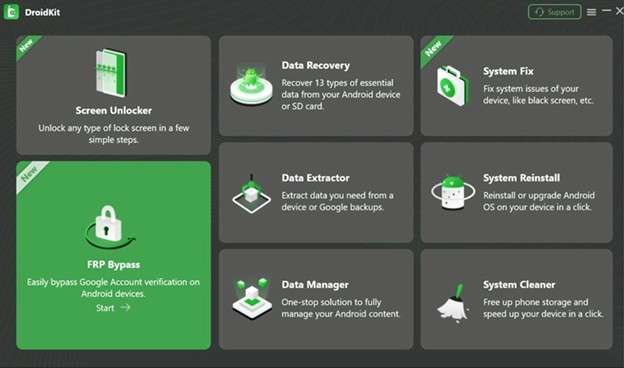
FRP removal: FRP removal helps to unlock the phone after factory resetting the device.
Unlocks Screen Android: The program will erase the PIN, password, pattern, fingerprint ID and face lock.
Restoration of information: Recovery of data without a backup can be done.
System repair fixes the Android system without rooting your phone.
Extra toolkit value: Also supports transfer and other Android management needs.
- Works as an all-in-one toolkit for unlocking, recovery, repairing, and transferring
- Easy interface with clear guidance
- Most features work without root, except Deep Recovery
- Available for both macOS and Windows
- Useful when the phone has more than one issue
- Results can vary by device and Android version
- Some unlock or repair actions may erase data
- FRP bypass success is not the same for every case
- Not all recovery situations are supported
3. MagFone Android Unlocker: Best Budget-Friendly Desktop Choice
MagFone Android Unlocker is a practical pick for users who want a simple desktop tool instead of risky manual FRP methods. It is designed for beginners, so users can follow guided steps without ADB commands, patched firmware, or advanced phone repair knowledge.
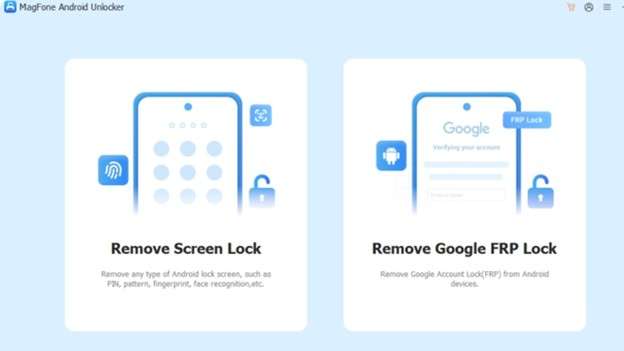
Google FRP removal: Helps bypass FRP lock on Samsung and other major Android brands.
New Android support: Works with newer Android versions and recent security patches.
Password-free process: Does not require the old password, recovery details, or previous owner access.
Model-based guidance: The guidance provided is model-based, which gives clear steps based on the model of the phone and the version of Android.
Unlocking your screen: This process can accurately remove PIN, Pattern, Face lock, and Fingerprint lock.
Tablet support use case: A use case for tablet support is resetting a Samsung tablet without the password.
- Beginner-friendly guided process
- Works on Windows and Mac
- Supports FRP and screen lock removal
- Reduces the risk of user error
- Good choice for users who want one of the best FRP tools in a desktop format
- Requires a computer
- Paid software with a limited free trial
- Unlocking may erase data
- FRP bypass is mainly focused on Samsung devices
4. Tenorshare 4uKey for Android: Best Known Desktop FRP Tool
Tenorshare 4uKey for Android is a well-known desktop unlocker for users who want a clear software-based path instead of manual FRP tricks. It is often used for Android screen locks, Google account lock, and Samsung account removal when users do not have the old password.
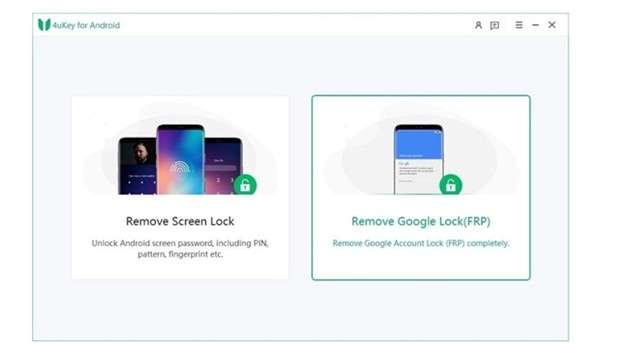
Screen lock removal: It can remove the screen PIN, pattern, password, fingerprint, and face lock.
FRP bypass: helps in bypassing the Google account on Android devices.
Samsung account removal: You can remove the Samsung account without password in certain situations.
Brand coverage: Deals with many Android brands like Samsung, Huawei, Xiaomi and more.
Platform support: Supports Windows and Mac OS for seamless operation
User-friendly interface: Easily follow instructions for non-techies.
Quick process: When the device support settles down, the user takes too short time to regain access.
- Easy guided process for beginners
- Supports several Android lock types
- Works with multiple Android brands
- Available for both Windows and Mac
- Useful when users want a desktop alternative to online FRP bypass services
- It is paid software, not a free unlock service
- Some unlock methods may factory reset the device and erase data
- FRP support may vary on newer Android versions and certain brands
- Some online user feedback mentions refund or support concerns, so experience may differ
5. SamFw FRP Tool: Best Free Option for Advanced Users
SamFw FRP Tool is a free Windows-based option for users who understand Samsung repair tools. It is not as simple as paid online FRP bypass services, but it can be useful for advanced users who need FRP, firmware, and recovery functions in one place.
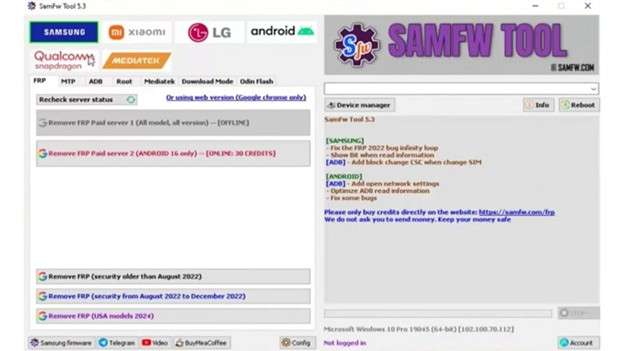
Google FRP bypass: Helps remove FRP lock on supported Samsung Galaxy devices.
Samsung utility tools: Can change CSC, check device details, enable mobile data, and remove Samsung accounts.
System recovery: Helps exit Download Mode and fix soft-bricked phones.
Firmware support: Can flash Samsung devices using Odin-related functions.
Driver tools: Checks driver status, enforces driver signatures, and installs needed drivers.
Extra reset options: Can restore phones to default settings and handle some screen lock cases.
- Free to use
- Works with many Samsung Galaxy devices
- Useful for FRP, firmware flashing, and repair tasks
- Regular updates help with newer Samsung support
- Good choice for users who already know Samsung service tools
- Not beginner-friendly
- Windows only; no Mac support for Samsung FRP bypass
- May require USB debugging or device permissions
- Wrong use can create security or device issues
- Less guided than paid, the best FRP tools
Quick Comparison: Top 5 Samsung FRP Tools in 2026
Now that each tool has been reviewed, this quick comparison shows the main buying factors: price, PC need, Android support, refund policy, and ease of use.
| Tool | Price | PC Required? | Android 14/15/16 Support | Money-Back Guarantee | Difficulty |
|---|---|---|---|---|---|
| Dr.Fone Online Unlock | Price shown during online unlock flow | No for online service | Yes — official page lists Android 14/15/16/17 support | Yes — full refund if unlocking fails | Easy |
| iMobie DroidKit FRP Bypass | From $39.99 for the FRP Bypass module | Yes | Supports many Android devices; check the exact Samsung model/version before use | Yes — 60-day money-back guarantee listed on FRP page | Easy–Medium |
| MagFone Android Unlocker | $29.95/month, $39.95/year, $59.95 lifetime | Yes | Official page lists support up to Android 16 | Yes — 30-day money-back guarantee | Easy |
| Tenorshare 4uKey for Android | From $24.95/month, $39.95/year | Yes | Tech spec lists FRP support for Android 6–16 on supported brands | Yes — 30-day money-back guarantee | Easy |
| SamFw FRP Tool | Free basic tool; paid FRP servers list 40–70 credits | Yes | Free method is patch-dependent; paid service lists Android 15/16/17 options for some Galaxy models | No clear standard refund for the free tool | Medium–Hard |
Conclusion
FRP tools now serve different users. SamFw fits advanced users who want a free Samsung repair tool. Tenorshare 4uKey suits users who prefer a known desktop unlocker. MagFone works well for budget-focused users who still want guided steps. DroidKit is useful when FRP is only one part of a bigger Android issue, such as data recovery or system repair.
But for most Samsung owners, Dr.Fone Online Unlock feels like the safer center point. It offers a simple online FRP bypass route, newer Android and One UI support, customer help, and refund protection. Among these Samsung FRP bypass tools 2026, it gives the best balance.
FAQ
-
1. Are online FRP bypass tools safe to use?
Yes, if they come from a trusted company, use secure payment, and offer support or refunds. Use them only on your own phone because FRP protects devices after a reset. Dr.Fone Online Unlock lists secure payments, 24-hour support, and money-back protection. -
2. Do any free tools work for Samsung FRP in 2026?
Yes, tools like SamFw may work, but success depends on the model, Android version, and security patch. It is better for advanced users. -
3. How long does an online FRP removal service take?
Time varies by Samsung model, Android version, and unlock method. Avoid tools that promise instant results for every phone. Dr.Fone describes the process as fast and guided.