ChatGPT
 Perplexity
 Gemini
 Claude
 Grok
Grok
Let's say you have just booked the dream trip, and when you arrive and set up a local SIM card, the message appears: SIM Not Supported. When that happens, the hard reality comes to you, and you realize you are now stuck with T-Mobile's international roaming fees. Additionally, you have to work with Wi-Fi throughout the trip, which will ruin the fun.
This happens because your device is locked to the T-Mobile network, but legal unlocking can remove it. Therefore, for T-Mobile SIM unlock, this guide lists the official and third-party safe methods and the T-Mobile terms. If you fail to meet the requirements, learn how IMEI-based tools like Dr.Fone Online Unlock can save the trip.
In this article
Part 1. Is T-Mobile SIM Unlock Legal and Safe?
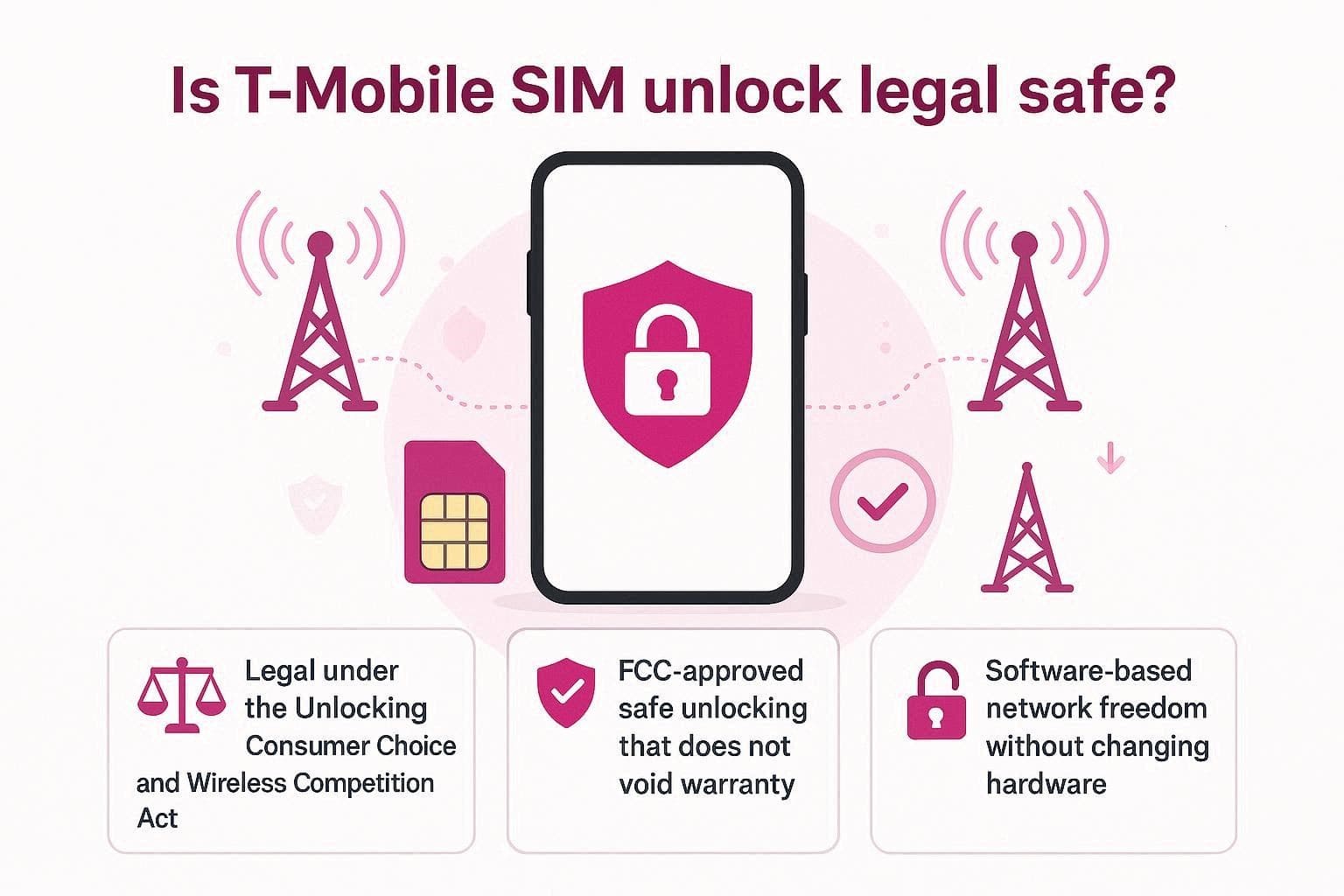
According to the Unlocking Consumer Choice and Wireless Competition Act, customers have the right to unlock their devices if they meet their carrier's terms and conditions. The FCC report further states that the unlocking is safe and does not void the warranty when done through legal methods. Unlike unblocking, the T-Mobile unlock phone process simply removes the software restrictions that prevent you from using other networks.
T-Mobile SIM Unlock Policy and Eligibility Rules to Know
Since the process is legal and safe, review the mentioned points and determine if you meet the T-Mobile SIM unlocking criteria:
- The device must be sold by T-Mobile and must not be reported as lost or stolen.
- Your account must be active and have a positive payment history.
- The device must be active on the T-Mobile network for at least 40 days.
- The account must be completely paid off, and if it was canceled, it must have zero balance.
- At least 365 days must have passed since the device was first activated on the T-Mobile network.
- If it hasn’t been a year, the prepaid account must have more than $100 in refills for each active line. In addition, the device must have been active for at least 14 days.
- T-Mobile will unlock your device immediately if you are being deployed and have shown deployment papers.
- The unlock is limited to 2 mobile devices per line of service every 12 months.
Part 2. 3 Ways - Check If Your T-Mobile Phone Is SIM Locked
If you meet the T-Mobile carrier unlock requirements, the next step is to check the SIM lock status. Hence, from Android to iOS and app/online ways, this section lists a detailed guide below:
Way 1. Check via Settings
This method requires an additional SIM or a website and can be performed on Android and iOS. In addition, it gives an instant confirmation from anywhere and is guided ahead:
For Android
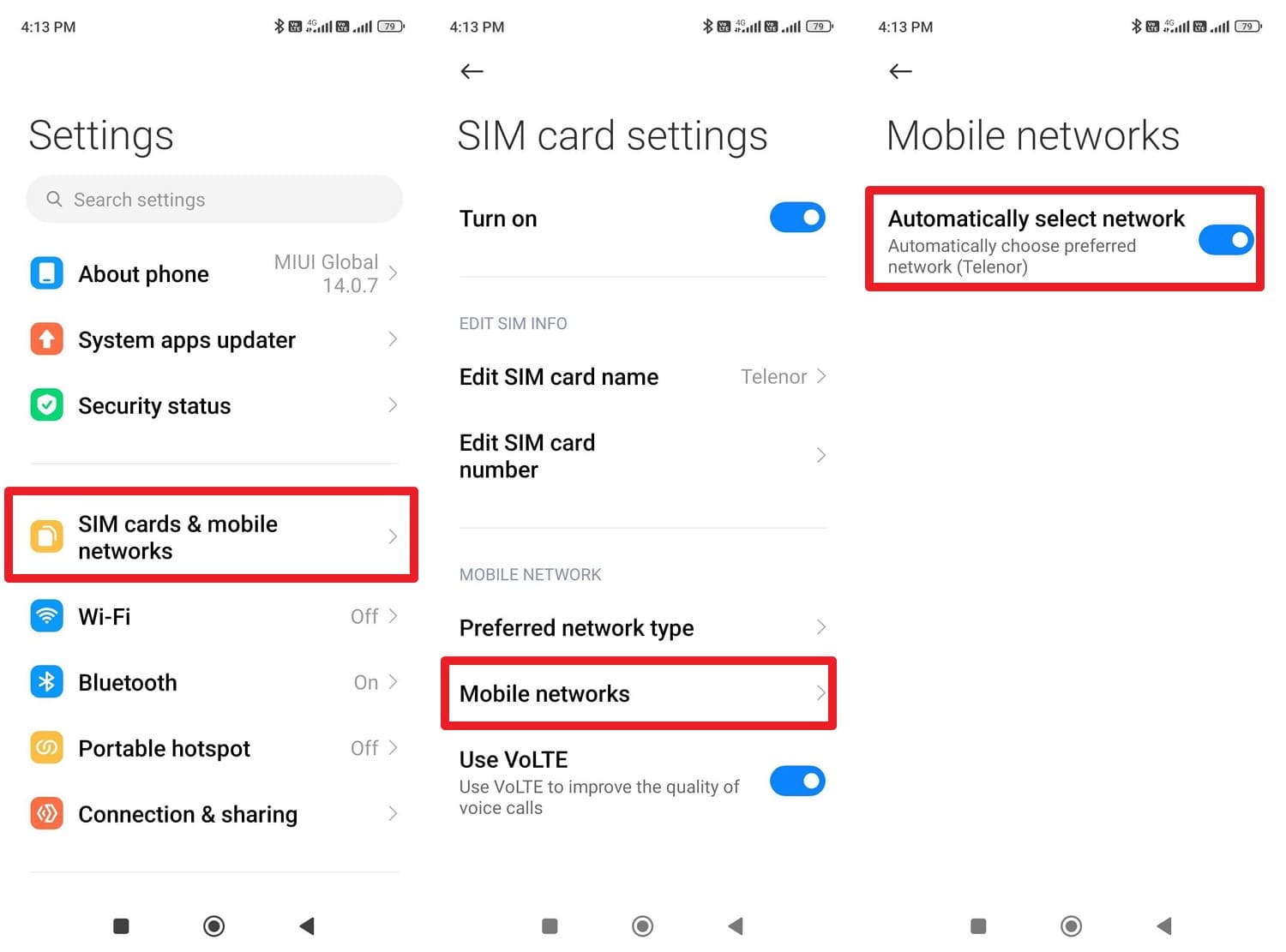
Instructions. Pick the “SIM Cards & Mobile Networks” option, select the SIM, and tap “Mobile Networks.” After that, toggle the “Automatically Select Network” option; if you don’t see a carrier list, it's locked.
For iPhone
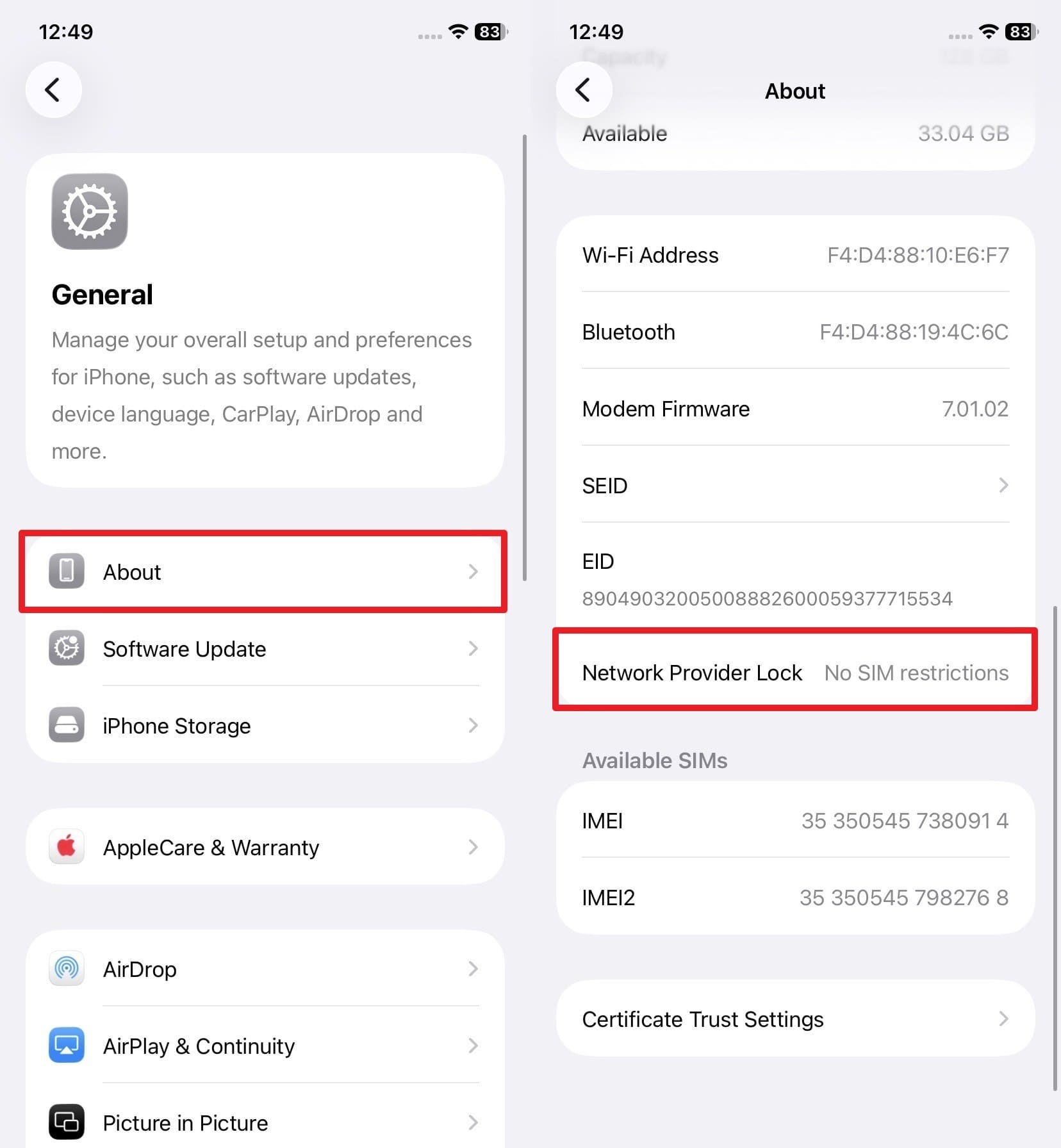
Instructions. Choose "About" in the General settings, and find the “Network Provider Lock” option. If it does not say “No SIM Restrictions,” the phone is locked.
Way 2. Use the T-Mobile App [Device Unlock] Or T-Mobile Online Account
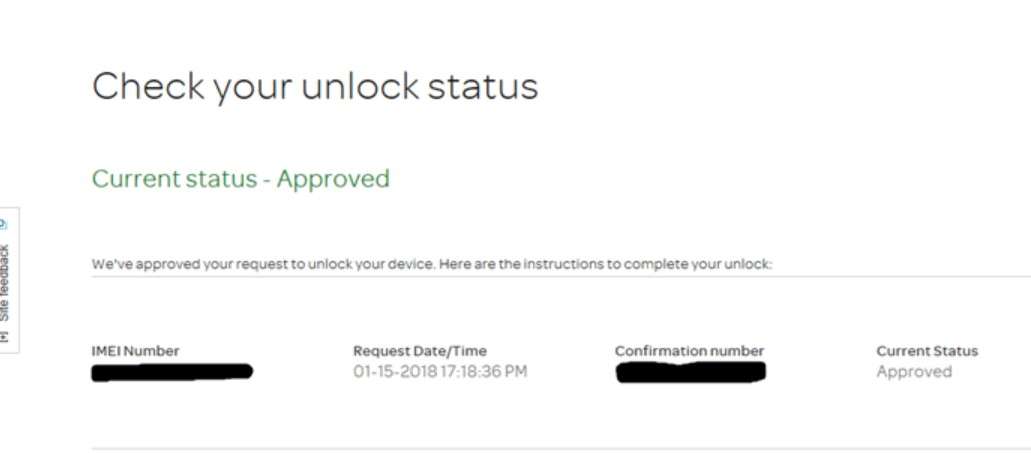
Through this method, you can continue the SIM lock removal method after checking the lock status. In this regard, you simply click the “Allow” button, and you can then manage your line step by step. As another method, you can go to the T-Mobile website account page and tap the “Check Your Unlock Status” option to view your account details.
Way 3. The “Different SIM” Test
As you continue with the T-Mobile unlock phone methods, try to swap the SIM from a different network. Power off the phone, add the new SIM, and if it doesn’t pick up signals after turning it back on, it's locked. Additionally, you can also get “SIM Not Supported” or “Enter Network Unlock Code” alerts.
Part 3. Unlock T-Mobile Phone SIM: Full Walkthrough for Beginners
Regarding the T-Mobile SIM unlock ways, here are some official and safe options you can opt for:
Method 1. Request SIM Unlock Directly from T-Mobile
If you want to contact T-Mobile directly, there are 2 options you can try:
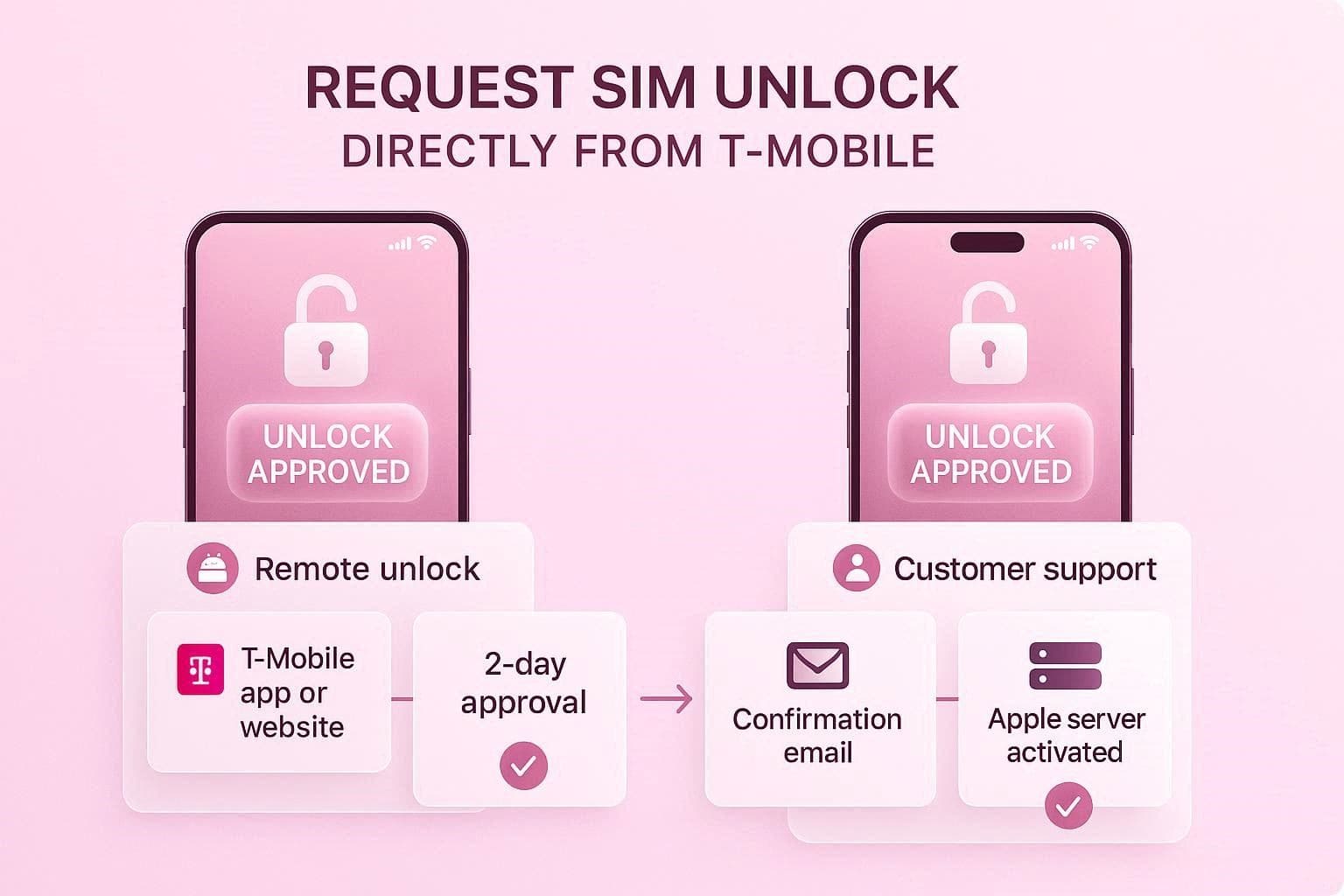
Option 1: Official T-Mobile Remote Unlock (Preferred)
T-Mobile says that as long as the phone is unlockable remotely, it will automatically unlock within 2 business days when you meet the unlocking requirements. Once that, the device unlock status can be checked in the T-Mobile application or on the online site.
Option 2: Requesting Unlock for iPhone
You can use this option to unlock an iPhone, since there is no Device Unlock app for iOS users. You have to contact “1-800-937-8997” and ask the representatives to submit the SIM unlock request. After that, you will get a confirmation email within 2 days, if eligible. The iPhone will connect to Apple's servers and automatically activate the unlock.
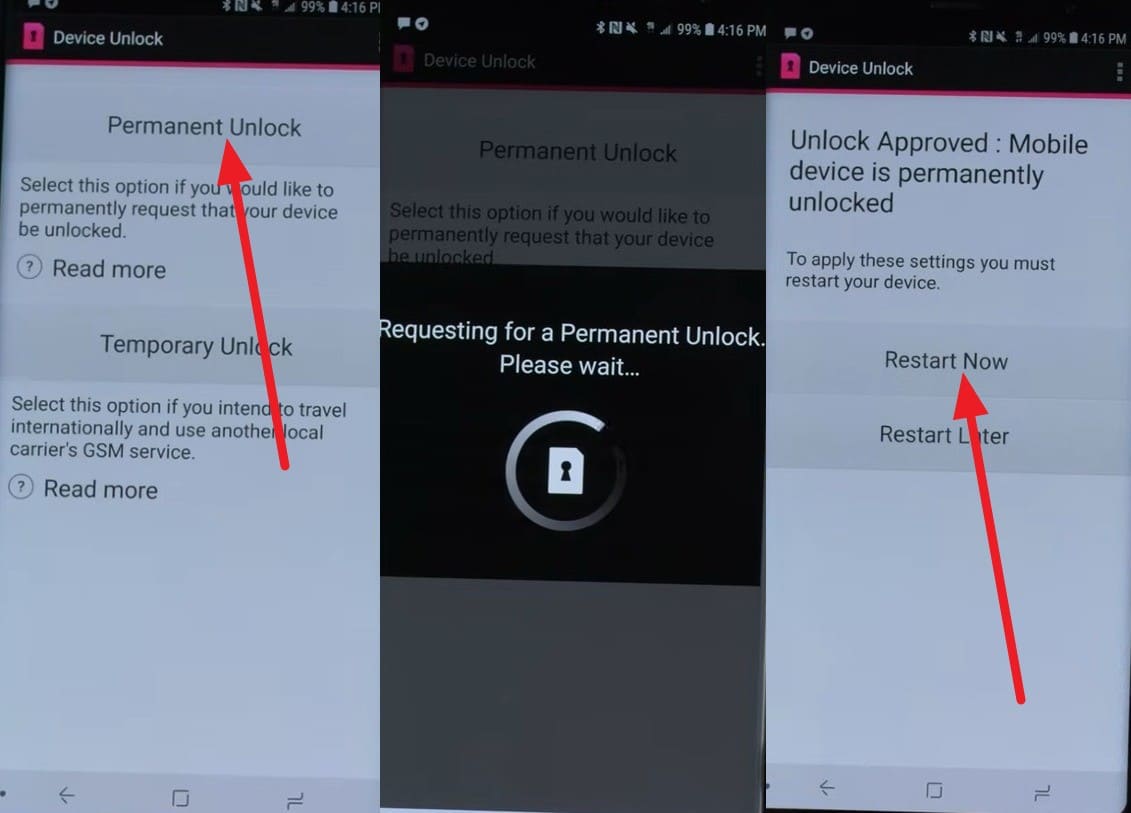
Method 2. Use T-Mobile Device Unlock App (Android)
Many T-Mobile Android devices, such as Samsung, Motorola, LG, and OnePlus, have the preinstalled app Device Unlock. Hence, users can use this for T-Mobile carrier unlock and choose from permanent or temporary unlock options. Later, the app allows you to restart the device and update the lock status without contacting support, as guided:
Instructions. Insert the SIM and grant the necessary permissions on the app by pressing the “Allow” button. After that, choose the “Permanent Unlock” option and wait till the request is processed. Once done, press “Restart Now,” and your SIM lock will be removed in real time.
Method 3. Use IMEI Unlock Services (Alternative Option)
Let’s say all the T-Mobile SIM unlock worked for Android users, but the support team won't answer for iOS users. In this case, you can use IMEI-based SIM unlock tools like Dr.Fone Online Unlock, and you won’t have to wait for 2 days either. This tool supports major carriers such as T-Mobile and AT&T; additional carriers will be added in its weekly updates.
Furthermore, the tool uses IMEI details and processes the request on cloud servers, ensuring the unlock is permanent, and no data is lost. Unlike other tools, it needs no jailbreaking or rebooting and takes 0-24 hours to remove the SIM lock. It acts as a safe workaround to the T-Mobile unlocking method, and doesn’t void the warranty. After submitting the request, you can track the unlocking process, which is limited to T-Mobile options.
1. Instant & Permanent Unlock
Dr.Fone Online Unlock processes IMEI-based requests in 0–24 hours and delivers a permanent unlock without affecting device warranty.
2. No Technical Skills Needed
No root, no jailbreak, no reboot — just enter IMEI, carrier, and country, then wait for confirmation.
How to Remove SIM Lock from a T-Mobile Device via Dr.Fone
To make the T-Mobile carrier unlock possible via this online tool, let’s test its claims via the mentioned guide:
-
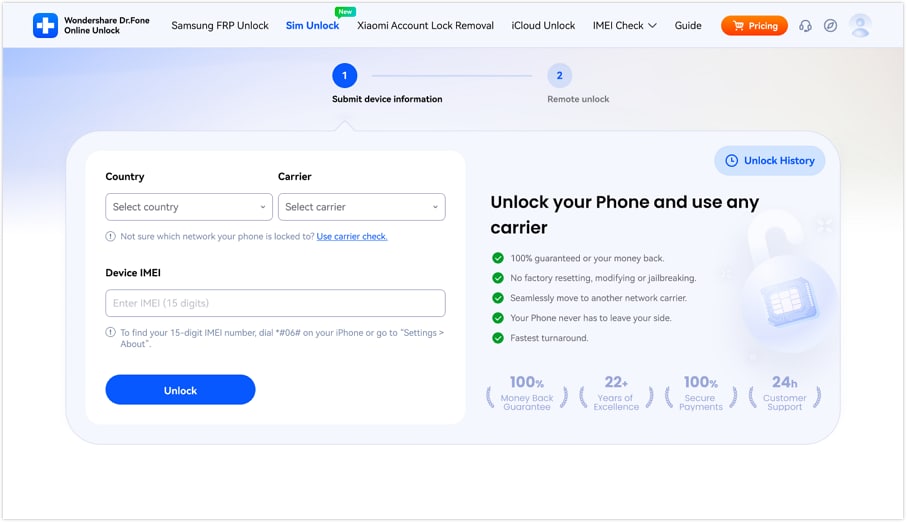
Step 1 Access the Dr.Fone Online Unlock Tool Site
As you go to the Dr.Fone SIM Unlock page, add the requested details and press the “Unlock” button.
-
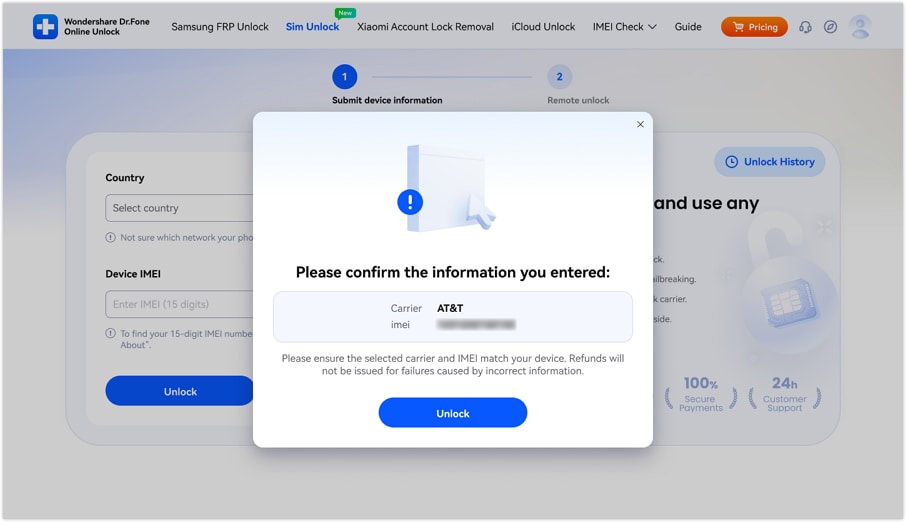
Step 2 Confirm Details When Asked By Dr.Fone
After that, confirm the carrier, country, and IMEI details by picking the “Unlock” button.
-
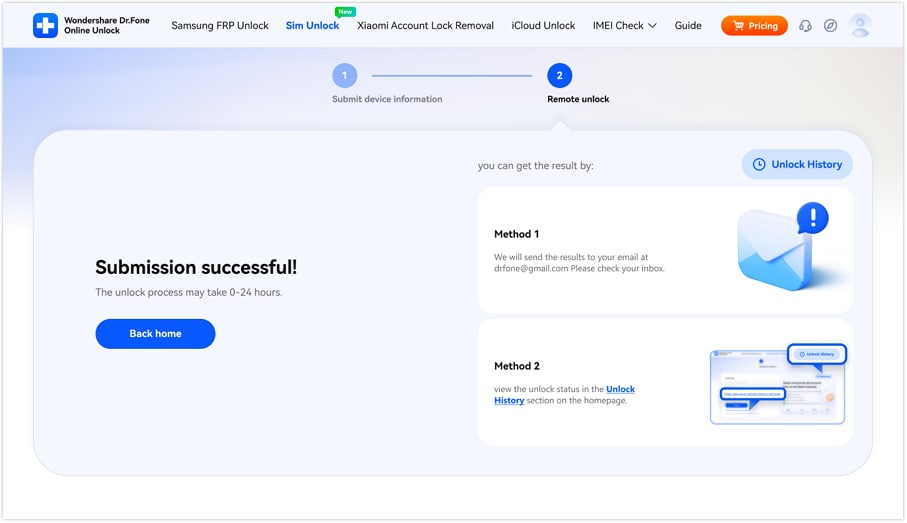
Step 3 Locate the Email or History to View Progress
The tool will submit the cloud request and will unlock the SIM within 0-24 hours. During this time, you can review the unlocking process via email or Unlocking History.
Part 4. How Much Does It Cost to Unlock T-Mobile Phones?
According to the FCC's consumer guidelines, carriers can no longer impose extra charges for unlocking a compatible device. So, if you're wondering about the charges for the T-Mobile unlock phone, note that it's free for current and former customers who meet T-Mobile's eligibility criteria. However, if you are ineligible or an iPhone user, you can use services like Dr.Fone Online Unlock.
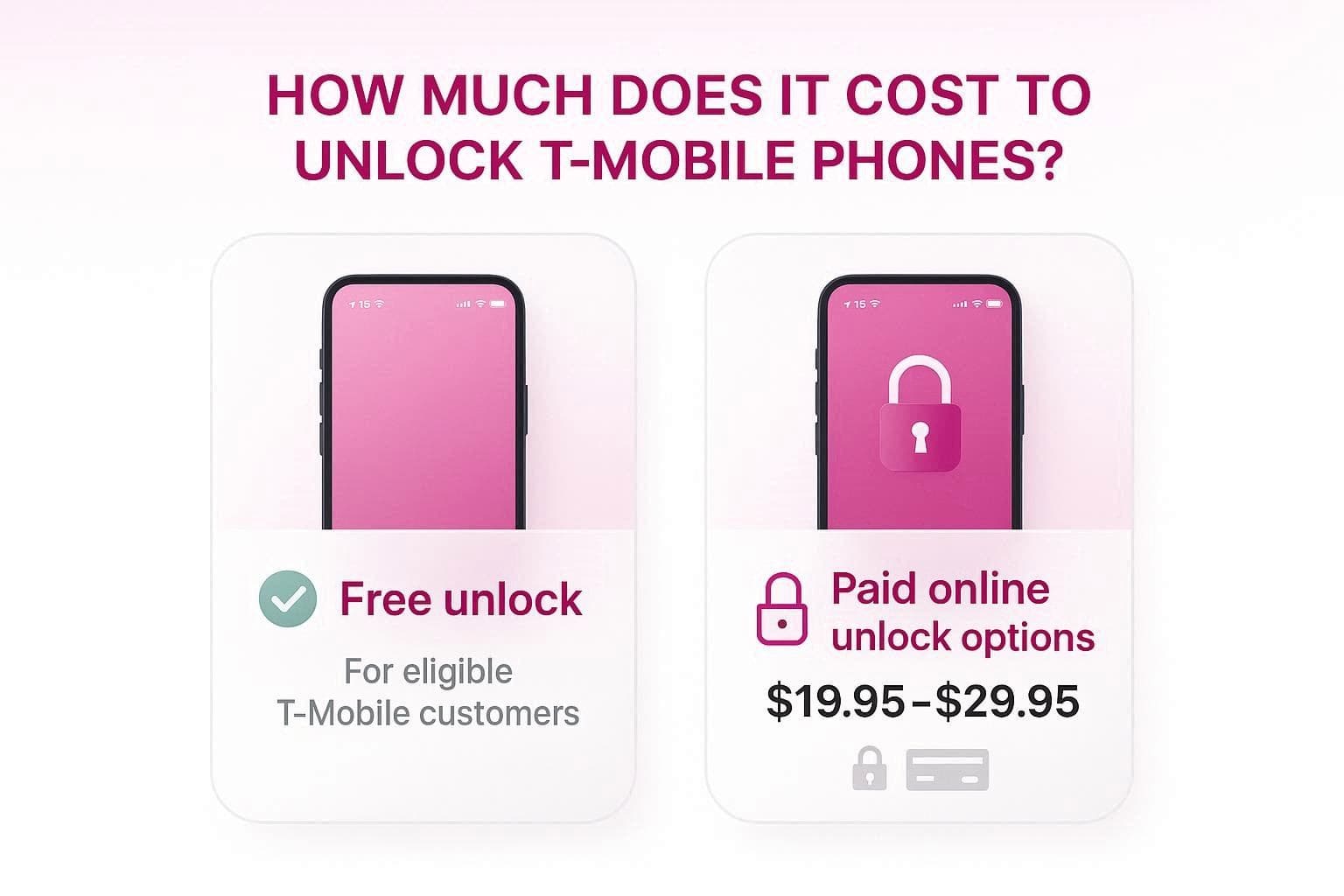
As highlighted on their pricing page, the tool costs around $29.95 for an ATT Sim Unlock (online) under the Advanced Unlock Plan. Nonetheless, if you want to unlock 1 device per week, you just have to pay $19.95. Experts say this tool is reliable because it clearly states that all payments are refundable if unlocking fails.
Conclusion
It's stated that the T-Mobile SIM unlock is legal and safe as long as the user meets T-Mobile's eligibility criteria. Therefore, this guide has explained the T-Mobile terms and explained 3 simple ways to bypass the network restrictions. If any of the official methods fail or take too long, online services like Dr.Fone Online Unlock can unlock the SIM within 24 hours by using official means.
FAQ
-
1. Can T-Mobile unlock a phone I bought from AT&T or Verizon?
No, T-Mobile can unlock the device only if it was sold by them originally. If you have another carrier with the phone on T-Mobile, you will need to contact the other carrier and ask them for an unlock before you can use the phone elsewhere. -
2. Can I unlock my T-Mobile phone if I’m moving abroad for military service?
Yes, T-Mobile provides expedited unlocking for military personnel with deployment orders. In this case, you don’t have to meet the 40- or 365-day requirement, but the device must be in good condition and have deployment papers submitted. -
3. Does T-Mobile unlock Blacklisted or Blocked devices?
If the device is reported lost or stolen, or has been blocked due to fraudulent activity, it cannot be unlocked. Thus, you need to resolve the block with the original account holder or T-Mobile’s fraud department.